

You’ve probably encountered a few obstacles in your personal knowledge management process. For instance, maybe you've spent far too long trying to locate a particular note or idea within a note.
Alternatively, maybe you’ve struggled to connect and organize your notes in a meaningful way that works for you. Whatever the case, these challenges can be frustrating when they impede your ability to retrieve information and build upon your knowledge quickly.
If you're looking for a way to overcome these issues, you've come to the right place. In this guide, we'll discuss several effective Roam Research alternatives that can help streamline your note-taking process, improve your recall abilities, and make connections between your ideas so that you can better manage your personal knowledge.
One of the Second Brain Code tools we’ll explore is Constella's AI notes manager. This free AI note-maker can help you instantly recall information, improve your organization skills, and easily navigate your notes.
What is Roam Research?
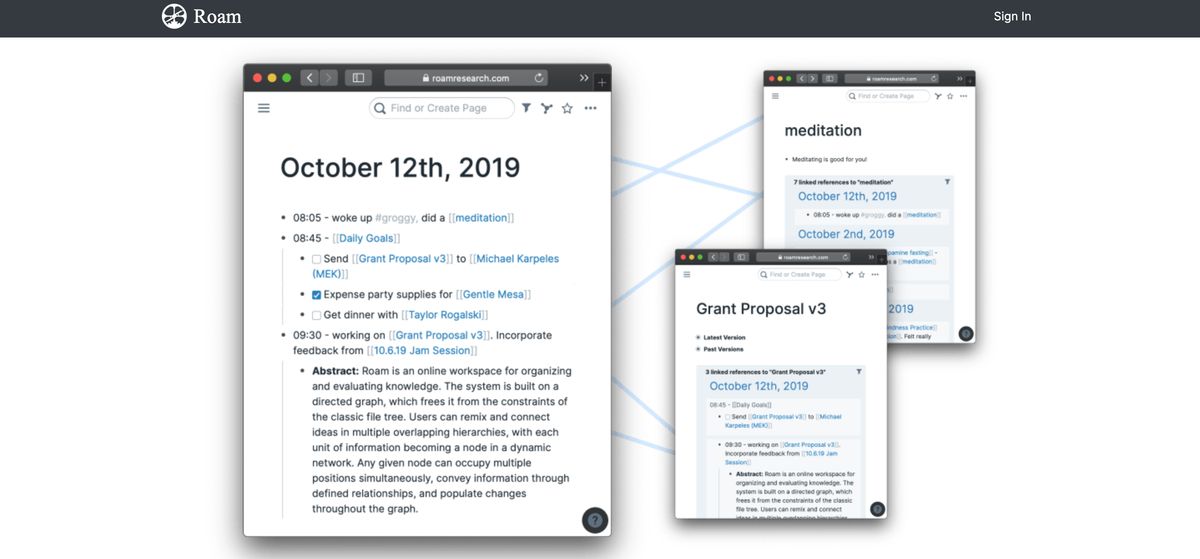
Roam Research is a potent personal knowledge management tool for serious note-takers and thinkers. With Roam, you can make notes, capture ideas, and, most importantly, connect them using backlinks and a graph overview. The application works on desktop and web and offers several features to enhance productivity, creativity, and organization.
Many users who get Roam are much more sold on the concept than looking for a more straightforward note-taking application. It presents as a note-taking tool for networked thought but more of a thinking tool. You can use it for research, self-reflection, goal tracking, task management, brainstorming, and more. Roam offers plenty of shortcuts and commands to speed up your thinking process.
Key Features of Roam Research
Bidirectional Linking
Roam allows you to create bidirectional links between pages and notes, enabling a networked approach to knowledge management. Links appear in the originating and target notes, fostering connections across your ideas.
Graph Overview
A visual graph shows the connections between pages and notes, helping users see relationships and uncover patterns in their knowledge base.
Outline-Based Structure
Notes are organized in an outline format with hierarchical bullets. You can easily nest ideas under each other and expand or collapse sections as needed.
Daily Notes
A built-in Daily Notes feature is a journal or log, encouraging consistent, chronological entry creation. It's perfect for tracking progress, capturing fleeting thoughts, or starting your day with brainstorming.
Tags and Pages
Tags (#) and pages ([[ ]]) are key elements for creating connections and organizing notes organically. Tags help categorize, while linked pages serve as hubs for related content.
Backlinks
Automatic backlinks display where each note or page is referenced throughout your database. This feature provides context and ensures no idea is isolated.
Block-Level Referencing
Each text block is uniquely addressable, allowing for granular referencing and reuse of specific content across notes.
Query and Filters
Roam supports complex queries to filter and find specific notes or blocks based on criteria like tags, keywords, or relationships.
Collaboration
Supports real-time collaboration, allowing multiple users to work on the same database simultaneously.
Markdown Support
Supports markdown syntax for formatting text, making it intuitive for users familiar with markdown-based workflows.
Linked and Unlinked Mentions
The tool suggests unlinked mentions, showing where a topic is referenced without an explicit link, encouraging further connections.
Templates
You can create reusable templates for recurring note structures, like meeting agendas or research workflows.
Zettelkasten Compatibility
Roam is ideal for implementing the Zettelkasten method, encouraging atomic note-taking and interconnected thoughts.
Offline Support
Roam allows offline usage with synchronization when you're back online.
API and Integrations
Roam offers API support and integrates with tools like Todoist, Notion, and more through community-built plugins.
Cross-Platform Availability
Roam works on desktop and mobile platforms via browser or native apps.
Related Reading
- PKM Tools
- Personal Knowledge Management Tools
- Second Brain Apps
- Second Brain Method
- Heptabase Alternative
- Zettelkasten Note Taking
- How to Build a Second Brain
- Tiago Forte Code
- Second Brain Notion Template
- Roam Research vs Obsidian
- Notion vs GoodNotes
Roam Research Price Plans
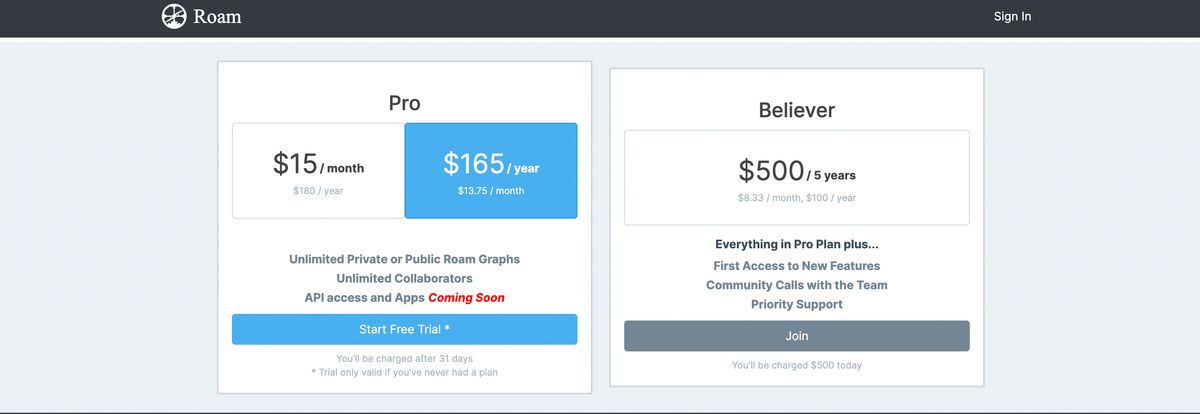
Roam Research doesn't offer a free plan. It has two pricing plans. These include:
1. Pro Plan
Pro plan is priced at $15/month or $165/year with the following features:
- Unlimited Private or Public Roam Graphs
- Unlimited Collaborators
- API access and Apps
2. Believer
Believer priced at $500/5 years with the following features:
- Everything in Pro Plan plus...
- First Access to New Features
- Community Calls with the Team
- Priority Support
15 Best Roam Research Alternatives for Note-Taking
1. Constella: The Infinite Canvas for Capturing Ideas
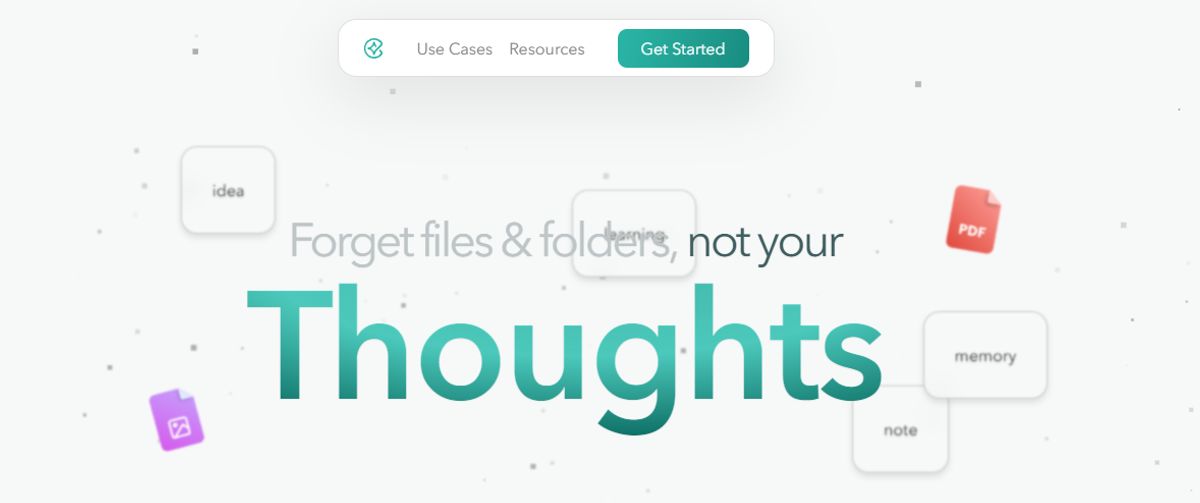
Constella reimagines note-taking with an infinite canvas that lets you capture and connect ideas effortlessly, powered by AI search that makes finding information instantaneous. Whether you're a researcher trying to draw connections across numerous papers or someone who wants a more intuitive way to organize your thoughts and files, Constella's AI assistant helps you build and navigate your knowledge base without the constraints of traditional folder structures.
Constella transforms how you capture, find, and connect your ideas, perfect for busy knowledge workers and researchers limited by conventional note-taking tools. Research 10 times faster with Constella's AI notes manager.
2. Microsoft OneNote: A Digital Notebook to Organize Everything
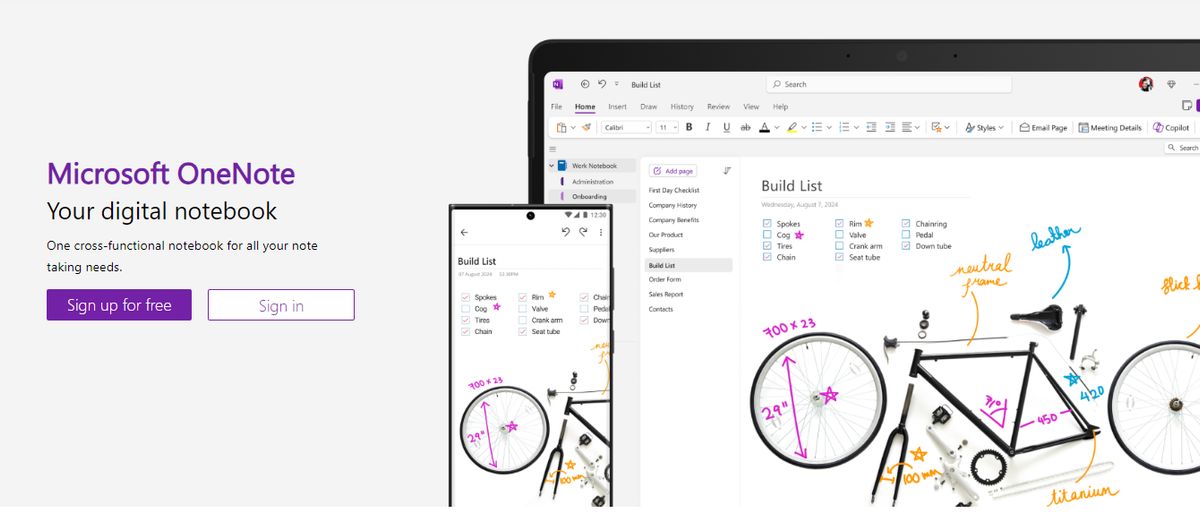
Microsoft OneNote provides note-taking tools for different inputs, including typing, handwriting, and drawing. You can incorporate content from the web directly into your notes, refining the research and documentation process. I’ve always found OneNote’s organization to be great. It’s so simple to get to what you’re looking for with the fewest clicks. The other thing I love is that the app is less rigid and more fluid across text, numbers, and images. You can quickly add a formula, a table, or an image to the same note.
I appreciate the fluidity of this approach—it feels like a natural note-taking and journaling experience. OneNote templates provide a convenient starting point for organizing your notes, whether planning a project, keeping track of tasks, or journaling. Our team tested its relatively smooth collaboration features. You can work in tandem (on grocery lists, party shopping, or work to-dos) with family members or your team, and your notes get updated in real time. The interconnectedness of the Microsft suite always makes it its USP and its limitation—it depends on who you ask.
Microsoft OneNote’s best features
Recreate the feel of a physical binder with separate sections and pages in the Digital Notebook Layout. Convert handwritten notes to typed text. Sync your notes across devices and platforms, keeping the continuity of thought intact. Access your notes even when you’re offline.
Microsoft OneNote limitations
Users need to have a Microsoft 365 subscription to access the tool. Provides integration mainly with Microsoft products, which is limiting for users of other ecosystems
3. Notion: The All-in-One Workspace for Note-Taking and Collaboration
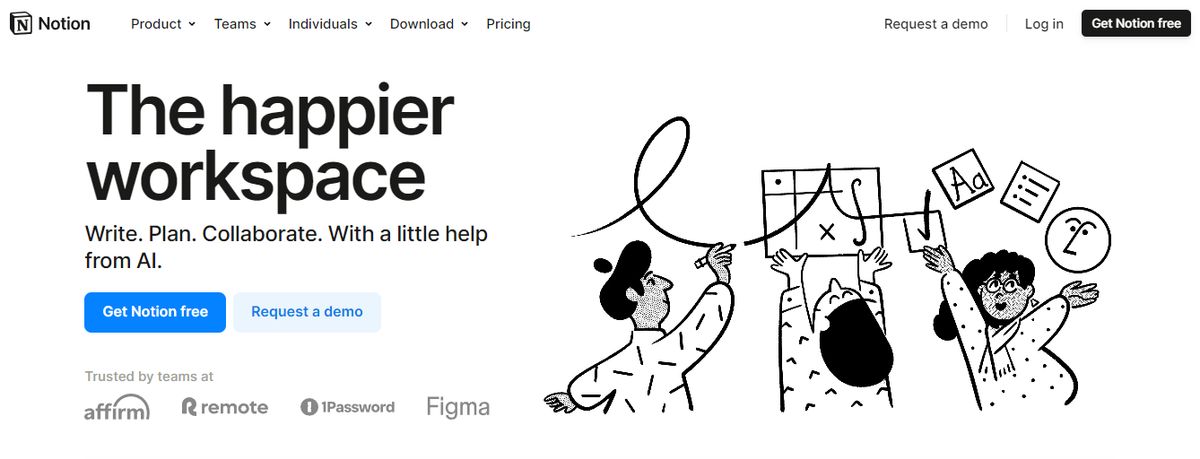
Notion’s note-taking experience supports various content types, including images, text notes, bookmarks, videos, and code. You can add these to your notes with intuitive controls such as drag-and-drop and slash commands. We loved its customization options. They allowed us to tailor our workspace for different personal and team needs, such as changing privacy settings to keep confidential meeting notes private or sharing them with team members when needed.
One pet peeve the team had with Notion is the maze of organization; you’re sometimes lost in the app, and the breadcrumbs aren’t always helpful. On the other hand, it is pretty popular with people who want to create databases and wikis. Go figure. The UX is sometimes hit or miss; the windows you’d like to open as separate pages often open as popups. Of course, it depends on your personal preference.
While testing the app, I tinkered with Notion AI to discover how it can simplify note-taking and organization. I listed a few tasks, mainly related to a new product launch, and Notion AI quickly auto-filled the steps I had to follow to accomplish those tasks. While they were not entirely accurate, the tool did a fair job. The platform works well for cross-functional teams where collaboration is a must. Comments and real-time editing offer a smooth way to ideate with remote teams, collect and provide feedback quickly, and keep everyone on the same page.
Notion's best features
Create custom templates and integrate your database into notes. Access important information quickly via the sidebar. Write and format notes using Markdown. Focus on what you’re writing with an immersive experience that makes everything else fade away for the time being
Notion limitations
The complex feature sets and UI can be daunting for new users. It does not offer any screen recording or transcription feature.
4. EverNote: The Original Note-Taking App
Evernote is a note-taking app with the green elephant logo. 🐘 This Roam Research alternative lets you take notes, organize them, manage your projects, and enhance productivity. And whether you need it for personal knowledge management or work, Evernote can be a suitable platform. However, there are note-taking and project management apps that are cheaper and offer far more functionality than Evernote.
Evernote's best features
Scan documents on the go with their iOS (iPhone & iPad) and Android apps. Get offline access to your notes. Easily integrate with popular apps, including Gmail, Salesforce, Slack, etc.
Evernote limitations
The free plan supports only 60MB monthly upload. You can’t do simple calculations in a table. It doesn’t work on Linux. .
5. Google Keep: The Simple Note-Taking App
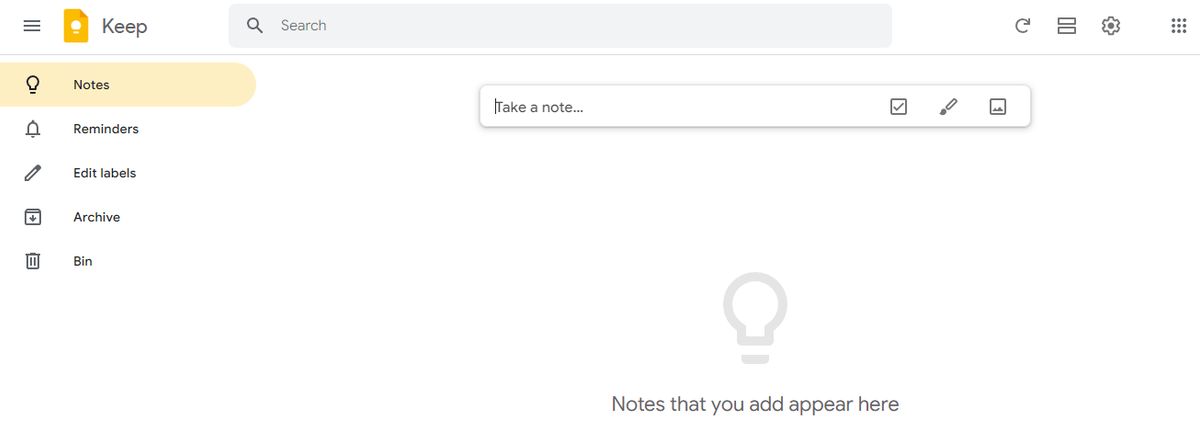
Google Keep allows users to effortlessly capture content, including notes, lists, photos, and audio, and organize it on a digital bulletin board. Sharing notes among family and friends is simple. For example, you can share a shopping list and see updates in real-time as items are checked off—there is no need for back-and-forth communication. I like Google Keep’s voice note feature.
When I’m in a rush and need to jot down something important, I can simply record a voice memo instead and transcribe it into text later—fast and efficient! Like Apple Notes, anything more complex or advanced you want from the tool is a struggle. You might think Google would make more effort to combine the Keep experience with Google Tasks and Calendar, but it’s not happened. They continue to be disparate experiences, which can be frustrating if you want an all-in-one software or expertise.
Google Keep’s best features
Get reminded of your to-dos at the right place and time with time-based and location-based reminders. Organize notes using labels and colors. Integrate your notes smoothly with Google Docs, Calendar, and other apps within the Google ecosystem.
Google Keep limitations
It is more suitable for quick notes rather than detailed, lengthy note-taking. The features are too essential for complex note organization.
6. DokuWiki: The Open Source Alternative for Note-Taking
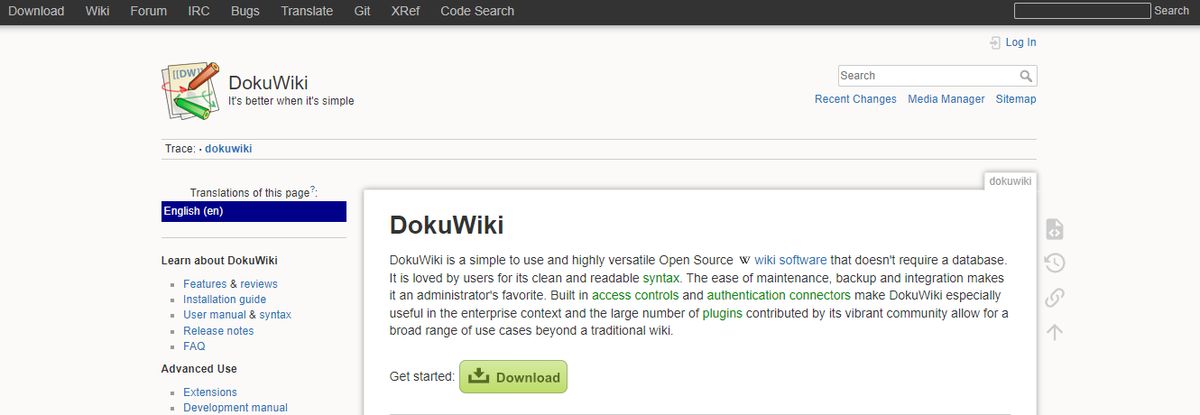
If you’re looking for open-source alternatives to Roam Research, DokuWiki is a great tool that doesn’t need a database. You’ll love the many plugins that extend DocuWiki’s feature set, chipped in by its buzzing community. However, it’s hard to get past its appearance.
Visually, you’re stuck with something that looks like it was made when Mac was called Macintosh.
DokuWiki best features
Markdown supports Tons of plugin options for syntax, admin, etc. Templates for layout customization
DokuWiki limitations
It can be challenging for non-technical users to onboard. The software looks dated—no task management abilities.
7. Joplin: The Open Source Note-Taking App
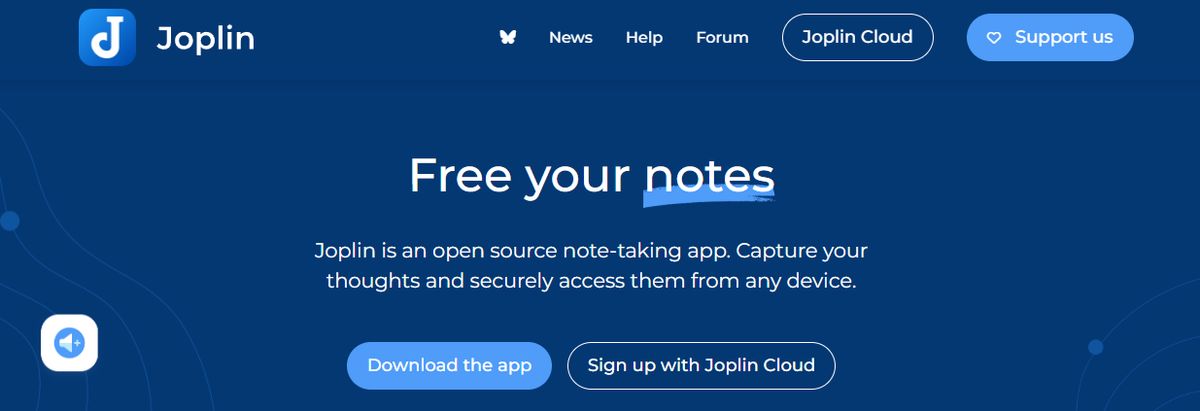
Joplin is an open-source note-taking application that helps you put your thoughts into words and securely access them across Windows, MacOS, Windows, Linux, and iOS. The tool supports multimedia notes, including images, videos, PDFs, and audio files. Its sharing and collaboration features are smooth. It allowed me to share my notes with friends, family, and colleagues and work alongside them on the notes without hassle.
There was also an option to save a note (on the internet) and share the link with others—an easy way to share task lists, company wikis, or meeting notes with a large group of people. Joplin offers extensive customization options through plugins, custom themes, and text editors (such as Rich Text and Markdown), ensuring you can tweak the tool to your liking. While it’s an open-source app, it maintains data privacy with End-To-End Encryption (E2EE). Your notes will be accessible only to you unless you choose to share them.
Joplin's best features
Format your notes with Rich Text or Markdown. Save web pages or take screenshots directly with the Web Clipper extension (available for Chrome and Firefox). Work offline and take down notes on the go.
Joplin limitations
The interface is not as user-friendly as some commercial options, limiting its appeal to less tech-savvy users. Syncing requires more setup than other mainstream note apps.
8. Simplenote: A No-Fuss Note-Taking App
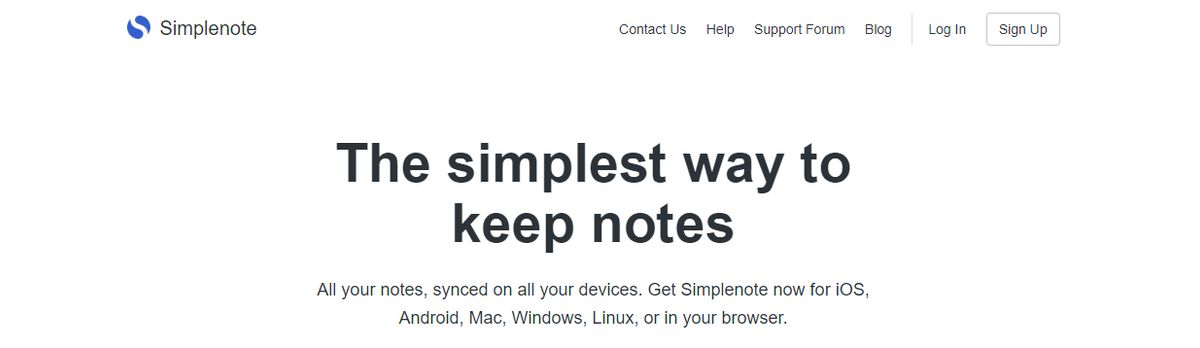
Simplenote is a no-fuss note-taking app that syncs across multiple devices and platforms, including Android, iOS, Mac, Windows, Linux, and web browsers. Notes update automatically in real-time across all devices—there’s no need to look for a ‘sync’ button! I found the version history feature to be the most useful. Sometimes, I create a detailed note on a topic, and once the job is done, I edit the note with new content.
Later, if I want to retrieve that note, it’s not possible anymore. Simplenote is a savior in such cases—it backs up notes with every change, so I can look up what I had written down days, weeks, or even months ago. The interface is quite similar to Apple Notes, but there’s no option to add images or sketches.
Simplenote best features
Organize notes using tags and retrieve them quickly with the instant search functionality of this Android note-taking app. Collaborate with friends and team members by sharing lists, posting instructions, or publishing notes online. Write, preview, and publish notes in Markdown format.
Simplenote limitations
There is no option to insert tables. Lacks any aesthetic appeal.
9. Bear: A Markdown-Based Note-Taking App
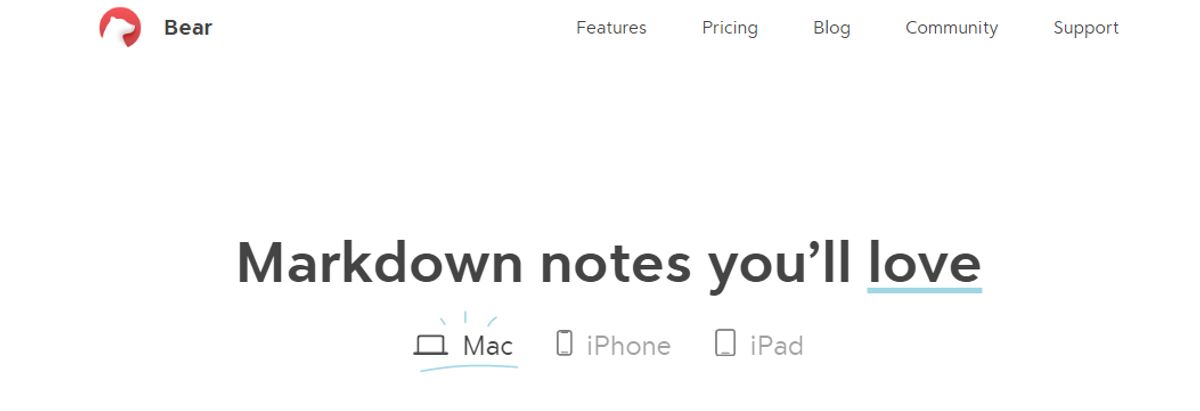
Bear is a Markdown-based note-taking app that allows you to format and organize different types of content (including text, photos, tables, and to-do lists) within a single note. I loved its aesthetics, especially the minimal user interface—it made me feel less anxious when I was toying with the app, even though I had a massive task list to tick off! Bear is available on Mac, iPhone, and iPad.
It’s a great choice if you’re more inclined toward the Apple ecosystem and looking for something more visually pleasing than Apple Notes. Opting for the paid version, Bear PRO unlocks advanced features, such as OCR search capabilities and exporting notes into multiple formats (PDF, HTML, DOCX, and JPG). It’s worth the money if you’re into designing.
Bear best features
Format your notes with a simple Markdown. Organize notes with flexible tagging systems. Use folding to focus on one section at a time section and hide the rest. Customize the app with beautiful themes.
Bear limitations
Available only on iOS and macOS, which limits its use to the Apple ecosystem. Some basic features, like iCloud sync and exporting options, require a subscription.
10. TiddlyWiki: The Self-Hosted Note-Taking App
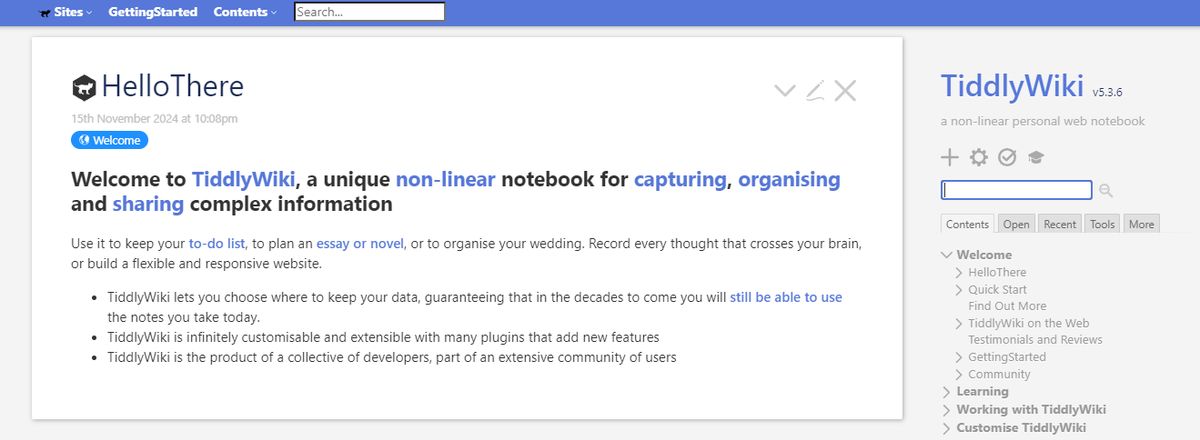
TiddlyWiki is a free, open-source, self-hosted website with a very memorable name. It lets you capture every thought, organize complex information, and share it with your team. Planning a novel? Creating a to-do list? TiddlyWiki can be your friend. However, its functions are limited to just ‘words.’
So, if you want to manage tasks or set reminders for the notes…
TiddlyWiki key features
Customizable keyboard shortcuts Editor toolbar for quick text formats TiddlyMap add-on for linking pages on a simple graph.
TiddlyWiki limitations
No collaboration abilities Limited task management Risk of data loss if not backed up in apps like Dropbox
11. Obsidian: A Note-Taking App for the Visual Learner
Obsidian is a helpful note-taking app for people like me that has hundreds or thousands of notes on their devices. What I love the most about this tool is the interlinking and bi-directional linking—you can connect notes, ideas, people, places, and more. For example, I saved multiple notes on different marketing campaigns, all for the same product. Linking helped me keep everything integrated and access relevant notes quickly.
An interactive graph also identifies hidden patterns within notes and visualizes their relationship. On that note, I’ve been a big fan of Obsidian and Notion. But if I have to assess Notion vs Obsidian head-to-head, I’ll pick Notion any day, as its note-sharing and collaboration features are way smoother. Obsidian is excellent if you want to spend much time using the tool. If you’re looking for collaboration or integration features where you can push out information or tasks to support your productivity workflow—it’s not built for that.
Obsidian's best features
Brainstorm, research, and ideate on Canvas—your personal space—track version history of notes for up to one year. Curate a personalized experience with plugins and themes. Control which files you want to sync with which devices.
Obsidian limitations
Collaborating with others on notes is a complex process. The mobile version is primarily a desktop app but is not as robust or user-friendly.
12. Logseq: The Note-Taking App with AI Features
Like most note-taking apps, Logseq is designed to help you organize and manage your knowledge effectively. What sets this AI tool apart is its outline-based structure and linked references that allow you to create dynamic internal links between notes. For instance, you can link meeting notes to project tasks for smooth tracking. This Logseq feature is excellent for building a personal knowledge graph, visualizing connections between ideas, and structuring tasks or projects.
Logseq's best features
Summarize notes, organize knowledge bases, and optimize workflows with AI tools. Organize notes visually with a graph view for better context. Manage tasks directly within notes using this markdown note-taking app.
Logseq limitations
It’s not ideal for real-time collaborative editing and teamwork. Some users have reported that its built-in sync feature is unreliable, hindering productivity.
13. Document360
One of the best Roam Research alternatives is Document360. This all-in-one workspace software specializes in building customizable knowledge bases. You can personalize your knowledge base with branded colors and create dynamic, searchable, multilingual user manuals, SOPs, how-to guides, and other documents.
Ideal for professionals seeking to streamline documentation processes, Document360 offers a user-friendly interface that caters to technical and non-technical users. It also offers AI functionalities to simplify tackling all documentation needs.
Document360 Best Features
- Improve the context and relevance of documentation with real-time AI feedback.
- Get insights into user behavior and content effectiveness to optimize knowledge management strategies.
- Connect with popular tools like Slack, Microsoft Teams, Zendesk, and Intercom to build a cohesive workflow across platforms.
Document360 Limitations
- A few features are only available through costly add-ons.
- New users might require time to fully leverage the platform’s extensive capabilities.
14. Apple Notes
Another alternative to Roam Research that’s worth mentioning is Apple Notes. This simple but efficient note app works across all Apple devices. This could become your go-to tool if you’re deep into the Apple ecosystem.
It’s still the most straightforward app if you work within the Apple ecosystem. You can summon it anytime on your Mac from the bottom right corner, and it pops up earnestly. Syncing is mostly great; copying something on the phone and pasting it on your desktop is pure magic.
Ask more of the app, and you’ll be disappointed. Moving the text around, formatting, and indenting are not easy. Any advanced use cases are simply unsupported. You can save multiple types of content, including images, web links, handwritten notes, maps, PDFs, and sketches. I prefer Apple Notes’s scanning feature to scan documents directly from my iPhone. There’s no need for third-party scanners. The documents are saved directly within Notes as PDFs.
Apple Notes Best Features
- Create notes, edit lists, organize notes into folders, and manage attachments.
- Pin priority notes on top for quick access.
- Add tags to sort and find notes easily.
Apple Notes Limitations
- Limited to users within the Apple ecosystem.
15. Guru
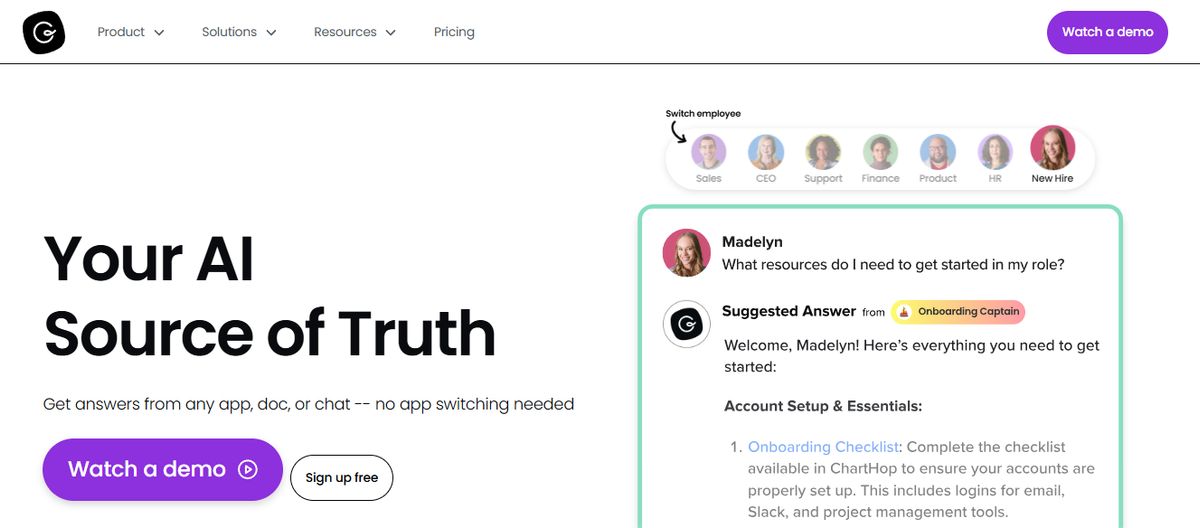
Guru is another excellent knowledge base tool that can be an alternative to Roam Research. This AI-powered knowledge management platform helps convert your company’s collective knowledge into a single, centralized, and up-to-date Wiki for your employees.
The AI search feature provides instant, personalized responses to your employees’ questions, enabling them to return to their assigned tasks with clarity. Guru empowers teams to maintain a single source of truth, ensuring that information is accurate, up-to-date, and easily retrievable—qualities that are integral to improving operations and making informed decisions.
Guru's Best Features
- Create a personalized intranet that serves as a centralized hub for company information.
- Connect to your existing apps, chats, and documents through AI.
- Provides role-based access control functionalities.
Guru Limitations
- Guru provides limited customization options compared to other software.
- There is a chance of outdated or duplicate content with the growth of the knowledge base.
Pros and Cons of Roam Research

Daily Notes: An Easy Way to Capture Information as You Go
Roam Research is built around the feature of daily notes. When you open Roam, you see a blank page labeled with today’s date. From this page, you can create notes and links to other notes, all time-stamped to keep everything organized. This helps you capture and organize information instead of letting it accumulate until you can get around it. The daily notes feature also has a calendar view, so you can easily navigate past notes, which is particularly useful for research.
Graph View: Visualize Connections Between Your Notes
Roam’s Graph View is another standout feature. It creates a visual map of your notes and how they connect. This looks incredibly cool and helps you make sense of your notes and understand the bigger picture of your research. The more you write in Roam, the more detailed and organized your graph becomes. You can even collapse certain sections to declutter your view and focus on specific areas.
Note Linking: Create a Network of Related Ideas
In Roam, every note you create is like its own webpage. This allows you to link to other notes and develop a network of related ideas that all connect. This is similar to how Wikipedia pages link to related articles to help users navigate information. The more you write in Roam, the more detailed and organized your graph becomes. You can even collapse certain sections to declutter your view and focus on specific areas.
Cross-Platform Tool: Access Your Notes Anywhere, Anytime
Roam Research is a web-based application accessible from virtually any device with an internet connection. As a result, you can use it on your laptop, tablet, or phone.
Supportive Community: Join a Network of Fellow Users
Roam has an active community of users and developers who share tips, templates, and workflows to help you get the most out of the tool. The Roam Research forum is a great place to start if you want to learn more about the app and how to use it. You can also find several YouTube channels and Twitter accounts dedicated to sharing Roam Research tips and tricks.
Price: One of the Most Expensive Note-Taking Apps on the Market
Roam Research has a price tag of $15 per month if you pay monthly or $13 per month if you pay annually. While this isn’t an issue if you use Roam for work and can justify the expense, it can be a tough pill for casual users.
Opinionated System: Steep Learning Curve to Master
Roam Research has a particular way of organizing notes and connecting ideas. This means that if you’re used to a more traditional note-taking system (like most others on the market), the transition to Roam might initially feel awkward. It can take time to get comfortable with the layout and the features as you try to wrap your head around the new way of thinking about notes.
Related Reading
- Slite Alternatives
- Joplin Alternatives
- Notion Knowledge Management
- Coda Alternatives
- Siyuan Alternatives
- Roam Research Alternatives
- Amplenote vs Notion
- NotePlan Alternative
- Amplenote vs Obsidian
- Heptabase vs Obsidian
- Notion vs Evernote
Research 10 Times Faster with Constella
Constella reimagines note-taking with an infinite canvas that lets you capture and connect ideas effortlessly, powered by AI search that makes finding information instantaneous. Whether you're a researcher trying to draw connections across numerous papers or someone who wants a more intuitive way to organize your thoughts and files, Constella's AI assistant helps you build and navigate your knowledge base without the constraints of traditional folder structures.
Constella transforms how you capture, find, and connect your ideas, perfect for busy knowledge workers and researchers limited by conventional note-taking tools. Research 10 times faster with Constella's AI notes manager.
Related Reading
Want more insights like this?
Subscribe to get short productivity tips and useful summaries of new tools every week.
Want more insights like this?
Subscribe to get short productivity tips and useful summaries of new tools every week.


