
If you're like many people, you probably struggle to keep meeting notes organized and accessible. Even with the best intentions, it can be challenging to keep track of the discussions, decisions, and action items that come up in a typical meeting. To make matters worse, getting back on track following a meeting can be time-consuming and tedious. This is where AI meeting assistants like Granola AI can help.
In this blog, we’ll provide valuable insights from genuine Granola AI reviews to help you determine if this can help you get organized. We’ll also share some more innovative, more effective alternatives, such as Horizon’s AI desktop assistant, which can help you achieve your goals and get back to business. Granola AI Reviews will help you make an informed decision about your next steps.
What is Granola AI and What Are Its Key Capabilities?
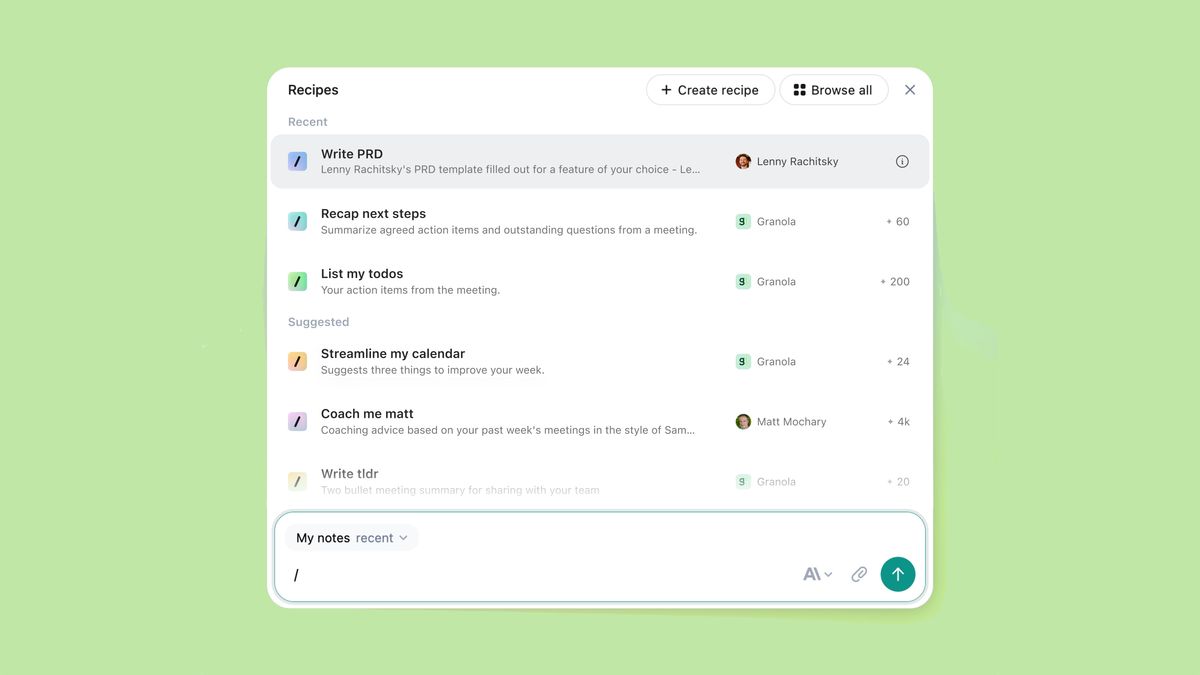
Granola is a native macOS, iOS, and Windows meeting tool that transcribes, summarizes, and analyzes your meetings using AI. Granola is also a bot-free AI meeting assistant. It doesn't join your calls. Instead, it captures audio directly from your device to deliver real-time transcription and post-call insights.
The "Invisible Bot" Advantage
It's valuable for people who find it awkward when AI bots join meetings, saying that avoiding the “bot in the room” creates a smoother user experience. It's also helpful that the app is “internally set”, meaning it uses your system audio and mic without needing to plug into tools like Zoom or Meet.
Granola Review: TL;DR
Granola requires you to download software onto your PC, so make sure you trust it before giving it the all-clear. It only works for Google Workspace emails, too, so if you’re a freelancer like me, you need to be lucky enough to have a business email address.
The key feature of Granola is that it transcribes your device’s audio, but doesn’t record anything. That means a few things:
- No bot joins the call, making it more seamless.
- It can transcribe any meeting on any platform.
- You are responsible for informing meeting participants that they are being transcribed (a potentially sensitive issue, especially for business calls).
- Granola cannot record video.
- Granola cannot record audio.
Balancing Bot-Free Benefits with Data Concerns
So, while there are significant benefits to having a bot-free meeting experience, there are also important drawbacks. Another thing that users should be made immediately aware of is that Granola trains its AI on your data, unless you choose to opt out in the Enterprise plan. This data is anonymized, but there are no details about the anonymization process.
Simplicity vs. Features
From an experience standpoint, I enjoyed using Granola. There are definite downsides, such as the lack of organization compared to Granola alternatives and the absence of video or audio playback. Nevertheless, it was nice that I could open the software, start transcribing, and continue with my conversations.
I transcribed calls on Google Meet, MS Teams, Zoom, and even a Russian language lesson (which Granola was able to understand without any manual language setting changes).
Pricing and Trial Limitations
All in all, it was a mostly positive experience, but it should be noted that Granola does not offer a free plan. It provides a 25-conversation free trial, which is significantly better than most free trials, as it’s not time-based and allows you to experience the complete feature set. However, once those 25 meetings are up, it’s time to pay. And it isn’t cheap.
Best for: Users who want live transcription with the option to automatically detect new languages, but don’t care for deeper analysis.
Not ideal for: Users who require in-depth AI analysis, robust integrations, and post-call workflows, or busy teams that need organization and efficiency.
The Verdict: Great free trial, but the leap to the paid plan is too steep. It’s good for individuals, but not good enough to justify the price.
Related Reading
- Best AI Personal Assistant
- Best AI Coding Assistants
- Best AI Scheduling Assistant
- Best AI Voice Assistant
- Best AI Tools for Product Managers
- Best AI Tools for College Students
- Best AI Recruiting Tools
- AI Tools for Literature Review
- Best AI for Essay Writing
A Roundup of Honest Granola AI Reviews from Real Users
Granola is a newer AI note-taking tool, and reviews suggest it’s at an intermediate stage of development. Some features are already impressive, while others still need a bit of polish.
Promising but Limited Feedback
The app currently scores 4.85/5 from 48 users on G2 and ProductHunt. Most users appreciate how the app captures meeting details and generates concise summaries that enable them to focus on the discussions instead of taking notes. But there are only a handful of reviews, so take them with a grain of salt.
Feedback also highlights a few common complaints, particularly around transcription accuracy and setup issues. Let’s dig into what users are saying.
Key Features of Granola AI
Granola AI isn’t just your average transcription tool. It leverages AI to generate helpful meeting summaries, helping teams stay organized and improve productivity. Here are some of its standout features:
Accurate Meeting Transcriptions
Granola AI captures both audio from your microphone and system audio to generate accurate transcripts of your meetings in real-time. It auto-generates a transcript as soon as your meeting begins, so you don’t have to worry about starting the recording or anything interfering with your notes.
AI Summaries
Once the meeting is over, Granola AI doesn’t just leave you with a transcript to sift through. Instead, it applies its AI technology to generate useful summaries that include action items, key points, and speaker segments.
Privacy-Friendly
Unlike other tools, Granola doesn’t record your meetings. Instead, it processes meeting audio live and deletes the audio files once the transcription is complete. Only meeting transcripts are saved and shared. This means there are no audio or video files to store or worry about.
How Much Does Granola AI Cost?
Granola AI offers a free plan and several paid options, starting at $14 per month. The Individual plan is $18 per month and provides unlimited meeting transcriptions. The Business plan is $14 per month and allows unlimited transcriptions for teams. Enterprise options start at $35 per month.
Granola AI User Reviews
I scoured the web to find Granola reviews across a wide range of popular third-party review sites, but as it turns out, most of them don’t feature Granola at all. Here’s what I found:
- Granola scores 5/5 from just 11 reviews on G2.
- Granola scores 4.8/5 from 37 reviews on ProductHunt.
- TrustPilot and Capterra do not feature Granola AI at all.
That gives Granola a weighted average of 4.85/5 from just 48 reviews. While the rating is good, the low number of reviews is somewhat concerning. To support these, I also checked out Reddit, YouTube, and some independent Granola reviews.
Most were feature lists that had no personal experience whatsoever, while others were the complete opposite, clearly affiliates and desperate for you to download it. I’ve excluded these.
Promising Features, Limited Consensus
All in all, there aren’t too many reviews. The review is primarily positive, highlighting beneficial features, and some of the comments agree. One commenter says, “This app is perfect. Best AI note taker I’ve used.” Nonetheless, even this commenter goes on to say that the price is “steep” and that the AI lacks “full workspace context.”
What this means is that Granola can only understand one meeting at a time. It cannot simultaneously comprehend multiple meetings to provide strategy analysis or identify recurring strengths and weaknesses across sales calls. tl;dv, on the other hand, can.
A Step Backwards
One of the other commenters says, “I’m surprised it doesn’t identify speakers in its transcription.” That surprised me, too. I understand it uses different technology, so it’s hard to tell who’s speaking when it’s not actually in the call. Still, it’s something I’ve become so used to after trying out dozens of note takers that it feels like a big step backwards.
A third commenter noted that it “currently requires a Google Workspace account to work,” which is a problem I also encountered. However, @digit432 claims that it’s no longer necessary and that clicking “See if I’m eligible for the waitlist” will let you straight in.
Integration Gaps in Granola's Workflow
To jump back to the Google Workspace comment, a user asked about smoother integrations for it on Reddit. The poster uses Granola to transcribe meetings. Although the Google Workspace calendar triggers transcripts, it indicates that there’s no post-call workflow to send meeting notes from one place to another automatically.
The Critical Need for Post-Call Automation
The user specifies in a comment that they want to automatically sync notes to a Google Doc without copying and pasting, but that appears to be impossible as of July 2025. This is a red flag for teams that require post-call automation.
A significant part of the reason why AI meeting assistants are gaining popularity is that they automate tasks that were previously too manual, such as transcription. But what good is that if there’s no post-call automation, too?
Granola's Integration Limitations
Most tools in today’s market facilitate deep integrations with various different tools. Not just Google Workspace, but also Notion, Slack, and CRM systems like Salesforce, HubSpot, and Pipedrive. If Granola struggles with a simple Google Docs integration, it’s hardly ready to transfer a business load over to Salesforce.
Promising Transcriptions, Clunky Interface
Over on G2, only 11 users have reviewed it, but they’ve all left 5-star reviews. This particular verified user says that Granola makes transcriptions and follow-ups “a breeze.” It produces “clean, reliable meeting transcripts and smart follow-up summaries without any fluff.” I can attest to that. The transcripts are generally clean, if a little clunky, as they’re stuck in a small box.
Speaker Attribution and Language Limitations
As a slight negative, the user highlights that “sometimes the speaker attribution isn’t perfect on larger group calls, but it’s minor and improving.” On Product Hunt, there are 37 reviews. Still not loads, but enough to get some variety. Andrew Wang rated Granola 2/5 because it doesn’t work for the Chinese language.
He does say, though, that “Granola is great for English.” Meanwhile, both Den on Rails and Jorge Escobar gave Granola 4 stars. Den struggled to set it up on his Mac, but to make matters worse, he couldn’t find any contact points on either the website or the app to share his problem.
Limited Email Account Compatibility
Jorge, on the other hand, was using it with his Google Workspace account but wanted his wife to use it on an Outlook account. This was a no-go for Granola (they drop to bits if you use anything other than a Google Workspace email). Jorge describes the problem as a “must-solve issue” for Granola to take off.
Unannounced Recording and Ethical Concerns
Back on Reddit, some users share concerns. Cookielcy4693 says, “Is it weird that [Granola] doesn’t tell other people that it’s recording? Like nobody in your meeting knows.” I agree that this is a little bit sketchy. Another user chimes in, saying that “it’s illegal in certain jurisdictions to not notify parties you’re recording them.”
Granola's "Non-Recording" Stance
That’s also true, but Granola may sneak into a gray area. As JasonWorthing8 points out, Granola doesn’t record anything. “It retains and generates transcripts, retains your own notes, and its AI-generated notes,” but it doesn’t record or store meetings anywhere. That’s why there’s no audio or video playback.
Legal Ambiguity of Unconsented Transcription
Granola doesn’t have them. It just transcribes the audio to text in real-time and then makes notes based on the complete transcript. Please note that this is not intended as legal advice. It is possible that transcribing (especially with AI tools) without consent can still be deemed illegal in certain areas without prior permission.
What Users Love About Granola AI
Users love Granola AI’s accuracy and quality of summaries. Here’s what one happy user had to say:
“The auto transcript and summary are SO GOOD that it has completely changed how I interact in meetings. I just listen and discuss… then the summary kicks in and it usually describes it better anyway. 12/10 absolutely recommend.”
Users love how Granola captures meeting details and creates clear summaries, so you can focus on talking instead of taking notes.
Simplicity and Productivity
Another key area users appreciate is Granola’s simplicity and ease of use. One user said, “Incredible product and my new must-have for work productivity. Easy to use, clean, simple. Helps me focus on my meetings and not on taking notes (and the responses are leaps better than Zoom's AI Assistant).... It is really a terrific product."
The setup is straightforward and works immediately. You get Granola working silently with no bot disrupting your call, and it beats Zoom's introductory notes every time.
Praised for Customization and Reliability
Users appreciate how customizable and reliable Granola is. “It's simply the easiest tool I've discovered for capturing notes during meetings… they have made it super easy and flexible to create your own [templates] for whatever purpose you have. Their team has made themselves available via Slack or email and are incredibly responsive… Granola is the one tool I continuously have up during my day.”
Tailored Notes and Responsive Development
Users love how Granola lets them customize meeting notes exactly how they need them. The templates work perfectly for our style. Plus, the tool stays ready when we need it most. The team listens to our feedback and continually improves it. That personal touch makes all the difference.
Common Complaints about Granola AI
Not all the reviews for Granola are glowing. Some users have raised concerns about the tool, specifically regarding recording and value, setup bugs, and transcription accuracy, particularly with numbers.
Recording and Value Concerns
Some users have noted, “No video playback or audio review features… $10/month after free tier feels steep for what you get.” Granola takes notes instead of recording meetings. It doesn't record video or save audio for you to watch later. Some users expected full recording and were disappointed when they couldn't replay calls. You get transcripts and summaries instead.
Set Up Bugs and Support Access
"Very impressive... but failed to set it up on my Mac. Also, didn't find any contact points (website or app) to share my problem." Some users encounter technical problems, such as installation issues or audio capture failures. When this happened, they struggled to get quick help.
Transcription accuracy with numbers
“Numbers get messed up frequently in transcriptions (learned this the hard way with financial data).” Finance and data users complain that Granola messes up numbers in transcripts. If your meetings involve a lot of numbers, you should verify the output yourself.
Verdict: Is Granola Really Worth It?
So far, I've rated Granola:
- Features: 7/10 Good transcription and summaries; lacks advanced tools.
- Interface: 8/10 Simple design for Mac/iOS and Windows; no Android/web.
- Security: 8/10 Privacy-focused, but some 2025 issues.
- Integrations: 6/10 Google supported; missing Teams/Zapier.
- Support: 8.5/10 Responsive; priority for Enterprise only.
- Pricing: 7/10 No free plan after trial; decent value.
This gives Granola an average rating of 7.4 out of 10.
Granola is the best if you have many meetings and struggle to take notes. Granola is ideal for individuals who have numerous meetings (daily or weekly) and want to engage in discussions without worrying about taking notes.
Want a Bot-Free, Privacy-Friendly Solution
If the idea of inviting a recording bot (like Otter.ai or others) into your calls makes you uncomfortable or is not allowed by your company, Granola is the way to go. It records from your device locally, so no one else “joins” the meeting. This also means less disruption and no awkward disclosures during the call.
Like a Lightweight Tool Over a Big Platform
Granola is more like a notepad than a full-blown project management suite. Many users love it because it's fast, lightweight, and gets out of your way. If you're the kind of person who gets overwhelmed by too many features or a clunky UI, Granola's simple design will be a breath of fresh air.
Beyond Single-Meeting Insights
Granola isn't the best if you need advanced analytics or cross-meeting insights. It handles one meeting at a time. If you're looking for a tool to analyze trends, track recurring topics, or auto-generate a knowledge base, Granola's limited scope will likely disappoint. Tools like Jamie or specialist platforms like Avoma might be a better fit.
Deal with a Lot of Numbers or Multi-Speaker Transcripts
As mentioned, Granola doesn't do speaker identification and can struggle with transcribing numbers. If your meetings involve parsing financial figures, technical data or attributing quotes to specific people for precise records, Granola's output needs extra manual cleanup. In those cases, a tool with speaker labels (or a human note-taker) might be better.
Need an Integrated Recording or Collaboration System
If you want a meeting assistant that records audio/video, writes notes, and syncs with project tools, Granola might not be for you. It lacks playback recording and has minimal integrations. If your team wants a one-stop solution (like sending automated follow-up emails or pushing action items to Asana/Trello), look elsewhere. Granola's strength is the notes, and it stays in that lane.
The Verdict
Here’s the kicker. The reviews listed here are from scraping the bottom of the barrel. The Reddit posts feature fleeting mentions of Granola with single-digit upvotes. The total reviews across the usual 4+ third-party review platforms are a measly 48. The YouTube videos have microscopic view counters.
Content and reviews on Granola are hard to find. Part of this could be because Granola’s name is also an oaty cereal, which is far more popular (and a better thing to spend money on).
A Niche Tool Poised for Growth
In reality, it’s pretty likely that Granola just doesn’t have that many users yet. They have recently raised a large sum of money, so I’d expect that to change over the next few years, but for now, Granola is a bit of an odd egg.
Related Reading
- AI Language Learning Tools
- AI for Grant Writing
- AI Tools for Executive Assistants
- AI Tools for Financial Advisors
- AI Tools for Journalists
- Best AI for Medical Students
- JetBrains AI Assistant vs Copilot
How Does Granola Compare To Alternatives On The Market?
Horizon
- Best for: Invisible AI meeting assistant with smart prompts & summaries
- Works with all platforms
- Bot-free: Invisible assistant
- Works online & offline
- Free plan available
- GDPR compliant (Enterprise-level)
- AI chat/conversation intelligence (live suggestions, prompts, follow-ups)
- Sentiment analysis
- AI sales coaching/revenue intelligence (Pro & Enterprise tiers)
- Starting price: $0 (Free) or $15/month (Pro)
Granola
- Best for: AI meeting assistant with summaries and CRM sync
- Works with all platforms
- Not bot-free
- Online only
- No free plan
- GDPR compliant
- AI chat/conversation intelligence
- CRM integration
- Sentiment analysis
- AI sales coaching/revenue intelligence
- Starting price: Not public
Jamie
- Best for: Bot-free AI assistant
- Works with all platforms
- Bot-free
- Works online & offline
- Free plan available
- GDPR compliant
- AI chat/conversation intelligence
- No CRM integration
- No sentiment analysis
- No AI sales coaching
- Starting price: €25
VOMO AI
- Best for: Private, fast AI notes
- Works with all platforms (speaker mode only)
- Bot-free
- Online only
- 7-day trial (no ongoing free plan)
- Not GDPR stated
- AI chat/conversation intelligence
- No CRM integration
- No sentiment analysis
- No AI sales coaching
- Starting price: $9.99/month
Limitless
- Best for: Transcription via wearable
- Works with all platforms
- Bot-free
- Online only
- No free plan
- GDPR compliance not stated
- AI chat/conversation intelligence
- No CRM integration
- No sentiment analysis
- No AI sales coaching
- Starting price: $399
Krisp
- Best for: Noise reduction
- Works with all platforms
- Bot-free
- Online only
- Free plan available
- GDPR compliant
- AI chat/conversation intelligence
- CRM integration
- No sentiment analysis
- No AI sales coaching
- Starting price: $16
Notta
- Best for: Video guides from AI
- Works with all platforms
- Bot-free
- Online only
- Free plan available
- GDPR compliant
- AI chat/conversation intelligence
- CRM integration
- No sentiment analysis
- No AI sales coaching
- Starting price: $13.49
Supernormal
- Best for: Bot-free assistant
- Works with all platforms
- Bot-free
- Online only
- Free plan available
- GDPR compliant
- AI chat/conversation intelligence
- CRM integration
- No sentiment analysis
- No AI sales coaching
- Starting price: $18
Bluedot
- Best for: Chrome-based upload & notes
- Chrome only
- Bot-free
- Optional offline
- No free plan
- GDPR compliant
- AI chat/conversation intelligence
- CRM integration
- Sentiment analysis
- No AI sales coaching
- Starting price: $18
Flownote
- Best for: Mobile transcription (iOS)
- iOS only
- Bot-free
- Mobile offline support
- Free plan available
- Not GDPR compliant
- AI chat/conversation intelligence
- No CRM integration
- No sentiment analysis
- No AI sales coaching
- Starting price: $20
Slipbox AI
- Best for: Privacy-first transcription on Mac
- Mac only
- Bot-free
- Optional offline
- Free plan available
- GDPR compliant
- AI chat/conversation intelligence
- No CRM integration
- No sentiment analysis
- No AI sales coaching
- Starting price: $10/month
Fireflies AI
- Best for: Searchable recordings & notes
- Works with all platforms
- Bot-free
- Optional offline
- Free plan available
- GDPR compliant
- AI chat/conversation intelligence
- CRM integration
- Sentiment analysis
- No AI sales coaching
- Starting price: $18
Related Reading
- Cluely Review
- Cluely Pricing
- Cluely Alternatives
- Windsurf vs Cursor
- Can AI Write Code
- Google Assistant vs Gemini
- How to use AI as a Personal Assistant
- Top AI Tools
Looking For A Granola Alternative? Try Horizon for Free − Experience the Future of Work Today
Horizon is your invisible meeting notes and real-time intelligence assistant, working behind the scenes to boost your performance in every conversation. It listens to meetings, transcribes discussions live, and instantly generates summaries, thoughtful prompts, and actionable follow-ups, all visible to you alone: no more frantic note-taking or lost details.
Horizon's seamless prompts and confidential notes keep you sharp while staying completely undetectable. Discover a new level of productivity and confidence in any meeting, and experience Horizon today!
Want more insights like this?
Subscribe to get short productivity tips and useful summaries of new tools every week.
Want more insights like this?
Subscribe to get short productivity tips and useful summaries of new tools every week.


