
Taking notes can be a drag. You may either tune out and miss the information altogether or end up with a jumbled mess of barely legible scribblings you can't make heads or tails of later. But it doesn't have to be that way. Not only is taking notes helpful for improving your focus during lectures or while studying, but it can also help you organize your thoughts and improve your understanding of what you're learning.
This guide will cover the benefits of note-taking and teach you how to make study notes that work for you. You're in luck if you're looking for faster ways to take study notes. We'll also introduce you to a new AI tool to help you quickly create study notes.
If you want to improve your note-taking skills and make study notes to help you ace your next test, check out Constella's AI notes manager. This powerful app lets you take notes faster to finish the studying part.
15 Incredible Benefits of Note-Taking

1. Boost Your Memory With Note-Taking
One of the most significant benefits of note-taking is its impact on memory. Summarizing and organizing information while writing or encoding notes helps cement concepts in your mind. A study comparing information recall between longhand note-takers and students who photograph lecture slides revealed that the note-takers outperformed the photo-takers, even with an equal opportunity to review their learning materials before the test. Though the photograph of the lecture has the complete information, the multiple tasks of listening, summarizing, and writing are more effective in remembering the information.
2. Note-taking Helps You Focus
Note-taking demands active participation during lectures or meetings. It encourages listening attentively, identifying key points, and distilling complex ideas into concise notes. This practice enhances your understanding and keeps you engaged in the discussion.
3. Note-taking Improves Comprehension
Translating spoken or written words into your notes requires understanding the material more deeply. According to a study from The American Journal of Psychology, note-taking facilitates deeper comprehension and critical thinking skills because people who take notes are more likely to elaborate on the material by processing and interpreting information.
4. Notes: Organize Your Thoughts
Notes act as a road map for your thoughts. They provide a structured overview of ideas, making connecting concepts, identifying patterns, and generating new insights easier. Organized notes are invaluable for future reference and review.
5. Notes Facilitate Effective Review
Effective note-taking is like creating a condensed version of a text or lecture. When you need to review later, you don’t have to sift through pages of content. If listening to a podcast or a video lecture, having good notes eliminates the hassle of pausing, rewinding, or rewatching when you need information. Instead, you can quickly revisit your notes and grasp the main points.
6. Note-taking Boosts Creativity
Taking notes allows you to jot down fleeting ideas, inspirations, and observations that might otherwise be forgotten. These snippets can later spark creativity, as a foundation for brainstorming sessions or creative projects.
7. Notes Help You Track Goals
Incorporating to-do lists and action items into your notes helps you track progress and stay organized. By having a clear record of tasks and goals, you can monitor your accomplishments and keep your focus on what needs to be done.
8. Note-taking Enhances Learning Efficiency
For students and lifelong learners alike, note-taking accelerates learning and leads to better performance. It condenses extensive information into manageable, digestible chunks, aiding in better understanding and retention of complex subjects.
9. Note-taking Minimizes Distractions
You are less likely to succumb to distractions like checking your phone or daydreaming when actively taking notes. This heightened focus on note-taking helps you make the most of your time during lectures or meetings.
10. Notes Capture Important Nuances
Not everything can be encapsulated in a slide or a textbook. Note-taking allows you to capture the nuances, examples, and real-life context that provide a deeper understanding of a subject matter. For example, using the REAP note-taking method, you can engage with the text meaningfully by actively understanding the text and adding insights, comments, or questions based on your reflection.
11. Notes Allow You to Personalize Study Material
Everyone’s learning style is unique. You’re tailoring the material to your preferred understanding by creating your notes. For example, if you are a visual learner, you might want to draw your notes using visual note-taking strategies. If structuring information helps you, consider using the charting method. This customization makes the learning experience more effective and enjoyable.
12. Note-taking Develops Communication Skills
Effective note-taking involves distilling complex ideas into concise, coherent sentences. This skill translates into improved communication as you learn to convey information clearly and organizedly.
13. Notes: Preserve Insights Over Time
Human memory can be unreliable, and essential insights can fade over time. Notes are a reliable repository for your ideas, observations, and lessons learned, ensuring valuable insights are preserved for future reference.
14. Notes Enhance Meeting Productivity
Note-taking is an indispensable tool for productive meetings in professional settings. It helps participants remain focused, documents key decisions, and provides a reference for follow-up actions, ultimately driving efficiency.
15. Note-taking Cultivates Active Learning Habits
The habit of note-taking encourages an active approach to learning and processing information. This habit extends beyond formal education, leading to a more engaged and curious mindset in various aspects of life.
Related Reading

1. Use Constella: The Future of Note-taking is Here
Constella is a next-generation note-taking tool that changes how we capture and organize information. With its infinite canvas, Constella lets you jot down notes, connect ideas, and visually organize your thoughts in any way you want. You can create a spatial map of your research notes, write a story and develop characters, or simply jot down ideas for a project. Not only does Constella allow for a freeform way of capturing ideas, but its AI assistant also helps you find information quickly. If you’re a student, researcher, or writer, Constella can transform how you take notes.
2. Capture Short Phrases Instead of Full Sentences
When taking study notes, skip the complete sentences and paragraphs. Instead, jot down short phrases that capture the lecture’s key concepts. Only write the words needed to trigger your memory of the point. For example, if you’re studying biology and the instructor mentions “mitochondria,” don’t write “mitochondria are organelles found in the cells of plants and animals that convert energy from food into a form that cells can use to power their activities.” Instead, write “mitochondria: powerhouse of the cell.” Also, avoid writing unnecessary words like “the” and “a” that don’t add meaning to the content.
3. Always Paraphrase Notes in Your Own Words
When taking notes, always strive to paraphrase what you hear in your own words. This helps you understand the information and retain it. Try to rephrase everything except where information needs to be noted exactly, like definitions or other specific details.
4. Structure Your Notes With Headings and Lists
No one wants to read a giant chunk of text. Structure your study notes with headings and subheadings to create clear topic areas. Include bibliographic details of sources under separate headings to help you locate information later. Use outline form and/or a numbering system and indenting to help you distinguish major from minor points and as a straightforward way of indicating the structure of lecture information.
5. Code Your Notes With Colour and Symbols
Using colour and symbols to mark structure and emphasis adds another layer of organization to your study notes and can help you find information quickly when you review them.
6. Use Colour to Highlight Major Sections and Classify Information
When taking notes, use colour to highlight major sections, main points, and diagrams. You can also use different colours to classify and link concepts or information by topic. However, don’t focus too much on colour coding when you’re in the lecture. It requires time and concentration, so it’s more useful to highlight and underline when revising your notes later.
7. Create a Marking Code to Identify Key Information
Underlining, circling, and starring effectively identify key information, examples, definitions, or other essential materials in your study notes. Devise your marking code to indicate each type.
8. Leave Space for Missed Information
If you miss something, write keywords, skip a few spaces, and get the information later. Leave a space on the page for your notes and comments.
9. Use Symbols and Abbreviations
Symbols and abbreviations for frequently used words, phrases, or names are useful for note-taking in lectures when speed is essential. It’s important to remember what they represent and use them efficiently and consistently. Keep a ‘key list’ of frequently used symbols/abbreviations and their meanings so you can refer to them in the future.
10. Use Concept Maps and Diagrams to Organize Ideas Visually
Information can also be recorded using a concept map or diagram. Try drawing diagrams or pictures for concepts that are hard to note quickly. For instance, a pie chart can be drawn to indicate the relative strength of political parties in an election instead of writing these details out. Information can be added to the concept map later. Concept maps can easily become cluttered.
Set out your concept map using both facing pages of an open A4 notebook and allow plenty of space for adding ideas and symbols. Begin in the middle of the page and add ideas on branches radiating from the central idea or previous branches. Arrows and words can be used to show links between parts of the concept map. Colour and symbols are essential to concept maps, helping illustrate ideas and triggering your thoughts.
6 Note-Taking Strategies for Students

1. The Outline Method: An Effective Way to Take Notes
The outline note-taking method is one of this list's most intuitive and simplest options. As the name suggests, this method turns notes into a hierarchy of information, providing a logical flow of content on the page and keeping it highly organized. With this strategy, you can take notes by hand or digitally and use headings and subheadings to create a clear structure, which is particularly effective for organizing complex or lengthy information.
Here’s how to take notes using the outline method:
- Title the main topics on the far left of the page
- Use bullet points to add subtopics below each topic, indenting them toward the right
- Expand on each subtopic with supporting facts, notes, or questions, indented even further to the right
When using the outline method on paper, you must gauge the space you need below each subtopic heading for all your notes. With a digital note-taking app, you can always create more or less space as you go. With practice, you can become highly efficient at taking notes this way while keeping them neat and professional.
Pros
The advantages of the outline note-taking method include:
- Visually clean and organized notes
- Naturally drawing connections between topics
- Easily converting outlined notes into summaries or study questions for easier review Because the outline method is so simple and clean, it can help people save time when reviewing and learning later.
Cons
The disadvantages of the outline method of note-taking include:
- Complexity when trying to add graphs and diagrams
- Requirements that content be highly structured
- Lengthier notes, as this method can lead to more detailed sections
- Since the outline method requires you to leave space for subtopic notes, you may focus more on filling the space rather than narrowing down the most critical content.
2. The Cornell Method: An Effective Way to Take Notes
Cornell University professor Walter Pauk designed the Cornell note-taking method for students. Like the outline method, Cornell encourages note-takers to keep clean, organized, and condensed notes. It’s beneficial for revisiting notes, reviewing what you learned, and consolidating your new knowledge.
The Cornell note-taking method includes a cue column, a note-taking area, and a summary section at the bottom.
Here’s how to take Cornell notes:
- Divide your page into two equal vertical columns
- Leave the lower one-third to one-quarter of the page divided from the columns, creating an upside-down T on the page
- Use the left column to cue keywords or ideas, and the right side for expanded notes
- Summarize the material in the space at the bottom of the page
While the Cornell method is well-known for being handwritten, it can also be done with digital note-taking tools. Cornell is also a practical note-taking approach for self-testing, a proven way to learn and retain new information.
Pros
The advantages of the Cornell method include:
- Encouraging people to review and summarize information for better retention
- Keeping notes organized and easy to review
- Helping note-takers learn the most essential ideas and terms The Cornell method focuses heavily on summarizing information, which helps people save time when reviewing in the future.
Cons
Let’s explore the disadvantages of the Cornell method:
- Not suitable for sessions with heavy terminology and statistics
- Requires summarizing information immediately following the lecture, meeting, or conference
- Contingent on preparing notes pages before the lecture
- The Cornell method is typically geared toward abstract subjects with central ideas rather than facts and data.
3. The Boxing Method: An Effective Way to Take Notes
The boxing note-taking method is geared toward visual-dominant learners. Note-taking involves creating boxes or outlines to represent different sections or ideas within your notes.
Similar to mind mapping, boxed notes allow people to see how ideas are connected and flow from each other. You can take boxing notes by hand or digitally with the help of visual collaboration tools like a lasso tool, which allows you to group items easily.
The boxing method uses the following steps:
- Divide the page into two columns
- Add topic headers for each core idea and expand with key points directly below the topic
- After completing notes for each header, draw a box around the entire note section and header
The final page will appear as multiple boxes of different sizes neatly containing each core topic and its notes. From there, you can use a mind map by drawing connecting arrows between ideas or separating the boxes. By grouping topics in clusters, learners can take deeper dives into each subtopic while still understanding how ideas are related.
Pros
The advantages of the boxing method of note-taking include:
- Encouraging people to rewrite notes into boxes, which reinforces retention
- Helping improve recall with visual representations of ideas and how they connect
- Promoting clarity and brevity due to the need to condense notes into boxes
- The boxing method is suitable for people who prioritize the aesthetic look of their notes and enjoy being creative.
Cons
Here are the disadvantages of the boxing method:
- Unsuitable for those who want a quick and hierarchical solution
- Requires already having an understanding of how ideas are connected
- May distract learners with how notes look rather than focusing on the content itself
- The boxing method doesn’t make sense for lectures or meetings that don’t cover multiple core ideas or topics that can’t be easily assigned to specific boxes.
4. The Charting Method: An Effective Way to Take Notes
The charting method of note-taking is one of the most effective for fact- and data-heavy content. It involves creating a diagram or chart representing the relationships between different concepts or ideas. When the content is highly structured and uniform, the charting method provides an efficient way to keep up with the material.
Because this method is based on facts and keywords, it’s a beneficial way to memorize information and test yourself with recall exercises. It’s less ideal for abstract concepts and ideas.
The charting note-taking method. To follow the charting method, take the following steps:
- Determine what topics the lecture will cover
- Divide the page into multiple columns, each with its relevant keyword
- Record relevant notes under each applicable keyword
You can take charting notes by hand with a ruler or another way to divide your page neatly. You can also take charting notes digitally using a document management system that integrates with your text editor or a spreadsheet application.
Pros
The advantages of the charting method of note-taking include:
- Relevant for content that requires memorization and keeping track of facts and statistics
- Useful for summarizing and reviewing content in preparation for exams
- Effective for promoting concise, clean, and organized notes
- Charting is one of the best note-taking methods for comparing and contrasting similar terms or ideas.
Cons
The disadvantages of the charting method include:
- Incompatibility with sessions that don’t provide the structure beforehand
- The necessity of spending time preparing your note pages in advance
- Unsuitability for use during lectures or meetings with heavy discussions
- If it’s difficult to categorize the content, then it will be challenging to apply the charting method.
5. The Mapping Method: An Effective Way to Take Notes
Mapping is a favorite note-taking strategy in education and business. This visual approach involves creating a diagram or map to represent the relationships between concepts or ideas.
Mapping can help eliminate the fuzziness around highly involved topics when learning or covering complex, abstract information. While visual learners tend to prefer this method, it’s useful for anyone trying to connect big ideas and themes and discover how they flow from each other.
The mapping method for note-taking. Here’s how you can put the mapping method of note-taking to use:
- Write the main topic at the top of the page
- Create one branch for each subtopic, stemming from the topic before it
- Continue dividing the subtopics downward and outward on the page
- Add relevant notes directly under each subtopic
The final result should be a web or hierarchy of information, similar to a flow chart. Mapping allows you to be creative, using colors or symbols to represent how ideas compare or relate. You can map notes by hand or digitally.
Pros
The advantages of the mapping method of note-taking include:
- Effective review and study through reorganizing original notes into a map
- Deep learning and understanding of complex topics
- Visual learning and memory recall
- The mapping method is visually appealing and a great way to rewrite your original notes during a study, meeting, or review session.
Cons
The mapping method also has some limitations:
- Space is constrained, requiring careful placement to ensure all notes fit within a single map
- Notes need frequent revision to prevent confusion
- Mapping takes up time if relationships between ideas aren’t clear to the note-taker
- The mapping method is not always ideal for taking your first round of notes since it can be challenging to gauge how much space you need.
6. The Sentence Method: An Effective Way to Take Notes
The sentence method of note-taking is the most straightforward and least structured strategy. It involves writing each idea as a complete sentence. When the content itself is not outlined, the sentence method can help give your notes a slight structure that the topic is missing.
The sentence method is beneficial for fast-paced conferences, workshops, or meetings that cover a lot of content. It works for either handwritten or digital notes.
The sentence method of note-taking. To practice the sentence method, use lined paper and follow these steps:
- Record content, such as terms, facts, or ideas in sentences
- Move to the following line for each new point
- Number each new sentence as you progress through the content
People with nothing prepared before a lecture or session tend to jot down notes in sentence form, which is one of the best methods for taking notes. It's natural and straightforward.
Pros
The advantages of the sentence method include:
- Recording information that stands out in an easy way
- Keeping track of content in chronological order
- Converting notes into any other method
- The sentence method is a spontaneous way to keep notes without advanced preparation.
Cons
The disadvantages of the sentence method include:
- Lack of the visual structure that many people need
- Difficulty in reviewing later if the material appears disjointed
- Incompatibility with content, graphs, and charts
The sentence method is often a last resort when it’s impossible to prepare for a meeting or lecture and when the content is too all-over-the-place to slot into any of the above methods.
Related Reading
10 Best Note-taking Tools
1. Constella: A Study Notes Super Tool
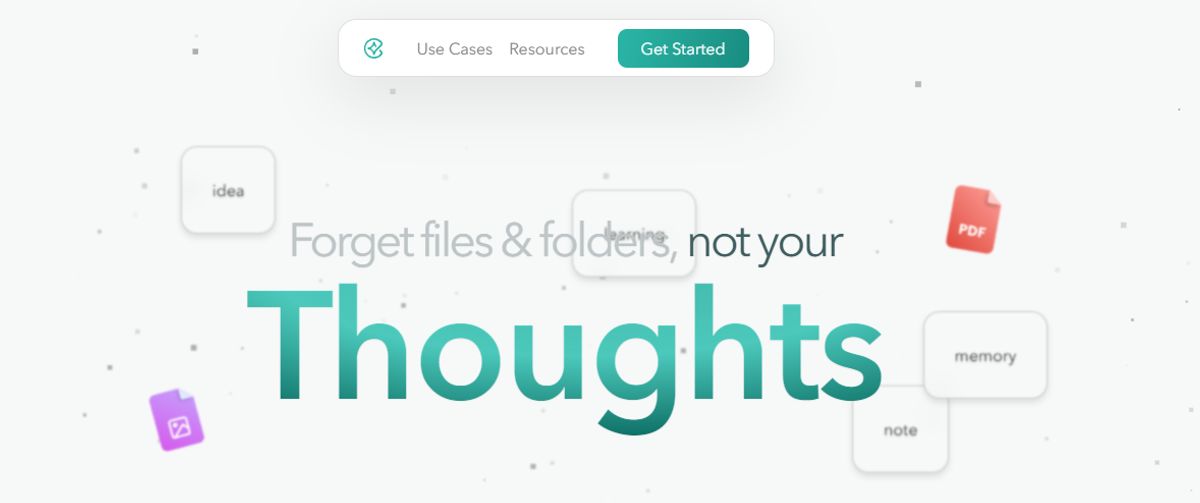
Constella is a game-changer for note-taking enthusiasts. This AI-powered tool helps you capture and connect ideas effortlessly on an infinite canvas. Say goodbye to boring, traditional notes. Whether you're a student trying to organize your thoughts or a researcher looking for a better way to connect information across numerous papers, Constella can help.
The tool's AI assistant enables you to build and navigate your knowledge base without the constraints of traditional folder structures. This study notes app transforms how you capture, find, and connect your ideas, perfect for busy knowledge workers and researchers. Research 10 times faster with Constella's AI notes manager.
2. Microsoft OneNote: The Old Reliable
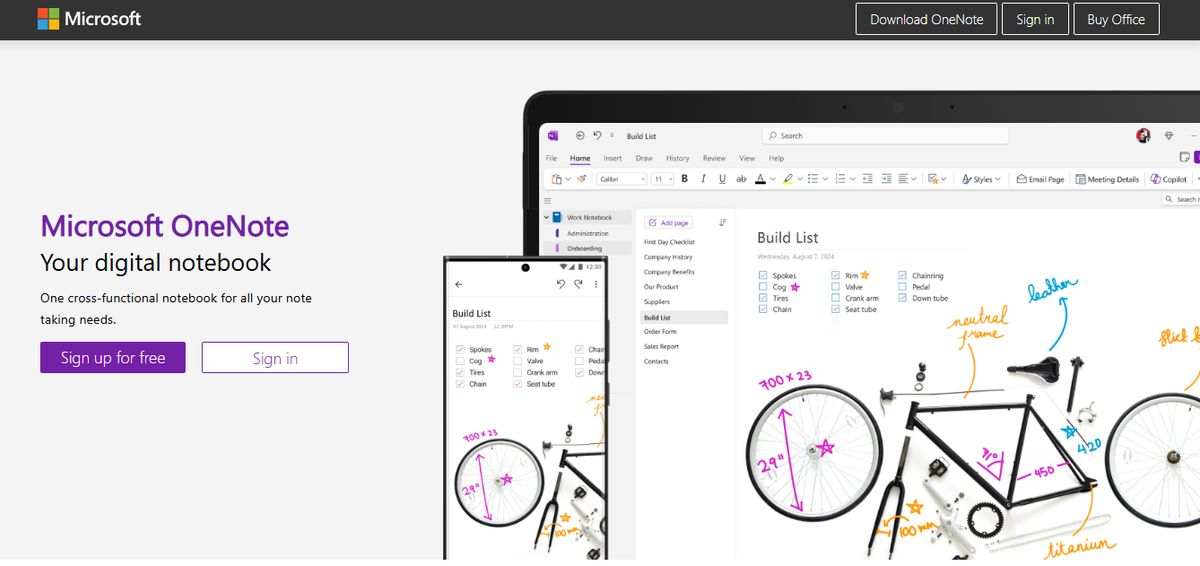
As a student, I used to rely on Microsoft OneNote to keep track of lectures, class notes, and study materials in one place. But even now, as a professional, I can use it for meeting notes or brainstorming sessions. One of my favorite features is voice transcription. I can record meetings or speak my thoughts, and OneNote converts them into text almost instantly. This lets me focus better on the conversation during meetings without worrying about writing everything down.
Pros
- Prompt Copilot (Microsoft’s AI) to draft plans, generate ideas, or create lists based on what you’re working on
- Use the tool as your digital drawing board
- Share your notes and collaborate on them with teammates
Cons
- Takes time to sync notes across multiple devices
3. Evernote: The Classic
With Evernote, it’s a case of never forgetting your first love. I spent years tinkering with Evernote to build my ideal experience and workflow, but it never came together. From notes, tasks, and schedules to your favorite resources from the web, Evernote makes it easy to save anything you want on your chosen device. I could quickly integrate Evernote with ClickUp, Google Calendar, Slack, and Microsoft Teams, so all my standups, client meetings, and reminders automatically synced with Evernote.
The tool is also available offline, so it’s comforting to know I’ll still be able to access my notes if I’m camping or traveling without internet access. Evernote’s AI-powered search functionality is quick and intuitive. It works across PDFs, documents, and images, so searching through many notes and content is never an issue. The Tasks feature lets you outline project steps and assign responsibilities to others—a great way to collaborate with your team on the go.
Pros
- Save snippets from the web directly into their notes with Web Clipper
- Scan, digitize, and organize paper documents with your phone’s camera
- Edit notes and tasks in real time and keep all contributors on the same page
Cons
- A limited free version that pushes users towards a premium subscription.
4. Apple Notes: The iOS User's Go-To

Apple Notes is perfect for iOS users who want to take notes on the go. My notes were seamlessly synced across all my Apple devices, ensuring I could always access them no matter which device I was using. One feature I found especially useful is the document scanning tool, which allowed me to quickly convert physical documents into PDFs without needing third-party apps. I also love the Scan Text feature of this notes app. Whether it’s text from a newspaper, a digital screen, or any other surface, it effortlessly detects and copies the text into my notes.
Pros
- Categorize similar notes into folders
- Search notes by tags
- Attach files, recorded audio, photos, and videos to notes
Cons
- Lacks basic features for team collaboration
5. Notion: The Customizable Note-Taker
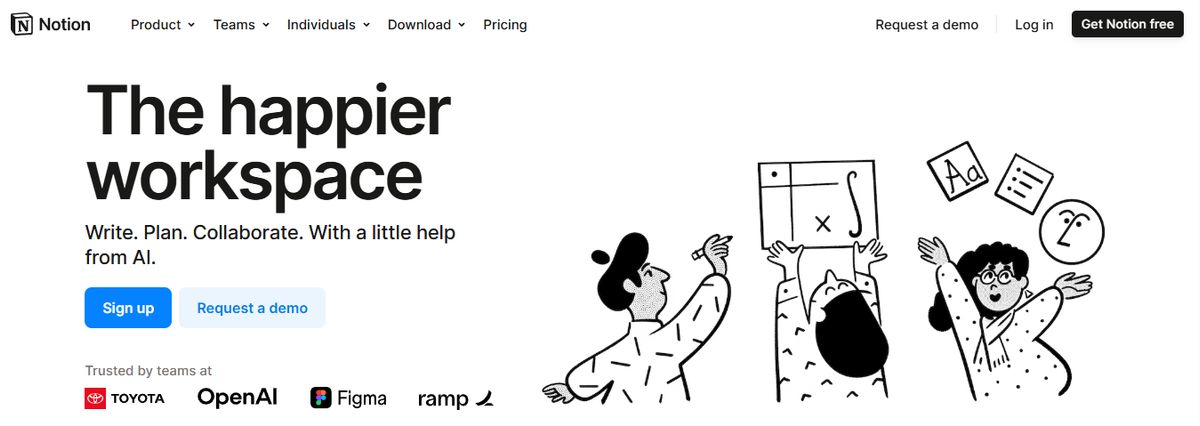
Notion’s note-taking experience supports various content types, including images, text notes, bookmarks, videos, and code. You can add these to your notes with intuitive controls such as drag-and-drop and slash commands. We loved its customization options. They allowed us to tailor our workspace for different personal and team needs, such as changing privacy settings to keep confidential meeting notes private or sharing them with team members when needed.
One pet peeve the team had with Notion is the maze of organization; you’re sometimes lost in the app, and the breadcrumbs aren’t always helpful. On the other hand, it is pretty popular with people who want to create databases and wikis. The UX is sometimes hit or miss; the windows you’d like to open as separate pages often open as popups and vice versa. Of course, it depends on your personal preference.
While testing the app, I tinkered with Notion AI to discover how it can simplify note-taking and organization. I listed a few tasks, mainly related to a new product launch, and Notion AI quickly auto-filled the steps I had to follow to accomplish those tasks. While they were not entirely accurate, the tool did a fair job. The platform works well for cross-functional teams where collaboration is a must. Comments and real-time editing offer a seamless way to ideate with remote teams, collect and provide feedback quickly, and keep everyone on the same page.
Pros
- Create custom templates and integrate your database into notes
- Access important information quickly via the sidebar
- Write and format notes using Markdown
Cons
- The complex feature sets and UI can be daunting for new users
- Does not offer any screen recording or transcription feature
6. Obsidian: Your Visual Note-Taking Solution

With a focus on visual note-taking, Obsidian’s Canvas plugin (available for free for Obsidian users) drew me in. I could draw diagrams to lay out project plans, brainstorm new ideas, and add images and PDFs directly within my notes. Another interesting feature stood out for me—the ability to visualize relationships between my notes through a graphical presentation. For example, I had written down multiple blog post ideas related to content marketing. With the interactive graph, I could quickly identify similar ideas and locate a pattern within my ideas.
Pros
- Create connections between multiple notes and create a knowledge repository
- Access notes offline (Obsidian Sync merges the changes when internet connection is available)
- Track the version history of notes for up to one year
Cons
- Ideal for personal use; not so much for collaborative work
7. Google Keep: The Quick Note-Taking App
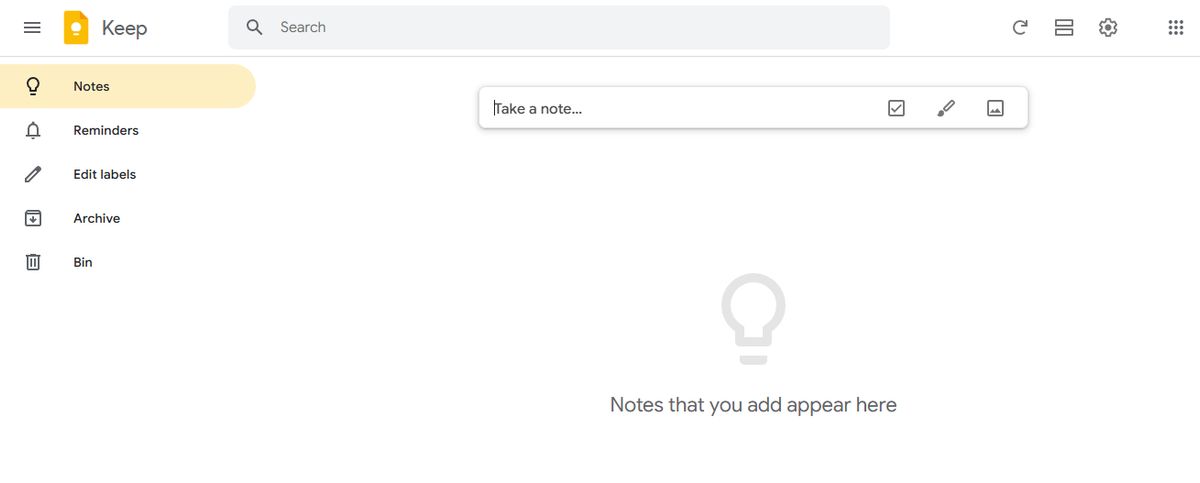
Google Keep allows users to effortlessly capture content, including notes, lists, photos, and audio, and organize it on a digital bulletin board. Sharing notes among family and friends is simple. For example, you can share a shopping list and see real-time updates as items are checked off—there is no need for back-and-forth communication. I like Google Keep’s voice note feature.
When I’m in a rush and need to jot down something important, I can simply record a voice memo instead and transcribe it into text later—fast and efficient! Like Apple Notes, anything more complex or advanced you want from the tool is a struggle. You might think Google would make more effort to combine the Keep experience with Google Tasks and Calendar, but it hasn’t happened. They continue to be disparate experiences, which can be frustrating if you want an all-in-one software or expertise.
Pros
- Get reminded of your to-dos at the right place and at the right time with time-based and location-based reminders
- Organize notes using labels and colors
- Integrate your notes seamlessly with Google Docs, Calendar, and other apps within the Google ecosystem
Cons
- More suitable for quick notes rather than detailed, lengthy note-taking
- The features are too basic for complex note organization
8. Bear: The Minimalist Note-Taker

Bear embraces minimalism. The design is clean and straightforward, and the intuitive use of Markdown makes formatting and organizing notes feel effortless. Beyond its design, Bear also offers beautiful themes that create a cozy, inviting workspace. It’s easy to customize the look and feel. Another great feature is the ability to resize and crop images directly in the app. It’s a slight touch, but it’s helpful when working with visual content.
Pros
- Search for text within photos and PDFs—across individual notes or all your notes
- Draw with your Apple Pencil or finger, and edit your designs whenever you like
- Pick from over 250 icons to make your tags stand out
Cons
- Available only on iPhone, iPad, and Mac
9. Simplenote: The Distraction-Free Note Taker
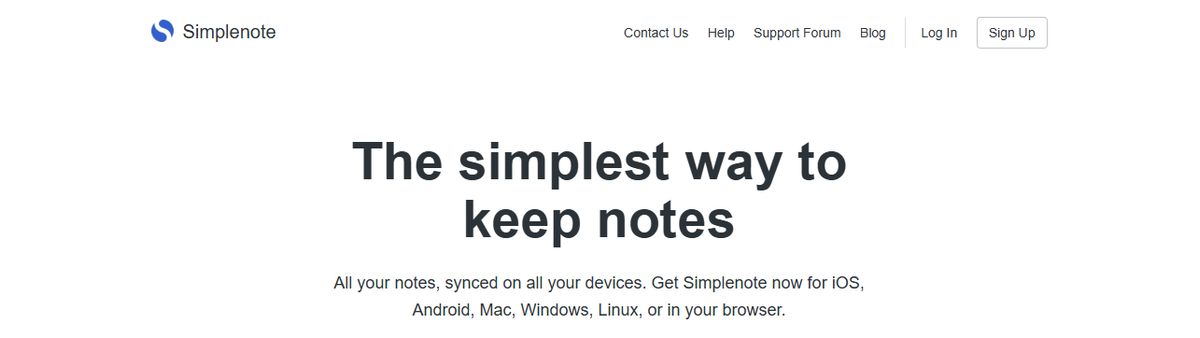
Simplenote truly lives up to its name. I loved the distraction-free interface the most—I could focus solely on writing, whether journaling, brainstorming, or taking quick notes. Another helpful feature is that every change is backed up automatically. There’s no need to worry about losing anything! For example, when working on a content calendar or revising a draft, I could quickly check my previous notes to see what ideas I had already explored or what direction I was considering for a campaign.
Pros
- Write, preview, and publish your notes in Markdown format
- Sync your notes across all devices in real time
- Add tags to search notes quickly
Cons
- Doesn’t offer premade templates
10. Reflect Notes: The Interesting Note-Taking App

I love how Reflect Notes seamlessly mirrors how human thoughts work—things are often interconnected. As I jotted down ideas, passing thoughts, or snippets of information, I could connect them through backlinks, and it was easy to find them later. The seamless sync across devices was also impressive. I could make a quick note on my phone when on the go, and it’d be synced instantly to my desktop when I was back home.
Pros
- Transcribe voice notes accurately with Reflect AI
- Integrate your calendar with Reflect Notes and keep a tab on meetings and agendas
- Use the app offline and online
Cons
- More suited for journaling rather than collaborating with teams on ideas
Constella reimagines note-taking with an infinite canvas that lets you capture and connect ideas effortlessly. It is powered by an AI search that makes finding information instantaneous. Whether you're a researcher trying to draw connections across numerous papers or someone who wants a more intuitive way to organize your thoughts and files, Constella's AI assistant helps you build and navigate your knowledge base without the constraints of traditional folder structures.
Constella transforms how you capture, find, and connect your ideas. It is perfect for busy knowledge workers and researchers limited by conventional note-taking tools. [Research 10 times faster](https://www.constella.app/use-cases/for-researchers] with Constella's AI notes manager.
Related Reading
- Evernote vs Apple Notes
- Notion vs Apple Notes
- Obsidian vs Notion
- Apple Notes vs Google Keep
Want more insights like this?
Subscribe to get short productivity tips and useful summaries of new tools every week.
Want more insights like this?
Subscribe to get short productivity tips and useful summaries of new tools every week.


