

Finding the best note app is a common quest, but the search rarely ends with a perfect match. Most people start by scrolling through common top lists, hoping for a universal solution. The reality is different—what works for one person can feel clunky or uninspired to another. This disconnect often frustrates those who think in nonlinear ways.
Nonlinear thinkers approach ideas differently. They make connections across unrelated topics, jump between thoughts, and build knowledge in a web rather than a straight line. Standard note apps designed for traditional linear thinkers—those who prefer lists, outlines, and straightforward hierarchies—often miss the mark for people whose brains don’t operate within those boundaries.
Relying on top 10 note app rankings offers little help. These lists typically focus on features that appeal to the majority: folders, search bars, document editors. They ignore how individual cognitive styles shape what actually feels intuitive or productive.
Understanding your own mind—how you process information, organize ideas, and retrieve insights—matters far more than chasing what's popular. Identifying your workflow preferences is the only way to select a note app that genuinely fits your needs as a nonlinear thinker.
Nonlinear Thinkers

Nonlinear thinkers possess a unique cognitive ability to make connections between seemingly unrelated ideas and thoughts. This mental agility allows them to see patterns and relationships that others might miss, enabling innovative problem-solving and creative thinking.
Three Main Note-Taking Styles
There are three main note-taking styles that correspond to different thinking approaches:
- Architect: This style is characterized by a structured, systematic approach to note-taking. Architects prefer organizing information in a clear, hierarchical manner, often using outlines and bullet points. This style aligns well with linear thinkers who thrive on order and predictability.
- Gardener: Nonlinear thinkers often gravitate towards this style due to its organic and free-flowing nature. Gardeners allow ideas to grow naturally, connecting them in a non-sequential manner. This approach supports the creation of complex webs of interconnected thoughts, mirroring how nonlinear thinkers process information.
- Librarian: Librarians focus on categorizing and indexing information for easy retrieval. They create detailed records and use tags or labels to organize their notes systematically. While this style can benefit all types of thinkers, it particularly resonates with those who prioritize accessibility and organization.
The Gardener Style
Nonlinear thinkers frequently prefer the Gardener style because it accommodates their dynamic thought processes. By nurturing ideas as they emerge and connecting them organically, Gardeners can capture the fluidity of their mental landscape. This method fosters creativity and innovation, essential for nonlinear cognition.
Adopting the Gardener approach can lead to more meaningful insights as it reflects how nonlinear thinkers naturally operate – dynamically and intuitively.
Challenges with Common Top Lists
Using feature checklists to determine the best note app often falls short when it comes to accommodating the diverse needs of nonlinear thinkers. While these lists typically highlight popular features like cloud synchronization, search capabilities, and user interface design, they rarely delve into how these features interact with different cognitive styles.
Effectiveness of Feature Checklists
Feature checklists provide a superficial overview of what an app offers but fail to address the depth of functionality needed by nonlinear thinkers. For example, a checklist might emphasize robust search functions or seamless integration with other tools. However, it doesn't consider whether these features support organic idea generation or spontaneous connections between thoughts—crucial elements for nonlinear thinkers.
The Impact of Cognitive Style

An individual's cognitive style plays a significant role in how they interact with a note-taking app. Nonlinear thinkers often find traditional document-based systems restrictive due to their linear structure. Apps designed for linear note-taking can hinder idea generation by forcing users into predefined categories and hierarchies.
Consider apps like Obsidian or Roam Research, which offer innovative graph-based note organization but still require manual tagging and linking. While powerful, these tools may not align perfectly with every nonlinear thinker’s spontaneous and organic workflow.
Limitations of Traditional 'Best Note App' Lists
Traditional 'best note app' lists tend to recommend apps based on general popularity or feature richness rather than cognitive compatibility. This approach overlooks the unique ways nonlinear thinkers process information. For instance, an app that excels in straightforward list-making or project management might rank highly but prove inadequate for someone who thrives on visual organization and interlinked ideas.
Understanding these challenges is essential for finding an app that truly enhances productivity for nonlinear thinkers.
The Importance of Cognitive Compatibility

Choosing the best note app requires more than scanning a feature checklist or following top 10 lists. For nonlinear thinkers—especially those seeking ADHD productivity—cognitive compatibility is non-negotiable. When your mind excels at jumping between ideas, spotting patterns, and free-associating, an app that enforces strict folders or rigid hierarchies can feel like mental handcuffs.
Cognitive compatibility means your note-taking tool adapts to the way you think. If your workflow needs involve rapid idea capture, visual mapping, or connecting seemingly unrelated thoughts, a document-based system built around sequential notes will hold you back. Aligning your app with your natural thinking style makes it easier to:
- Capture fleeting insights before they slip away
- Navigate and retrieve notes using context or visual cues
- Build knowledge webs instead of isolated files
A seamless note-taking experience emerges when your tool feels like an extension of your mind. For nonlinear thinkers and users with ADHD, this minimizes cognitive friction and supports real productivity gains.
Sticking with a single app over time unlocks unique benefits:
- Deep Familiarity: You stop wrestling with the interface and start building muscle memory for shortcuts, tags, or connection methods.
- Personalized Systems: Over time, you develop workflows that fit your actual habits—custom tags, favorite views, unique graph layouts.
- Compound Knowledge Growth: As notes accumulate, their interconnections become richer. Your system turns into a living knowledge base rather than a graveyard of forgotten files.
An app designed for cognitive compatibility fosters effortless creativity and retrieval—key ingredients for anyone whose brain thrives on nonlinear exploration.
Note-Taking App Variety and Design
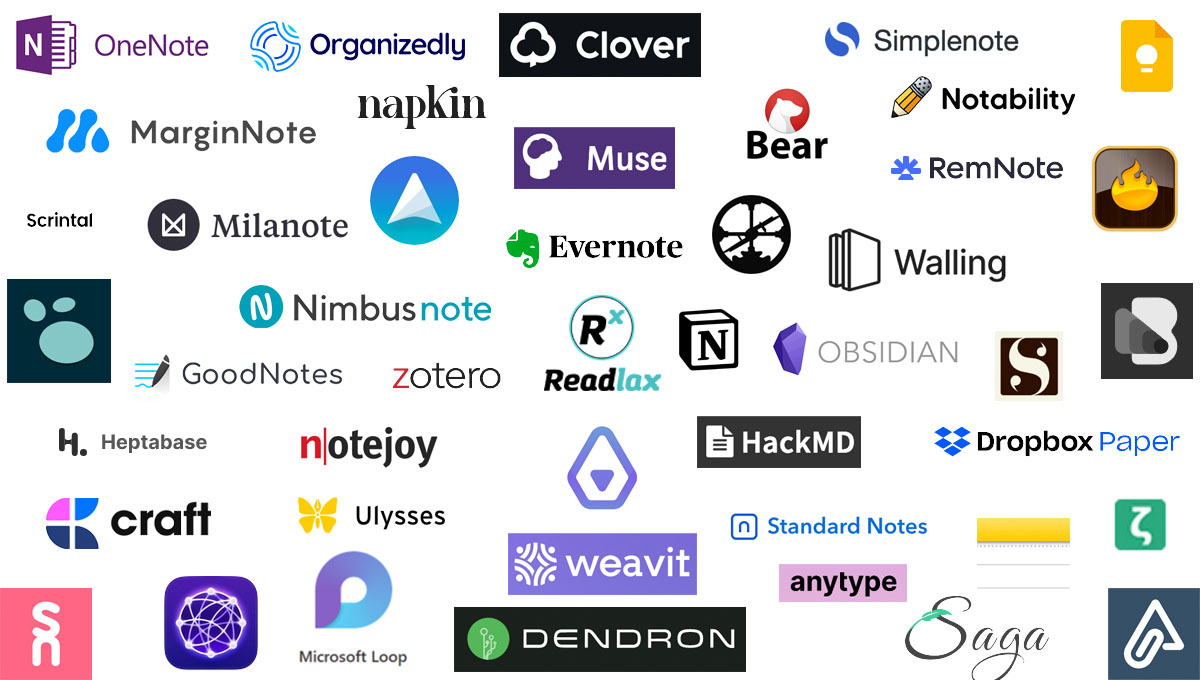
Modern note-taking apps come in many different designs and features. Some apps focus on simplicity and text-based editing, while others are more complex and visually oriented. Not every tool works for every person, especially for those who think in a non-linear way and want more than just a digital version of paper notebooks.
Design Diversity Across Note-Taking Apps:
- Linear Document Editors: Apps like Evernote and Microsoft OneNote use the familiar notebook-and-page metaphor. These work well for users who think sequentially or prefer hierarchical folders. For nonlinear thinkers, though, these structures can feel restrictive.
- Networked Thought Platforms: Tools such as Obsidian, Roam Research, and Logseq introduce bidirectional linking and graph views. These designs enable users to see connections between notes, but often require manual tagging or linking—adding friction for those who want their ideas to flow organically.
- Infinite Canvas Tools: Visual platforms like Heptabase and Scrintal let you arrange notes spatially—mimicking the way thoughts bounce around in a nonlinear mind. Dragging notes into clusters or building visual maps caters to those who process information through patterns rather than lists.
- AI-Powered & Automatic Organization: A new generation of apps is emerging with features like automatic tagging, contextual retrieval, and real-time connection suggestions. These tools reduce organizational overhead and support brainstorming without breaking creative flow.
Design elements such as visual graphs, drag-and-drop connections, and folderless organization are more than aesthetic choices—they shape how users interact with information. For nonlinear thinkers, an interface that prioritizes spatial relationships and instant recall transforms the note-taking experience from static storage to active idea generation.
Every app has its own strengths and weaknesses depending on how you think.
Constella App: A Solution for Nonlinear Thinkers
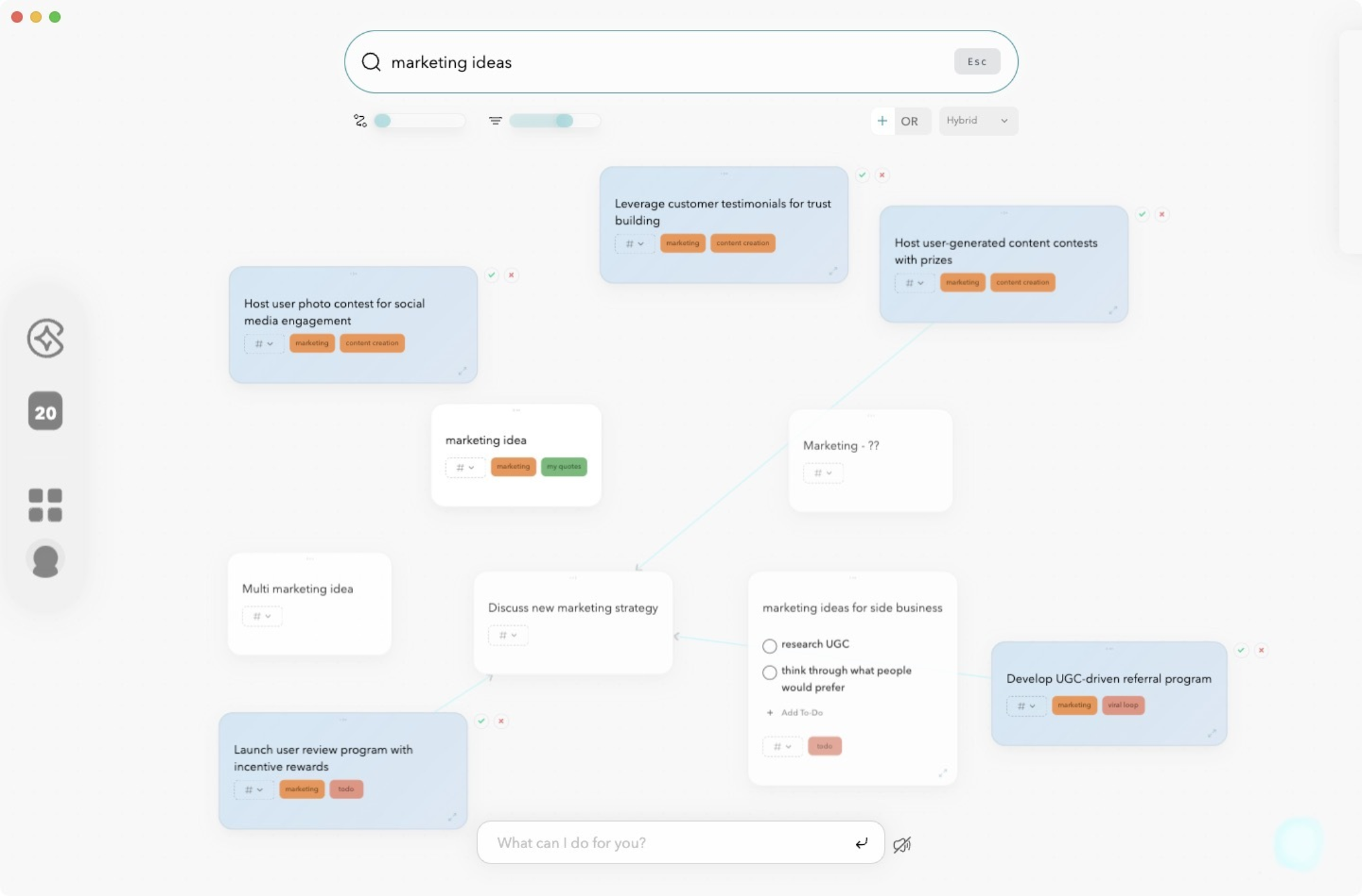
Constella App stands out as a top choice for the best note app by directly addressing the needs of nonlinear thinkers. It is designed as an AI note taker with a visual, graph-based interface, allowing users to move away from rigid document structures and instead create a dynamic network of their ideas.
Key features that make Constella unique:
- Smart Retrieval: Instantly recall relevant notes while you type. The magic bar surfaces connections and related ideas without manual searching or tagging.
- Visual Graph: Every note lives on an infinite visual canvas, making it easy to see relationships between thoughts. Drag to connect concepts, mind map new projects, or watch as the AI auto-arranges your knowledge web.
- Connectivity: Seamless integration with popular tools like Google Drive and Notion brings all your materials into one place. Import content, sync across platforms, and keep your workflow fluid.
- Stella AI Assistant: Interact with Stella to generate reports, summarize findings, or have conversations that pull directly from your connected notes.
Constella.App removes barriers—no folders, no forced hierarchies—just a living map of your ideas. Whether you’re a researcher piecing together insights or a creative building complex mind maps, the app adapts to how you think. Nonlinear thinkers searching for the best note app will find in Constella a tool built for the way their brains naturally organize information.
FAQs (Frequently Asked Questions)
What challenges do nonlinear thinkers face when choosing the best note app?
Nonlinear thinkers often struggle with finding the best note app because common top lists typically focus on feature checklists and overlook individual cognitive styles. Their unique thinking style, which involves making connections between seemingly unrelated ideas, requires apps that support organic and flexible organization rather than rigid linear structures.
How does understanding cognitive compatibility improve note-taking app selection?
Understanding cognitive compatibility is crucial as it ensures the chosen note-taking app aligns with one's thinking style and workflow preferences. For nonlinear thinkers, this alignment enhances productivity by providing a seamless and efficient experience, allowing users to fully leverage app features and develop personalized systems over time.
What are the main note-taking styles and which one suits nonlinear thinkers best?
The three main note-taking styles are Architect, Gardener, and Librarian. Nonlinear thinkers often gravitate towards the Gardener style because it supports a more organic and free-flowing approach to organizing information, enabling them to connect disparate ideas effectively.
Why might common 'best note app' lists be insufficient for nonlinear thinkers?
Common 'best note app' lists usually emphasize feature checklists without considering individual cognitive styles or workflow needs. This can lead to mismatches in functionality and usability for nonlinear thinkers, who require apps that cater to their unique thought processes rather than conventional linear designs.
How do design elements in note-taking apps impact nonlinear thinkers?
Design elements significantly influence user experience for nonlinear thinkers, who benefit from visual organization tools. Apps with diverse designs and functionalities that support visual graph-based layouts help these users visualize connections between ideas, fostering better understanding and creativity.
What features make Constella App suitable for nonlinear thinkers?
Constella App is tailored for nonlinear thinkers with features like Smart Retrieval for quick access to relevant notes, Visual Graph for mapping connections between ideas, and Connectivity that integrates seamlessly with tools like Google Drive or Notion. These functionalities support organic thinking patterns and enhance productivity.
Want more insights like this?
Subscribe to get short productivity tips and useful summaries of new tools every week.
Want more insights like this?
Subscribe to get short productivity tips and useful summaries of new tools every week.


