

AI notebooks are changing how you capture, organize, and interact with your thoughts. Unlike traditional digital note-taking tools that mimic a daily diary journal or simple document editors, an AI notebook uses advanced AI technology to create a flexible and context-aware space for your ideas.
An AI notebook isn’t just a place to store static notes. It learns from your entries, connects related concepts automatically, and retrieves information based on context—mirroring the way your mind works rather than trapping ideas in isolated pages. This shift marks a significant leap from the days of A4-sized digital documents and rigid folder hierarchies.
Key benefits of integrating advanced AI into your note-taking routine include:
- Instant information recall: Find relevant notes as you type, without sifting through endless folders or tags.
- Automatic organization: Notes are sorted and connected by AI, reducing manual effort.
- Enhanced creativity: Links between ideas are surfaced visually, sparking new connections and insights.
- Effortless search: Intelligent search capabilities mean you spend less time searching and more time thinking.
Digital note-taking is no longer just about storage—it's about creating a dynamic network of ideas that evolves with you. With AI notebooks leading this change, keeping a daily diary journal becomes an opportunity for discovery rather than just record-keeping.
The Rise of AI Notebooks: A New Era in Note-Taking
AI notebooks are not just a tool for storing notes, they are evolving to become your second brain. This concept refers to an external system that supplements your brain's ability to remember, organize, and process information.
Second Brain
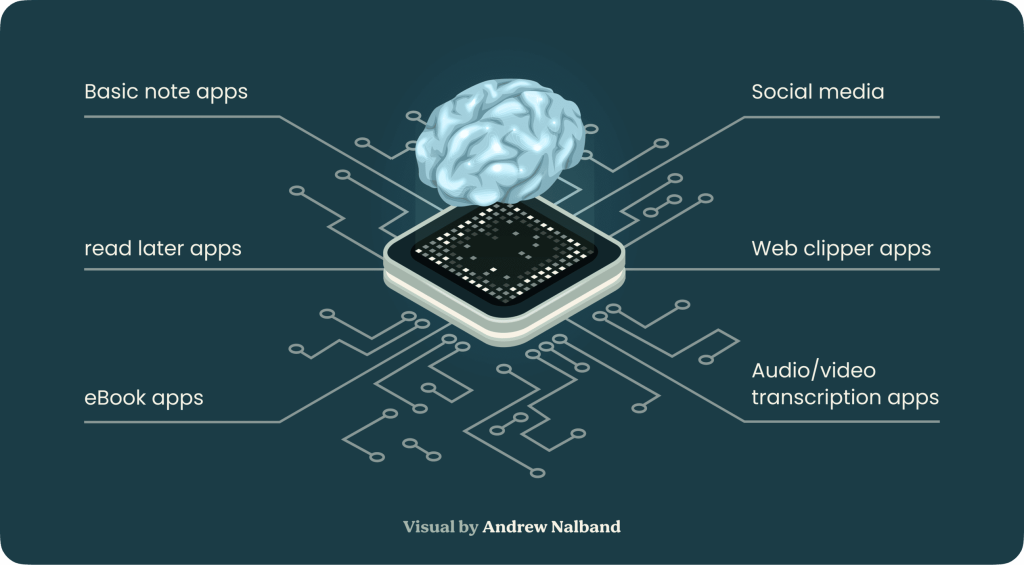
In the world today, information overload is a common challenge. Traditional note-taking methods often fail to keep up with the need for quick recall and effective organization. This is where AI notebooks come into play; they act as your second brain by providing a more dynamic and interconnected way to manage information.
How AI Notebooks Fit into the Second Brain Idea
AI notebooks leverage advanced technology to create an interconnected web of knowledge. Unlike static documents, these tools use graph-based systems that mirror the neural pathways of the human brain. Here's how they contribute:
- Smart Retrieval: AI notebooks can instantly recall relevant notes as you type, ensuring that you have immediate access to crucial information.
- Visual Connections: By visually linking related ideas and notes, these tools help you see connections that might otherwise be missed.
Benefits of Using an AI Notebook as Your Second Brain
- **Improved Organization: **Automatically tag and categorize notes based on content. Create visual graphs that show relationships between different pieces of information.
- **Enhanced Creativity: **Facilitate idea generation by showing unexpected connections. Encourage a non-linear approach to thinking, enabling more innovative solutions.
- **Efficient Information Management: **Reduce time spent searching for notes. Provide contextual insights by connecting related data points.
Adopting AI notebooks can transform how you interact with information, making it easier to manage and utilize your knowledge effectively. This shift from traditional note-taking to a second brain approach marks a significant evolution in personal productivity tools.
Key Features to Look for in an AI Notebook
When evaluating AI notebooks, two features stand out as game changers: intelligent search and visual connections.
Intelligent Search: Find Anything, Instantly
Traditional note apps force you to remember where you wrote something before you can find it. This leads to endless scrolling and wasted time. AI notebooks solve this with intelligent search:
- Contextual Recall: Advanced algorithms surface relevant notes as you type, even if your keywords are vague or imprecise. You don’t need perfect memory or exact tags.
- Semantic Understanding: Search isn’t limited to keywords. The AI understands the meaning behind your queries and suggests notes with related concepts.
- Instant Suggestions: The best tools recommend similar or connected notes in real time, helping ideas resurface right when you need them.
This shift removes friction from knowledge retrieval. You focus on thinking—your notebook handles the rest.
Visual Connections: See How Ideas Interact
Your brain thrives on patterns and relationships, not just lists of text. Visual connection features transform how you interact with information:
- Graph-Based Views: Notes become nodes on an infinite canvas, letting you map out how ideas relate at a glance.
- Drag-and-Drop Linking: Effortlessly connect thoughts by drawing lines between them—no manual tagging required.
- Mind Mapping: Visualize projects, arguments, or research paths with branching structures that mirror natural thought processes.
These visual layers make complex information more digestible. You see not just what you know, but how everything fits together. This fosters deeper recall and sparks creative breakthroughs that static documents can’t match.
AI notebooks with robust intelligent search and visual connection capabilities bridge the gap between digital storage and true personal knowledge management.
Top AI Notebooks on the Market Today
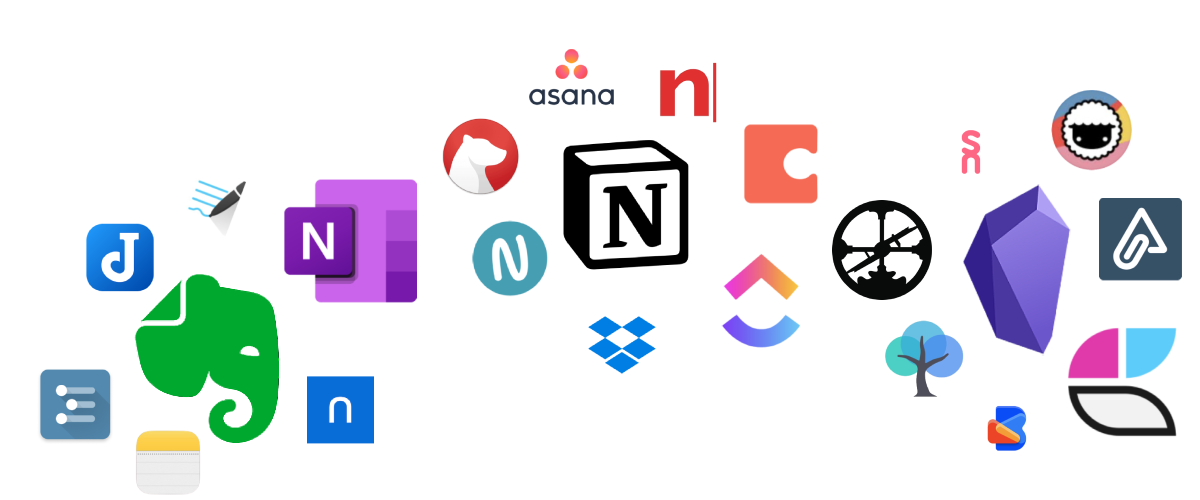
Different AI notebooks offer a range of features tailored to various note-taking needs. Here are some of the top options available:
1. Heptabase
Heptabase stands out for its visual-based approach to note-taking. It allows you to organize thoughts on an infinite canvas, making it easier to see connections between different ideas. Users appreciate its interactive and intuitive interface for brainstorming and planning.
2. Scrintal
Scrintal combines the visual organization of notes with robust collaboration tools. This makes it ideal for team projects and interdisciplinary research. Its ability to link notes visually helps users maintain a clear overview of complex information structures.
3. Obsidian
Obsidian offers a markdown-based note-taking system that emphasizes linking notes through a networked structure. It provides powerful plugins and customization options, making it a favorite among power users who require extensive control over their note management.
4. Roam Research
Roam Research is renowned for its bi-directional linking capabilities, creating a "second brain" where every note can reference and be referenced by another. This fosters deep connections between ideas, enhancing your ability to synthesize information.
5. Logseq
Logseq offers an open-source alternative with a focus on privacy and flexibility. It uses plain text files stored locally or synced through cloud services, giving you full control over your data.
Selecting the right AI notebook depends on your specific needs, whether it's visual mapping, bi-directional linking, or customization capabilities. Each tool has unique strengths that cater to different preferences in note-taking and knowledge management.
Introducing Constella App: Your Ultimate AI Note Organizer
The Constella App redefines the way you manage notes with its innovative features designed for effortless organization and retrieval.

Magic Bar: Effortless Search and Connection Drawing
One standout feature is the Magic Bar, which revolutionizes how you search and connect your ideas. This tool allows you to:
- Effortlessly search for notes: Simply type in keywords, and the Magic Bar instantly fetches relevant notes, making information retrieval seamless.
- Draw connections via dragging: Visualize relationships between different notes by dragging them together, enabling a web of interconnected ideas.
Key Features:
- Smart Retrieval: Instantly recalls relevant notes as you type, ensuring you never lose track of important information.
- Visual Graph: Presents your notes in a visual graph format, allowing for easy navigation and understanding of complex relationships.
- Connectivity: Automatically tracks related notes, helping you uncover insights that might otherwise be missed.
Together, these features make the Constella App an indispensable tool for anyone looking to enhance their productivity and creativity through advanced note-taking capabilities.
Stella: Your Intelligent Assistant for Enhanced Productivity
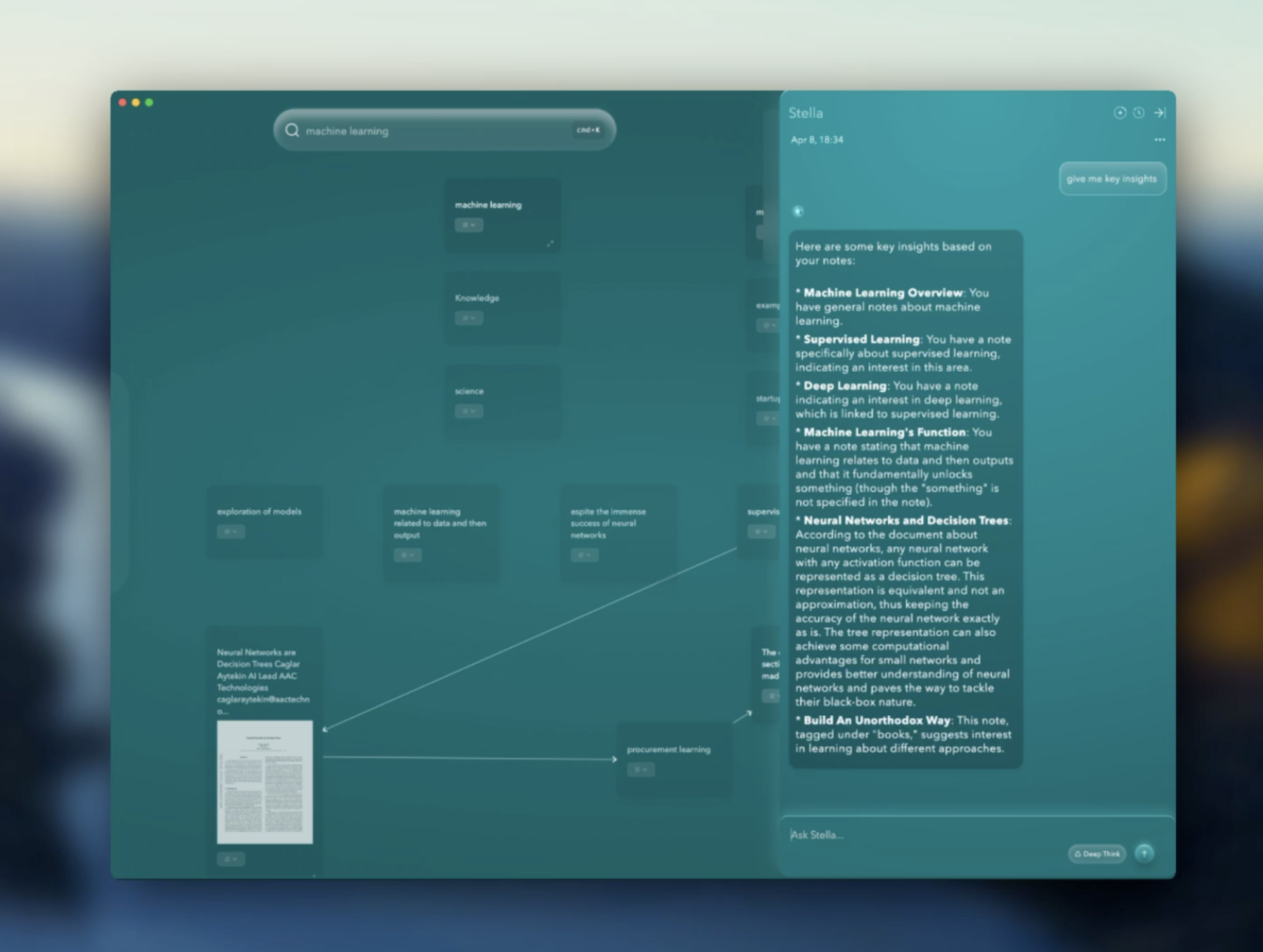
Stella AI assistant features are designed to elevate your note-taking experience by providing logical reasoning and task completion based on the interconnectedness of your notes. Stella seamlessly integrates into the Constella App, making it an indispensable tool for anyone looking to enhance their productivity.
1. Logical Reasoning
Stella uses advanced algorithms to analyze the relationships between your notes. This feature helps you draw conclusions, make connections, and generate insights that might not be immediately apparent. By understanding the context and content of your notes, Stella assists you in forming logical frameworks and perspectives.
2. Task Completion
Beyond just organizing your thoughts, Stella can actively help you complete tasks based on the data within your notes. Whether it's compiling a report, drafting an email, or planning a project, Stella leverages its understanding of your interconnected notes to streamline these processes. This capability transforms your note-taking system from a passive repository into an active participant in your daily workflow.
3. Effortless Interaction
Interacting with Stella is intuitive and efficient. Simply engage with her through natural language queries or commands, and she will provide relevant information or perform tasks accordingly. This hands-free approach allows you to focus on higher-level thinking while Stella handles the details.
These features make Stella not just an assistant but a powerful enhancer of productivity, enabling you to make the most out of every note you take.
Real-World Applications of Constella App Across Various Domains

Constella App stands out in its ability to adapt and enhance productivity across various fields. Its intelligent AI notebook capabilities make it an indispensable tool for a multitude of applications.
Avid Learning
For those passionate about continuous learning, Constella offers an intuitive platform to capture, organize, and recall information effortlessly. The app's visual graph-based system allows you to create interconnected knowledge webs, making it easier to see the relationships between different concepts. This not only aids in better understanding but also promotes long-term retention of information.
Research Projects
Researchers can leverage Constella's powerful features to streamline their investigations. Whether you're conducting academic research or working on a complex project, Constella's AI-driven organization helps you keep track of your findings and insights efficiently.
Decision Making Processes
Making informed decisions requires a clear understanding of all available information. Constella aids decision-making processes with its advanced note-taking capabilities. These features enable you to analyze information more comprehensively, leading to well-informed decisions that are backed by thorough documentation and insights.
Constella App’s versatility makes it suitable for personal knowledge management (PKM), mind mapping, and beyond. Its capacity to seamlessly integrate and connect notes provides significant advantages in any domain where managing and organizing vast amounts of information is crucial.
Conclusion
AI notebooks are changing the way you manage and interact with information. Unlike traditional documents, they offer a productivity boost with AI notebooks that redefines personal knowledge management. With features like instant retrieval, intelligent search, and seamless visual connections, these tools inspire new levels of creativity—ideas flow freely, patterns emerge effortlessly, and your notes become a living network.
Constella App stands out in this new era. You get automatic note organization, an infinite canvas for mapping thoughts, and Stella—the AI assistant ready to reason through complex ideas or generate content on demand. No manual tagging or folder juggling needed. Whether you’re learning, researching, or making critical decisions, Constella adapts to your needs.
Rethink what’s possible with an ai notebook—your knowledge can finally work as intuitively as your mind does. Constella App puts the power of a second brain in your hands.
FAQs (Frequently Asked Questions)
What is an AI notebook and how does it differ from traditional digital note-taking tools?
An AI notebook is a digital note-taking tool enhanced with advanced AI capabilities that go beyond simple text storage. Unlike traditional notebooks, AI notebooks incorporate intelligent search, visual connections, and logical reasoning to help users organize information, foster creativity, and improve productivity.
How does the concept of a 'second brain' relate to AI notebooks?
The 'second brain' concept refers to an external system that helps you store, organize, and retrieve knowledge efficiently. AI notebooks serve as this second brain by using artificial intelligence to connect ideas visually and logically, thereby enhancing understanding, recall, and creative thinking.
What key features should I look for when choosing an AI notebook?
When selecting an AI notebook, prioritize features such as intelligent search capabilities for quick information retrieval and the ability to create visual connections between ideas. These features facilitate better organization, comprehension, and productivity in managing your notes.
Which are some of the top AI notebooks available on the market today?
Popular AI notebooks include Heptabase and Scrintal, known for their unique interfaces and features. Other established players like Obsidian, Roam Research, and Logseq offer robust note-taking environments with varying strengths in customization, linking capabilities, and user community support.
What makes the Constella App stand out as an AI note organizer?
Constella App offers a powerful set of features including a Magic Bar that enables effortless search and connection drawing simply by dragging. This intuitive interface allows users to organize notes dynamically while leveraging intelligent assistance for enhanced productivity.
How can the Stella AI assistant within Constella App enhance my productivity?
Stella is an intelligent assistant integrated into Constella that utilizes logical reasoning to complete tasks based on your connected notes. It helps streamline workflows by automating complex processes and providing insightful suggestions, making your note-taking experience more efficient and productive.
Want more insights like this?
Subscribe to get short productivity tips and useful summaries of new tools every week.
Want more insights like this?
Subscribe to get short productivity tips and useful summaries of new tools every week.


