
Modern tools are changing the way you organize your thoughts, moving away from traditional folder-based systems to a more dynamic, folderless organization powered by AI technologies that create structure in the background, making note-taking easier and less time-consuming. This approach offers low-effort, high-output workflows by using AI-driven structures that simplify organizing and finding information without requiring significant mental effort. It also enhances creativity and productivity, as AI manages the connections between your notes, allowing you to focus more on generating ideas rather than classifying them. Using these modern tools can help you think more clearly and get more done with less effort.
The Shift from Folders to Tags and Links
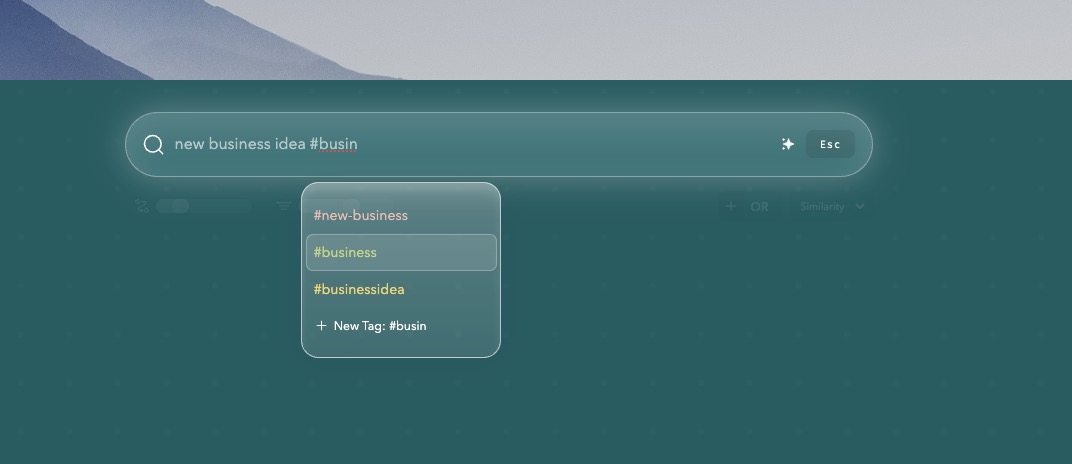
Modern note-taking tools have evolved beyond traditional hierarchical folder structures. Instead of organizing information into rigid folders, these tools use tag-based organization. Tags allow you to categorize notes dynamically, making it easier to retrieve relevant information without having to remember specific file paths.
Benefits of Tag-Based Organization
- Allows for flexible categorization
- Facilitates quick access to related notes
- Eliminates the need for predefined folder structures
- Enhances searchability by allowing multiple tags per note
Using tags, you can add multiple layers of context to a single note. For example, a note about a marketing strategy might be tagged with "marketing," "strategy," and "Q4 planning," making it accessible through any of these contexts.
Linking thoughts is another transformative feature of modern tools. Bidirectional linking lets you connect ideas seamlessly, fostering a web of interconnected knowledge.
Benefits of Bidirectional Linking
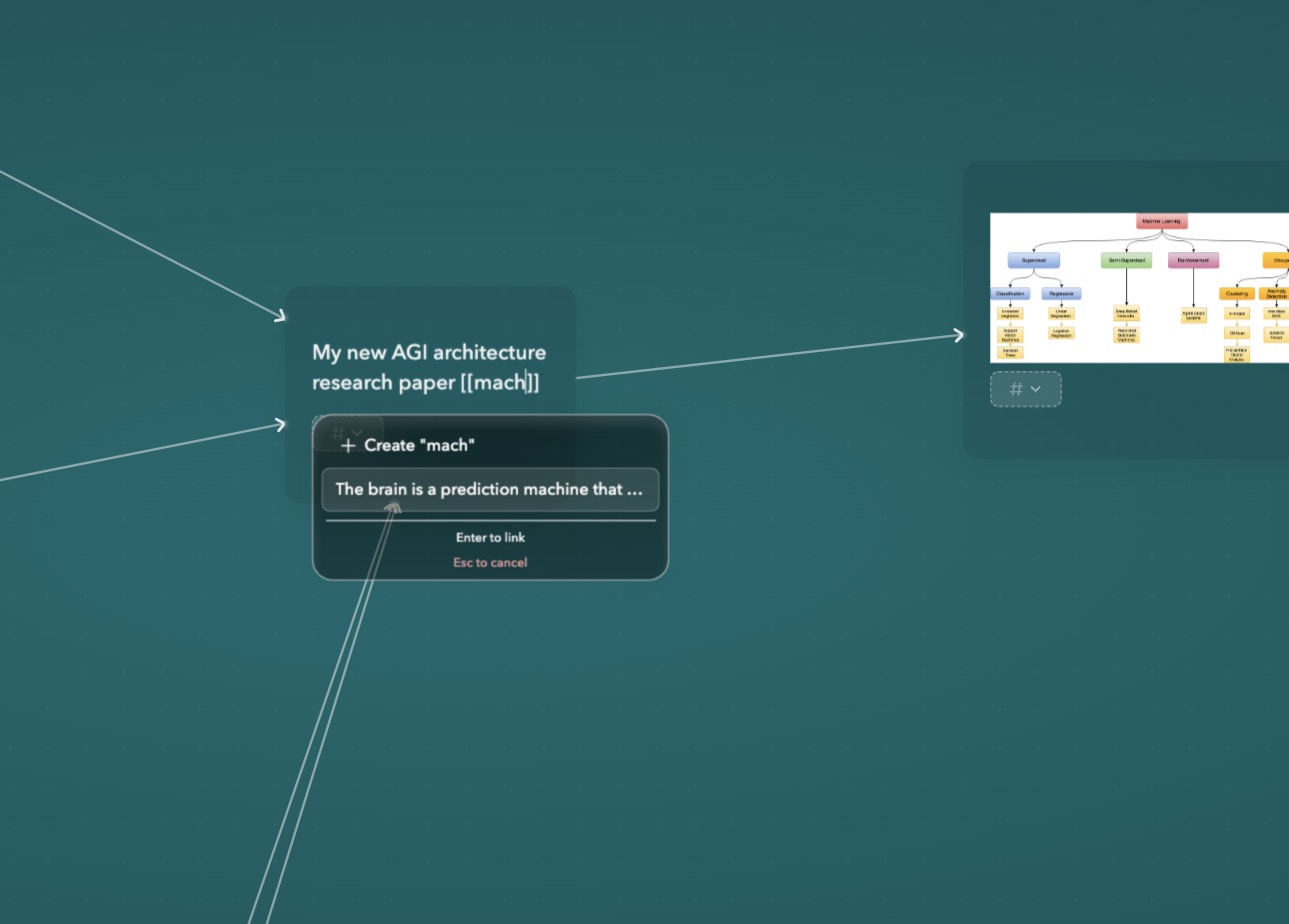
- Creates direct connections between related notes
- Enhances idea generation by showing how concepts relate
- Facilitates a fluid workflow by eliminating linear constraints
Bidirectional links are like neural pathways in your brain, where one thought naturally leads to another. Tools like Obsidian and Roam Research excel in this area, enabling users to see the relationships between ideas visually. This approach mimics how our minds work, promoting deeper understanding and creativity.
By shifting from folders to tags and links, you can create a more intuitive, connected system for managing your thoughts. This transition not only simplifies organization but also enriches your ability to generate and connect ideas dynamically.
Harnessing Visual Thinking with Graph Views
Visual organization transforms how you perceive and interact with information. Tools like Obsidian and Bear Notes leverage graph views to visualize relationships among notes, offering a dynamic way to navigate your thoughts. Instead of sifting through hierarchical lists or static pages, you see a web of interconnected ideas, which can spark new insights and associations.
Graph views let you:
- See Connections at a Glance: Nodes represent individual notes, while edges depict links between them. This structure mirrors the brain's natural way of connecting ideas.
- Enhance Creativity: By displaying your notes as part of a larger network, graph views encourage out-of-the-box thinking and help you identify patterns or gaps in your knowledge.
- Facilitate Fluid Connections: Drag-and-drop functionality allows you to easily create new links between notes, promoting a more intuitive and flexible organization system.
For instance, in Obsidian, each note you create is automatically linked to others based on your inputs. You might start with a single idea and watch it branch out into various related topics, making it easier to track the evolution of your thoughts. Bear Notes offers a similar visual approach with its canvas feature, where you can arrange notes visually and connect them using lines or arrows.
Using these visual thinking tools, you transform traditional note-taking into an engaging experience that aligns closely with how the human brain processes information. This not only improves retention but also makes retrieving information more intuitive.
Smart Retrieval: Effortless Note Management with AI
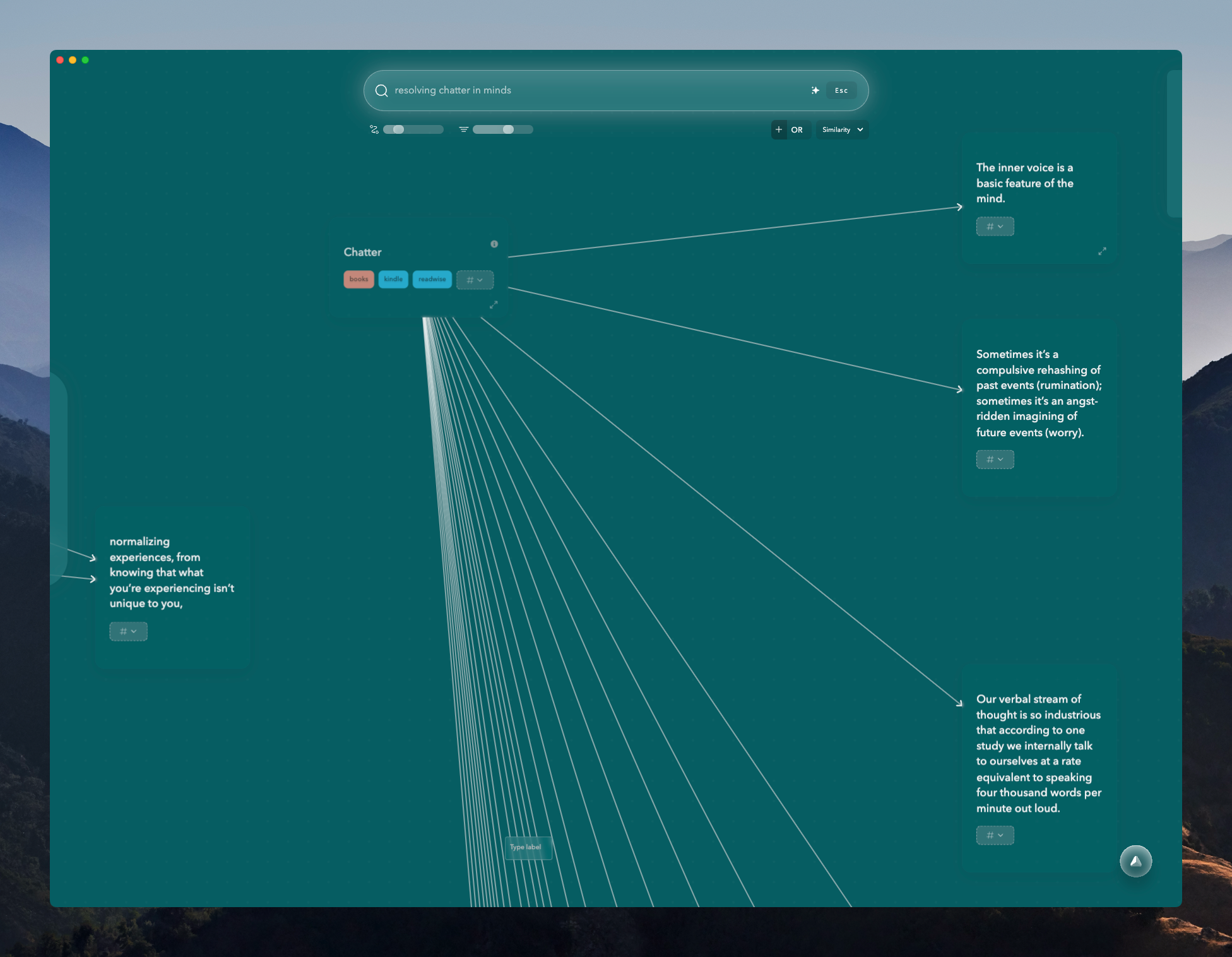
Automatic tracking and retrieval of notes using AI technology is changing the way you manage your information. Modern tools like mymind and Constella App use smart retrieval features, making your note-taking experience smooth and easy.
Smart retrieval ensures that your notes are always within reach without the need for manual organization. These AI note management systems analyze content, context, and connections between notes to provide instant access to relevant information. With these capabilities, the mental burden is significantly reduced, allowing you to focus on creativity and productivity.
- Effortless Organization: AI-driven note apps like mymind automatically categorize and tag your entries based on their content, eliminating the need for manual sorting.
- Instant Recall: As you type or search within apps like Constella, related notes and information appear instantly, ensuring that no important detail is overlooked.
- Contextual Connections: These smart notes apps recognize relationships between different pieces of information, displaying them in a connected manner that mirrors human thought processes.
How It Works:
- Content Analysis: The AI scans and understands the content of each note.
- Contextual Tagging: Notes are tagged with relevant keywords automatically.
- Real-Time Retrieval: When searching or adding new notes, the AI suggests related entries based on context.
The integration of smart retrieval in modern AI notebooks like Constella makes it one of the best note apps available today for those seeking an organized and efficient note-taking system. The smart notes app feature enhances your ability to manage vast amounts of information effortlessly while maintaining high output in your workflows.
Seamless Workflow Integration for Productivity Boosts
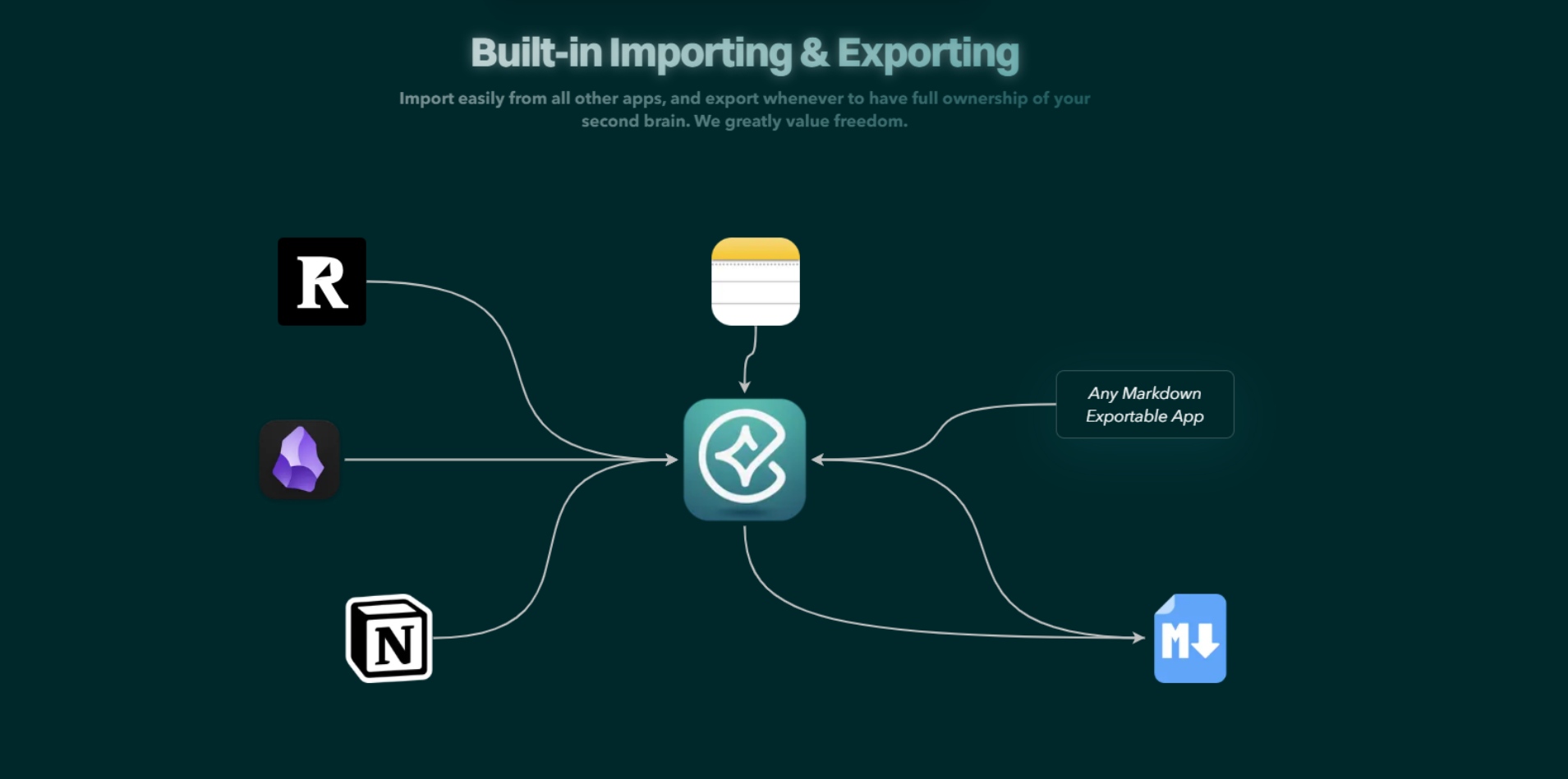
Integrating note-taking tools with other productivity apps is crucial for a seamless workflow experience. By connecting your notes with calendar apps, task managers, and communication platforms, you create a cohesive environment where information flows effortlessly.
Popular Integrations to Enhance Productivity:
- Calendar Apps (Google Calendar, Apple Calendar): Synchronize your notes with calendar events to keep track of deadlines and appointments. This integration ensures you never miss important dates and can quickly access relevant information during meetings.
- Task Managers (Todoist, Trello, Asana): Link notes to tasks and projects, streamlining the process of turning ideas into actionable items. This helps in managing projects more efficiently by having all related information in one place.
- Communication Platforms (Slack, Microsoft Teams): Share notes and collaborate in real-time with team members. This fosters better communication and ensures everyone is on the same page.
- Cloud Storage Services (Google Drive, Dropbox): Store and retrieve notes from cloud storage services. This allows for easy access from multiple devices and ensures data is backed up securely.
Using these integrations, you can enhance your overall productivity by reducing the time spent switching between applications. The ability to connect different tools creates a unified system where tasks, schedules, and information are all interlinked.
Constella App

As modern productivity workflows become increasingly interconnected, having a note system that adapts to this reality is critical. Constella App offers a flexible, AI-enhanced environment that supports this kind of integrated knowledge management — making it a strong complement to tools like calendars, task managers, and collaboration platforms.
- Folderless architecture — Constella moves beyond traditional folder structures by allowing all notes to live in a unified workspace. Notes are automatically connected through intelligent tagging and contextual links, making relevant information easy to surface without rigid organization.
- Visual graph canvas — An interactive infinite canvas enables you to map ideas visually and create dynamic relationships between them. This supports more natural idea exploration and synthesis, helping you see how concepts evolve and relate across your work.
- AI-driven retrieval — The built-in Stella AI assistant surfaces related notes and insights as you type, making it easy to pull in relevant information during writing, meetings, or decision-making. Voice notes are also transcribed and indexed automatically, keeping the entire knowledge base searchable and connected.
- Cross-platform capture and integration — Constella integrates smoothly with your broader workflow. You can capture information from mobile apps using native sharing features, and iOS Shortcuts allow for automating common actions. This makes it easier to keep your knowledge connected with tasks, events, and communications.
- Supports evolving workflows — The flexible structure and smart retrieval capabilities make Constella well-suited for professionals who work across multiple tools. Whether you're linking notes to projects, surfacing insights during meetings, or reflecting on ongoing challenges, Constella adapts to the way you think and work — not the other way around.
Constella’s combination of AI-driven organization and visual thinking tools makes it a practical addition to any integrated productivity stack. It helps ensure that your notes stay connected to the rest of your work — and that your thinking remains flexible and adaptive as your needs evolve.
Conclusion
Using a folderless organization system opens up new ways to capture, connect, and retrieve your ideas. With tools like Obsidian, Bear Notes, mymind, and Constella App, you can say goodbye to inflexible folders and embrace smarter workflows powered by AI and visual thinking. This allows you to work in a way that suits your mind—fluidly, visually, and with immediate access to related thoughts.
These are the key reasons to make the switch: Effortless capture and recall eliminates the need to remember where you filed something, while stronger idea connections through tagging, linking, and visual graphs mirror how your brain works. Time-saving automation with AI-driven features handles the heavy lifting so you can focus on thinking. Explore these modern tools and experiment with new mental workflows—your ideas are too valuable to be trapped in static folders.
FAQs (Frequently Asked Questions)
What is folderless organization and how does it improve note-taking?
Folderless organization is a modern approach to note-taking that replaces traditional hierarchical folders with tag-based systems and linked notes. This method allows for more flexible, dynamic organization of information, making it easier to connect ideas and retrieve notes without rigid structures.
How do tags and bidirectional links enhance idea connections in note-taking apps?
Tags enable categorization without the limitations of folders, while bidirectional links create two-way connections between notes. Together, they facilitate a web of interconnected ideas, allowing users to navigate seamlessly between related concepts and foster deeper understanding.
What role do graph views play in visual thinking within note-taking tools?
Graph views visualize the relationships among notes as nodes and connections, offering a visual map of ideas. Tools like Obsidian and Bear Notes use these views to enhance creativity by helping users see patterns, clusters, and connections that might be missed in linear lists.
How does AI-driven smart retrieval streamline note management?
AI-powered smart retrieval automatically tracks, organizes, and surfaces relevant notes based on user queries or context. Apps like mymind and Constella App reduce cognitive load by efficiently managing information, enabling users to access important content effortlessly.
Why is integrating note-taking apps with other productivity tools beneficial?
Seamless workflow integration connects note-taking apps with calendars, task managers, and communication platforms. This integration boosts productivity by ensuring information flows smoothly across tools, reduces duplication of effort, and supports comprehensive project management.
Can you provide examples of modern note-taking tools that support folderless organization and AI features?
Yes. Obsidian offers robust graph views and linking capabilities; Bear Notes emphasizes visual thinking; mymind incorporates AI for smart retrieval; and Constella App combines AI-driven note management with workflow integrations. Each tool brings unique strengths to folderless organization strategies.
Want more insights like this?
Subscribe to get short productivity tips and useful summaries of new tools every week.
Want more insights like this?
Subscribe to get short productivity tips and useful summaries of new tools every week.


