

Effective note-taking shapes the way you think, learn, and work. Choosing the right method for organizing your notes often comes down to two main approaches: linking thoughts and organizing by folder. Each style offers a distinct way to capture, connect, and retrieve information.
Traditional note-taking methods rely on folders and hierarchies—think of digital file cabinets or classic notebooks divided into sections. You place each note into a designated folder, building a logical structure that mirrors how you might organize physical documents.
A growing number of knowledge workers are turning to linking thoughts, a networked approach inspired by how the brain forms connections. Rather than sorting notes into boxes, you create relationships between ideas, letting context and association drive organization.
The importance of effective note-taking extends beyond personal productivity. Your ability to generate insights, recall key information, and synthesize complex concepts all depend on how you manage your notes. For students, researchers, professionals, and lifelong learners alike, the debate between linking thoughts and organizing by folder is more than academic—it shapes daily workflows and long-term knowledge growth.
This article unpacks both methods, compares their strengths and weaknesses, and explores which approach fits different thinking styles. Whether you prefer tidy folders or dynamic webs of ideas, understanding these note-taking methods can transform the way you capture and use information.
Understanding Folder-Based Note-Taking
Folder organization is the default method used in most note-taking apps. In this system, notes are arranged into folders and subfolders, creating a structure similar to how many people organize files at work. The process is straightforward: create a main folder for a project or topic, and then place related notes inside it.
How Folder Organization Works:
- Create broad categories (e.g., “Meetings,” “Research,” “Personal”)
- Place individual notes within these categories
- Add subfolders for finer categorization (e.g., “2024 Q1,” “Client X”)
- Retrieve notes by browsing through the folder tree
Pros of Folder-Based Approach:
- Intuitive for newcomers: Mimics desktop file systems, so it feels familiar
- Clear boundaries: Keeps unrelated materials separate
- Best way to take notes for work when tasks or documents need to be grouped by client, date, or deliverable
Cons and Limitations:
- Rigid categorization: Notes fit only one place, which complicates cross-referencing ideas
- Difficulty handling overlap: A note relevant to multiple projects gets duplicated or lost
- Hierarchical structure can hinder creativity: Brainstorming or evolving projects don’t always fit into strict hierarchies
Many users find that as projects grow complex, it becomes harder to remember where a note lives or to surface connections between ideas that sit in different folders.
This approach works best when you have clear-cut topics and linear workflows. For those who thrive on order and predictability, folder organization offers comfort and clarity. Yet as your information grows—and ideas begin to intersect—the limitations of this method become more apparent.
Exploring the Linking Thoughts Approach
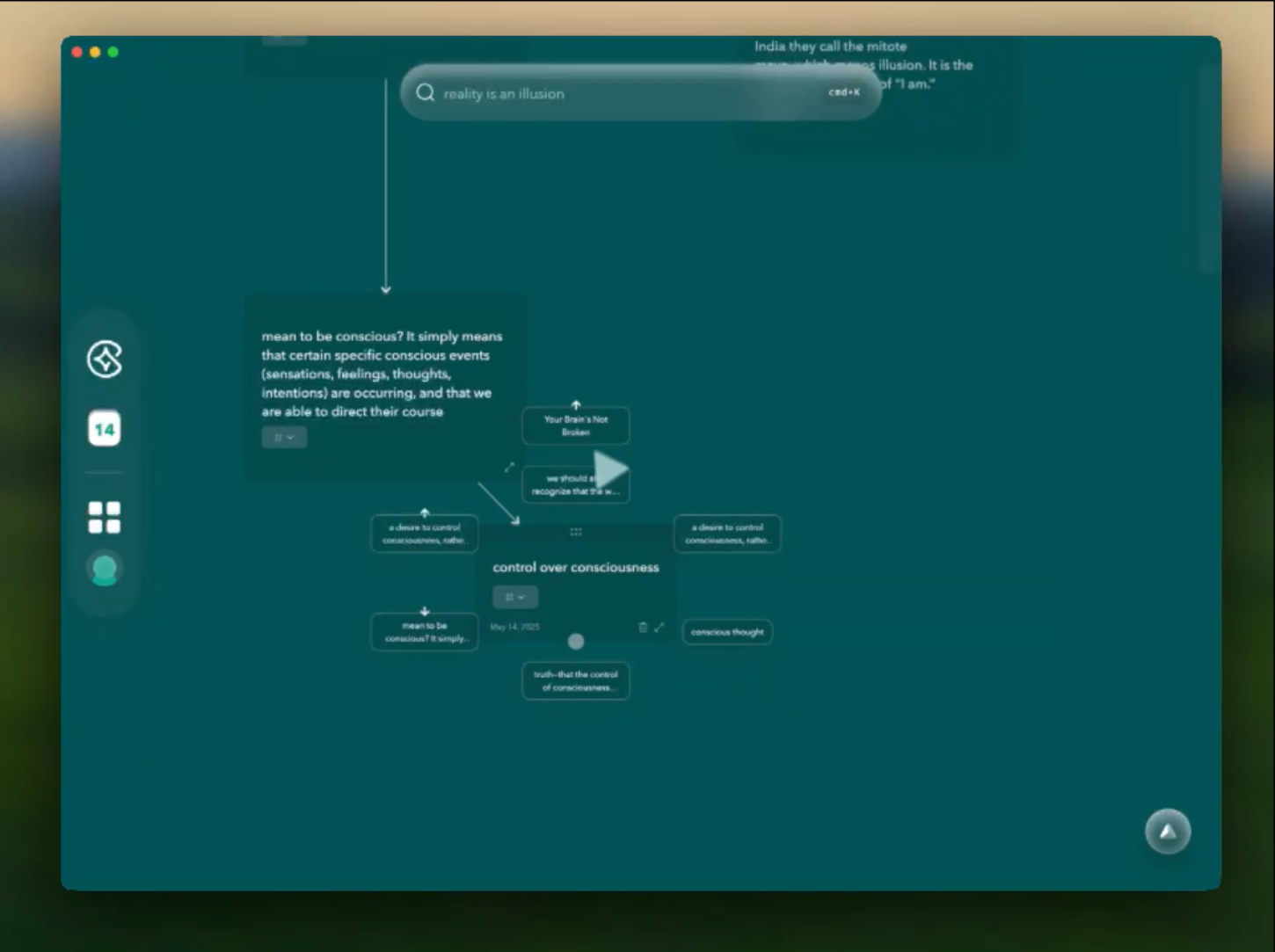
The linking thoughts approach to note-taking breaks away from rigid folders and instead centers on connections between notes. Each idea stands as its own node, capable of linking to any other, creating a web of knowledge. This style matches how many people naturally think—non-linear, associative, and context-driven.
Key Features of Linking Thoughts:
- Non-linear Thinking: Notes connect directly to related ideas, regardless of when or where they were captured. You might link a meeting summary with a research article, or tie together separate learning topics through shared concepts.
- Emergent Organization: Instead of fitting every note into a pre-defined box, connections emerge as you work. Categories form organically through cross-references and repeated themes.
- Fluid Contextualization: Notes gain meaning from their links. When reviewing information, relevant connections surface, allowing for deeper insight.
“A networked note doesn’t just sit in isolation; it lives in conversation with every other idea you’ve recorded.”
Benefits Over Traditional Categorization:
- Supports complex thinking processes by encouraging exploration in multiple directions at once.
- Facilitates creative problem-solving since new connections can spark unexpected insights.
- Prevents information silos, reducing the risk of locking useful notes away in forgotten folders.
This approach underpins many modern tools like Obsidian and Roam Research, though manual linking is often required. Emerging solutions—such as AI-assisted apps—now automate much of this process, letting connections grow as your knowledge does.
The flexibility of linking thoughts offers a powerful alternative for users who value discovery and synthesis over strict categorization.
Comparing Folder-Centric and Linking-Centric Approaches in Practice
Obsidian and Notion are two leading platforms where users often debate between strict folder organization and minimal folder use with extensive internal links.
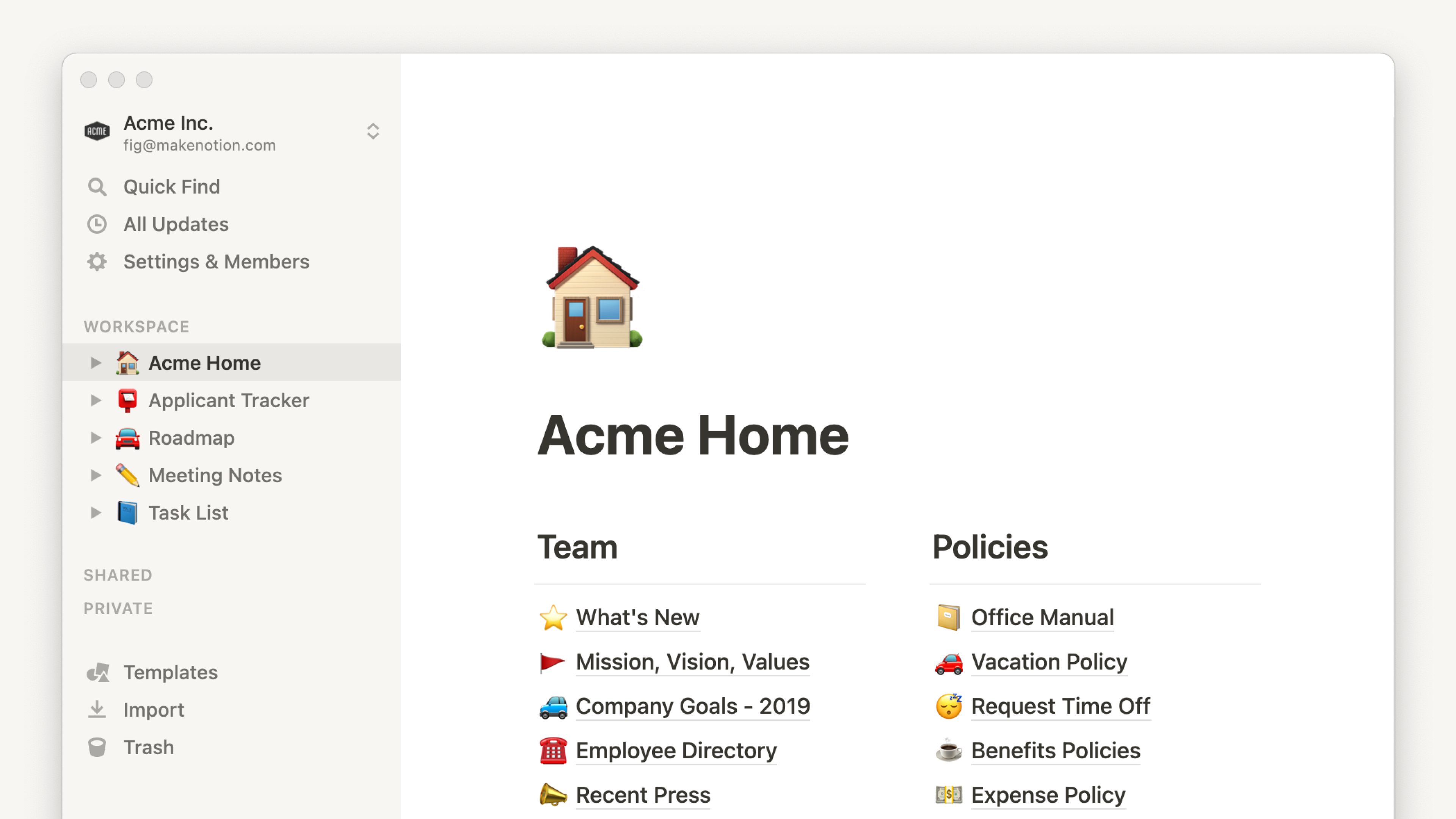
Folder-Centric Example
- In Notion, you might create a folder (database or page) for each project or topic.
- Notes, meeting minutes, and research articles live in subfolders, sorted by date or type.
- Navigation relies on remembering the location of each document within the hierarchy.
- This method works for users who prefer predictability and clear boundaries between topics.
Linking Thoughts in Action
- Obsidian’s power shines with internal links—using
[[brackets]]to connect notes across contexts. - You start with a handful of top-level folders (such as “Work” or “Personal”), placing all notes within them. Minimal folder use keeps the structure shallow.
- As ideas develop, you link related notes together regardless of their original categories: a project note can connect directly to relevant research, daily logs, or ideas.
- Navigation relies on clicking through connections rather than browsing deep folder trees.
Key Difference: With linking thoughts, navigation mirrors the way your mind jumps from one idea to another—dynamic and flexible. Folders provide fixed “homes” but can slow down recall when information spans multiple categories.
Software like Obsidian shows how linking-centric methods encourage discovery of patterns and insights that rigid folders can obscure. This approach also reduces time spent searching for “where something belongs,” letting you focus on making connections instead.
Contrasting Benefits: Intuitive Organization vs Dynamic Web of Ideas
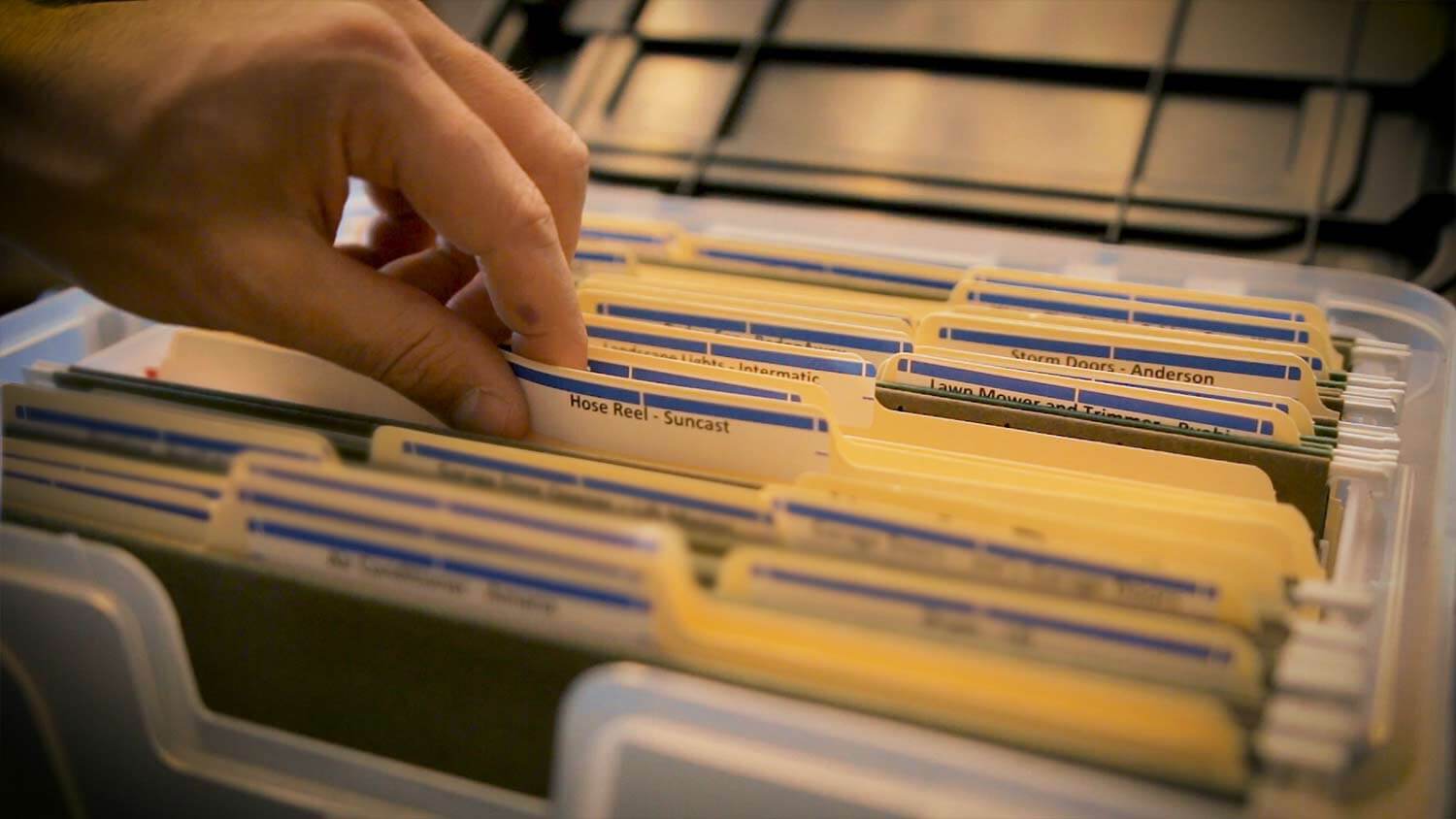
Intuitive organization through folders appeals to those who prefer structure and predictability. Placing notes into specific folders feels natural if your information fits neatly into categories, such as “Work,” “Personal,” or “Research.” This method makes it easy to locate notes when you remember their context or topic.
Key benefits of folder organization:
- Quick retrieval when you know where to look
- Clear separation between projects, topics, or life domains
- Reduces clutter by keeping unrelated notes out of sight
- Supports linear workflows, such as step-by-step project planning
On the other hand, the dynamic web of ideas created by linking thoughts supports a more fluid, context-driven workflow. Notes become interconnected nodes rather than static files. This approach reflects how the brain naturally associates ideas.
Advantages of a linking thoughts approach:
- Uncovers hidden connections between concepts that might not fit in a single category
- Encourages creative synthesis by surfacing related ideas during exploration
- Adapts to changing projects and evolving interests
- Promotes deep learning by mirroring neural networks—contextual, associative, and non-linear
While folders offer an intuitive organization for straightforward categorization, linking thoughts enables a dynamic web of ideas that grows alongside your curiosity and knowledge base. Both approaches address different cognitive needs and ways of working.
Choosing the Right Note-Taking Style for You
Selecting between folder-based and linking-centric note-taking depends on several factors tied to your personal preferences and the nature of information managed. Different thinking styles and content complexity levels call for different approaches.

Factors to Consider:
- Cognitive Style: If you prefer clear, linear organization or work with well-defined topics, folder-based structures feel natural. Visual thinkers or those who make frequent cross-references benefit from a linking approach that mirrors conceptual webs.
- Information Complexity: Simple, routine lists or static reference materials fit neatly into folders. Research projects, creative brainstorming, or interconnected ideas thrive in a web of linked notes.
- Volume and Growth: Folders suit users with a stable set of topics and limited note expansion. When notes multiply rapidly and connections evolve, linking-centric systems handle scale without rigidity.
- Retrieval Needs: Quick recall by topic works well in folders if you remember where things belong. Unpredictable search queries, associative recall, or serendipitous discovery work better in systems that surface related notes through links.
Recommendations:
- Systematic Thinkers & Administrators: Stick with folders for predictable workflows—project managers, students organizing syllabus materials, or anyone handling structured documentation.
- Researchers & Creative Professionals: Embrace linking-centric tools if you synthesize across domains, research complex subjects, or generate new insights from existing knowledge networks.
- Hybrid Users: Blend both approaches as needed—start with folders for broad categories but use links to connect nuanced details as your note collection grows.
Personalization remains key. Testing each style against how you naturally sort ideas reveals which method will save time and reduce friction as your knowledge base expands.
Constella App Features for Effective Note-Taking with Linking Thoughts Approach
Constella App is changing the game when it comes to taking notes. Instead of relying on traditional methods like documents, Constella uses artificial intelligence (AI) to create a flexible and visually appealing system based on graphs. This innovative approach not only makes it easier to arrange and access information but also places a greater emphasis on connections between ideas.

Key Features:
1. Smart Retrieval
With Constella's AI-powered retrieval system, you can say goodbye to digging through countless notes to find what you need. As you type, the app intelligently brings up relevant notes based on context, ensuring that important information is always at your fingertips. This feature not only saves time but also boosts productivity by eliminating distractions.
2. Visual Graph Capabilities
Sometimes, words alone can't capture the intricate relationships between ideas. That's where Constella's visual graph capabilities come in. The app automatically creates a web-like structure that connects related notes, providing a clear and intuitive representation of how different concepts are linked. This visual aid is particularly useful when trying to grasp complex topics or generate new insights.
3. Stella AI Assistant
Meet Stella - your personal AI assistant within Constella. Stella goes beyond basic note-taking features by using the interconnectedness of your notes to assist with logical reasoning and task completion. Whether you're conducting research or planning a project, Stella's ability to understand relationships between different pieces of information can greatly enhance your workflow.
4. Drag-and-Drop Connections
Sometimes, the best way to understand something is by visually mapping it out. With Constella's drag-and-drop connections feature, you can easily link notes together in a way that makes sense to you. This intuitive functionality supports mind mapping techniques and allows for seamless knowledge aggregation.
By combining these powerful features, Constella sets itself apart as an intelligent notes app that encourages natural thinking processes and facilitates efficient organization of information.
Conclusion
Choosing the best note-taking method depends on how your mind works and the complexity of information you handle daily. Some thinkers thrive with clear folder structures while others unlock creativity by linking thoughts into a dynamic web of ideas. Experimenting with both approaches often reveals what truly enhances productivity for you.
Constella App stands out as a flexible tool, supporting both folderless linking and traditional organization. Its smart retrieval feature ensures you never lose track of a note, while the visual graph makes connections between ideas instantly visible. You get effortless access to relevant insights—whether you favor structured folders or a more intuitive, connection-driven approach.
Explore different workflows, let your preference evolve, and use tools like Constella to bridge gaps in your note-taking routine. Adapting to your thinking style is the surest way to harness the full potential of your notes and boost productivity.
FAQs (Frequently Asked Questions)
What are the main differences between folder-based and linking thoughts note-taking methods?
Folder-based note-taking organizes information hierarchically into categories and folders, providing an intuitive structure for straightforward navigation. In contrast, the linking thoughts approach emphasizes creating connections between notes through internal links, supporting non-linear thinking and emergent organization that mirrors complex thought processes.
What are the advantages of using the linking thoughts approach over traditional folder organization?
The linking thoughts approach benefits users by fostering dynamic webs of ideas, enabling flexible navigation across interconnected notes. This method supports complex thinking by emphasizing relationships over rigid categorization, which can enhance creativity and knowledge discovery beyond the limitations of hierarchical folder structures.
How does folder-based note-taking limit the organization of complex information?
Folder-based note-taking relies on a hierarchical structure that can restrict flexibility, making it challenging to capture multifaceted relationships between ideas. Such linear categorization may lead to duplicated notes across folders or difficulty in finding related information that spans multiple categories.
Which note-taking style is best suited for different types of users or information?
Choosing between folder-centric and linking-centric note-taking depends on personal preferences and the nature of information managed. Users who prefer intuitive, straightforward organization might favor folders, while those dealing with complex, interconnected ideas may benefit from linking thoughts methods that accommodate non-linear exploration.
How does the Constella App support effective note-taking using the linking thoughts approach?
Constella App offers features like AI-powered Smart Retrieval and visual graph-based notes that facilitate organizing and navigating interconnected ideas. Its smart notes capabilities help users create dynamic webs of linked notes, enhancing productivity by combining both intuitive organization and emergent idea networks within a single platform.
Can I use both folder organization and linking thoughts approaches together effectively?
Yes, integrating minimal folder use with extensive internal linking can provide a balanced note-taking system. For example, apps like Obsidian or Notion allow users to maintain essential folder structures while leveraging rich link connections between notes, supporting both intuitive navigation and dynamic idea exploration.
Want more insights like this?
Subscribe to get short productivity tips and useful summaries of new tools every week.
Want more insights like this?
Subscribe to get short productivity tips and useful summaries of new tools every week.


