

For individuals with ADHD, traditional note-taking methods often fall short in catering to their unique cognitive needs. The advent of digital note-taking apps offers an ideal solution by providing tools that can help improve focus, organization, and productivity.
Note-taking apps for ADHD users are specifically designed to accommodate their need for a more dynamic and flexible approach. These apps often include features like visual notes, smart reminders, and easy organization to help manage tasks effectively.
Importance of productivity tools for individuals with ADHD:
- Enhanced Focus: Digital tools can break down tasks into manageable chunks, helping users stay on track.
- Better Organization: Apps provide structured frameworks that make it easier to keep notes sorted and accessible.
- Visual Aid: Many note-taking apps incorporate visual elements that align better with the ADHD brain's preference for non-linear thought processes.
- Smart Reminders: Timely notifications ensure important tasks and deadlines are not overlooked.
By leveraging these features, individuals with ADHD can navigate their daily responsibilities more efficiently, thus improving overall productivity and reducing stress.
Understanding the Unique Challenges of ADHD Individuals in Note-Taking

Traditional note-taking methods present real obstacles for individuals with ADHD. The classic document-based approach—think lined notebooks or rigid word processors—often feels restrictive rather than supportive. Brains wired for creativity and rapid context-switching struggle with the linear, static nature of these tools.
ADHD minds are constantly generating new ideas, making associations, and jumping between concepts. A single page or a single document rarely captures that mental flow. This leads to:
- Lost Information: Important thoughts get buried or forgotten as there’s no easy way to link related notes.
- Overwhelm: Scrolling through dense text blocks or stacks of files can trigger cognitive overload and procrastination.
- Disorganization: Without visual connections, it's hard to see how ideas relate, which fragments knowledge and makes retrieval difficult.
Why Smart Notes Apps and Visual Notes Apps Make a Difference

A smart notes app or a visual notes app reimagines note-taking for neurodivergent thinking. These apps go beyond text entry; they introduce freedom, flexibility, and visual structure that align with how ADHD brains process information.
Benefits include:
- Infinite Canvas: No boundaries—notes can expand in any direction, mimicking the non-linear thought process.
- Networked Connections: Easily link ideas, notes, or topics together visually. This mirrors how memory works: through association.
- Effortless Retrieval: Smart apps surface relevant notes as you type, reducing time spent searching and minimizing distraction.
- Visual Structuring: Mind maps, graphs, and color-coded tags help anchor ideas spatially.
Key Features of the Best Note App for ADHD Brains
When searching for the best note app tailored to ADHD needs, look for:
- Automatic Organization: AI-driven sorting or tagging to minimize manual effort.
- Visual Graphs: See connections between notes at a glance.
- Quick Capture: Instant jotting options—voice-to-text, shortcuts, widgets—for fleeting thoughts.
- Smart Search & Retrieval: Context-aware search that suggests relevant info while you work.
- Flexible Structure: Infinite canvas or folderless systems prevent bottlenecking creative flow.
The right smart notes app doesn’t just store information; it adapts to your brain’s unique rhythm and helps you turn chaos into clarity.
Exploring specific tools reveals which solutions truly address these challenges for ADHD users.
Benefits of AI-Powered Note-Taking Tools in Educational Settings
AI-powered note-taking tools like Jamworks offer several benefits for individuals with ADHD in educational settings:
- Enhanced Focus and Engagement: By automating the process of note-taking and summarization, these tools allow students to focus more on understanding the lecture rather than frantically writing down notes.
- Improved Organization: Features such as searchable transcripts and key points highlighting help in keeping notes organized, reducing the cognitive load on students when studying or revisiting material.
- Accessibility and Convenience: With integration into LMS platforms, students can easily access all their notes and course materials in one place, streamlining their study process.
- Personalized Learning Experience: AI algorithms can adapt to individual learning styles, providing customized summaries and insights that align with how each student processes information.
These features collectively make Jamworks a highly effective tool for university students with ADHD, addressing common challenges such as distraction, disorganization, and difficulty in capturing essential information during lectures.
Choosing the Best Note-Taking App for ADHD Brains
When looking for the best note-taking app for ADHD brains, it's important to focus on features that make it easier to think and remember. Not all note apps are the same, so here are some specific things to look for:
1. Instant Capture
The ability to quickly capture thoughts without any obstacles is crucial. Look for apps that offer fast input methods such as voice notes, quick text capture, or image OCR (optical character recognition). These features ensure that your thoughts aren't lost due to distractions.
2. Visual Organization
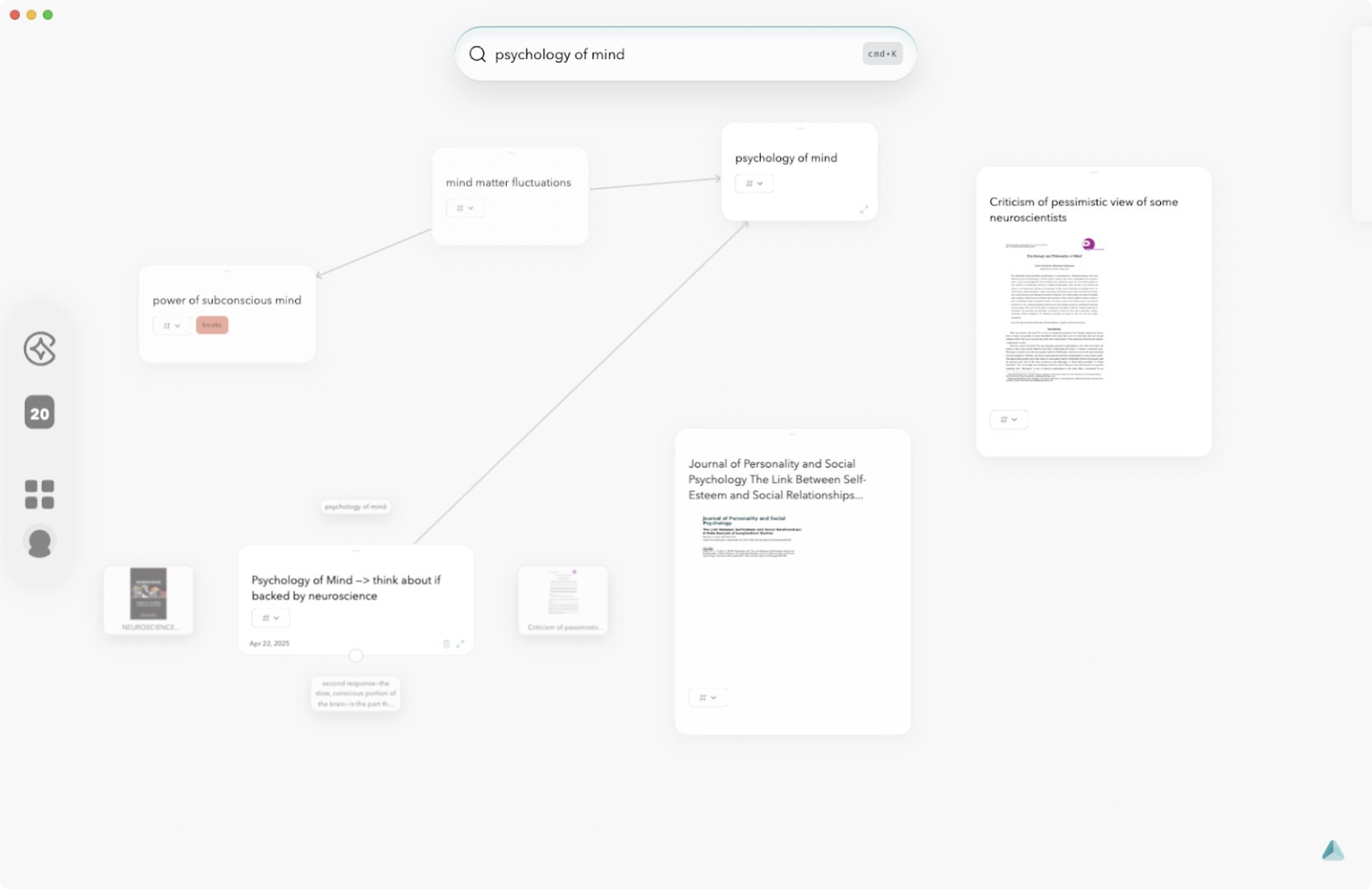
ADHD brains often think in a nonlinear way, so it's helpful to have visual tools for organizing information. Look for apps that provide infinite canvas layouts, visual graphs, or mind mapping options. These features can mimic your natural thinking patterns and make it easier to understand and connect ideas.
3. Connectivity & Linking
Instead of treating each note as an isolated document, seek out apps that allow you to build connections between different ideas. Look for features like networked notes and easy linking options that enable you to create context-rich knowledge structures.
4. Automatic Organization
Manual organization can be time-consuming and draining. Look for apps that use AI-powered sorting or auto-tagging to minimize the effort required on your part. The less time you spend organizing, the more energy you'll have for generating new ideas and reviewing existing ones.
5. Effortless Retrieval
Finding specific notes shouldn't be a hassle. Look for apps with smart search tools, similarity sliders, and context-based recall features that allow you to quickly access relevant information without having to navigate complex folder structures.
6. Minimal Setup
The ideal note app should require little setup or configuration at the beginning. Too many options or customization steps can be overwhelming and discourage consistent use.
7. Distraction Reduction
When taking or reviewing notes, it's important to stay focused and minimize distractions. Look for apps with clean interfaces that have minimal visual clutter and optional focus modes to help you maintain concentration.
Remember: It's better to find an app that fits your natural workflow rather than trying to force new habits.
Since everyone's brain works differently, it's a good idea to test out several apps based on these criteria. This will help you discover which environment feels most supportive for your thinking process.
By finding the right combination of features—such as quick capture methods, visual organization tools, connectivity options, automatic sorting capabilities, effortless retrieval techniques, minimal setup requirements, and distraction-reducing elements—you'll be able to:
- Capture thoughts quickly
- Connect ideas visually
- Retrieve information at speed
These benefits will remove barriers between inspiration and action, allowing you to work more effectively with your ADHD brain.
Constella App: Designed for the ADHD Mind, Built for Seamless Note-Taking
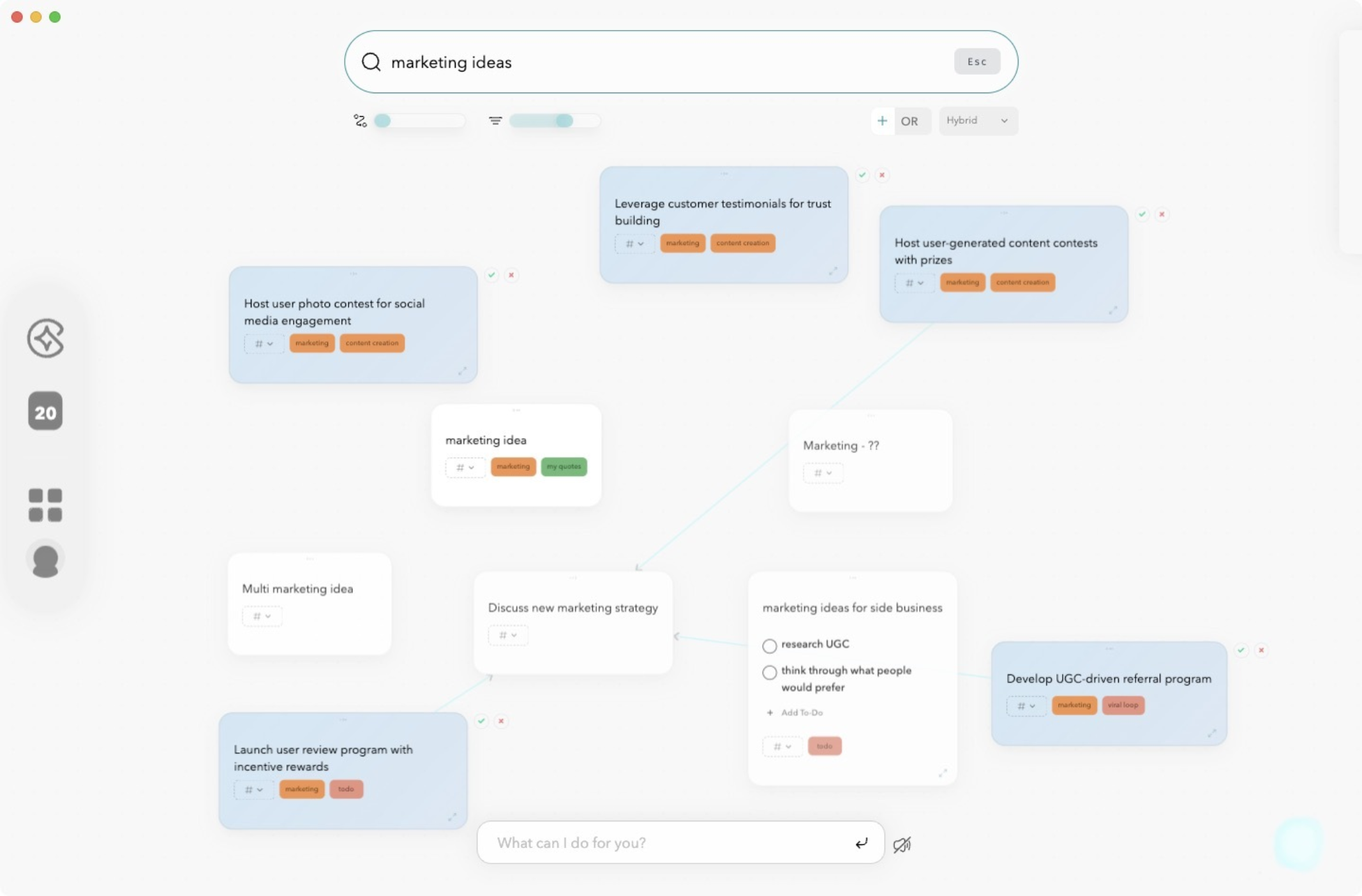
Constella redefines note-taking for ADHD users by removing traditional barriers and embracing the fluid, intuitive ways neurodivergent thinkers process information. Rather than relying on rigid folder hierarchies, it adapts to the user’s natural workflow with features that prioritize clarity, context, and connection:
- Smart Retrieval: Find what you need instantly. As you type, context-aware AI surfaces the most relevant notes—eliminating the stress of digging through disorganized files.
- Visual Graph: See your thoughts come to life. Notes are displayed in a dynamic web of ideas that reflects the non-linear thinking patterns typical of ADHD.
- Effortless Connectivity: Easily link ideas with drag-and-drop connections, helping you identify patterns, build knowledge, and expand on your thinking without friction.
- Stella Chat: Meet your intelligent note-based assistant. Stella uses your entire note graph to answer questions, summarize information, and brainstorm ideas—always drawing from your personal knowledge base.
Constella isn’t just another productivity tool—it’s a true thinking companion, thoughtfully designed to support the unique rhythms of your mind. By aligning with the way ADHD brains naturally organize, associate, and recall information, Constella empowers you to capture ideas effortlessly, explore connections deeply, and stay engaged in your flow. It doesn’t demand structure—it builds it with you, on your terms.
FAQs (Frequently Asked Questions)
What are the unique challenges individuals with ADHD face in traditional note-taking methods?
Individuals with ADHD often struggle with maintaining focus, organizing information, and processing linear text-heavy notes, which makes traditional note-taking methods less effective for them.
How do smart and visual notes apps benefit users with ADHD?
Smart and visual notes apps cater to ADHD users by providing interactive, visually engaging, and organized note-taking options that improve focus, memory retention, and ease of information retrieval.
Which popular note-taking apps are recommended for individuals with ADHD?
Popular note-taking apps suitable for ADHD users include NotePlan, Evernote, Bear, Notion, Apple Notes, Craft, and Obsidian. Each offers features like organization tools and customization to support ADHD productivity.
What features make NotePlan especially suitable for individuals with ADHD?
NotePlan offers tailored features such as task management integration, calendar views, and a clean interface that help ADHD users stay organized and manage their notes effectively.
How can AI-powered note-taking tools like Jamworks assist university students with ADHD?
AI-powered tools like Jamworks provide automated transcription, smart summarization, and personalized organization that help university students with ADHD capture and review lectures efficiently.
What unique features does the Constella App offer to support note-taking for ADHD users?
Constella App includes an AI note taker, smart retrieval system, visual graph organization, connectivity options, and Stella chat support—all designed to enhance productivity and streamline note management for individuals with ADHD.
Want more insights like this?
Subscribe to get short productivity tips and useful summaries of new tools every week.
Want more insights like this?
Subscribe to get short productivity tips and useful summaries of new tools every week.


