
Crafting a presentation that captivates your audience starts with organizing your ideas effectively. A structured approach not only clarifies your message but also ensures a seamless delivery, helping you stand out in a world overwhelmed by information. Presentations aren't just about sharing data—they’re an opportunity to tell a story that resonates and leaves a lasting impression.

The key to a powerful presentation lies in meticulous planning, where each idea builds logically on the last. Tools like Constella.App make this process simpler and more intuitive. With its infinite visual graph, Constella allows you to map out your thoughts visually, ensuring no detail slips through the cracks. Its AI-powered note-taking and seamless organization features transform scattered ideas into a cohesive narrative, saving time and enhancing creativity.
Beyond presentations, Constella empowers users with innovative features like instant note search, exporting tools, and even Stella Chat for quick brainstorming. By centralizing all your ideas in one place, Constella enhances productivity and control, making it an indispensable tool for personal and professional growth.
The Organizing Process: Laying the Groundwork
Preparation is crucial for ensuring a successful presentation. By investing time in planning, you set the foundation for a professional and engaging delivery. Begin by establishing a clean workspace; a clutter-free environment enhances concentration, allowing you to focus on organizing your ideas more effectively.

Creating a dedicated space minimizes distractions and promotes clarity of thought. This approach is not just about physical tidiness but also about mental organization, which can be facilitated by tools like Constella.App that help structure complex ideas visually.
Before diving into content creation, gather all necessary materials. Having everything at hand—from reference documents to digital resources—streamlines the organizing process. This preparation phase allows you to make a presentation that looks professional and avoids last-minute scrambles for information.
By laying the groundwork meticulously, you pave the way for an engaging presentation that resonates with your audience.
Brainstorming Ideas: Generating Content
Brainstorming for presentations is more than just jotting down ideas—it's about crafting a cohesive vision that captures your audience's attention. This critical step encourages free exploration of thoughts, allowing you to uncover insights and perspectives that might otherwise remain hidden. Effective brainstorming sets the stage for engaging, well-structured content.
A practical way to kick-start the process is through a brain dump—capturing all your thoughts without judgment. During this stage, a tool like Constella.App can make a world of difference. Its infinite visual graph allows you to map out ideas dynamically, linking related concepts intuitively. You can also use tags and categories to cluster ideas, making it easy to identify overarching themes. This visual approach helps bring order to creative chaos while preserving your spontaneous thoughts.
To make the most of your brainstorming sessions, here are some tips, supported by Constella.App's features:
Capture and Connect Ideas
Using Constella’s quick capture tool, you can jot down fleeting ideas as they come. These thoughts are automatically stored and can be revisited or connected to other related notes within the app’s infinite visual graph. This allows you to see how ideas interlink, helping you identify patterns and build cohesive narratives. Whether it’s a single spark or a cluster of ideas, Constella ensures no concept is overlooked.
Leverage AI Assistance
.gif?token=eyJhbGciOiJIUzI1NiIsInR5cCI6IkpXVCJ9.eyJ1cmwiOiJ1c2VyLWdlbmVyYXRlZC1pbWFnZXMvMTRlMzA3MWItNDRmNS00YTI4LTllZTgtZmMxY2FhMTkyYjM0L1VudGl0bGVkICgyMSB4IDE0LjkgY20pLmdpZiIsImlhdCI6MTczMzU2MDg1MywiZXhwIjoyMDQ4OTIwODUzfQ.I42GQ6yiirOt5Jm2cdNDweFXpDWNkqtTd_qXkbPTaAw)
Brainstorming often generates a wealth of ideas, some of which might get buried in the shuffle. Constella’s AI-powered search intelligently surfaces related notes and previously captured ideas that align with your current brainstorming. This feature acts as a creative collaborator, presenting connections you might not have considered and broadening your perspective on the topic.
Review and Organize
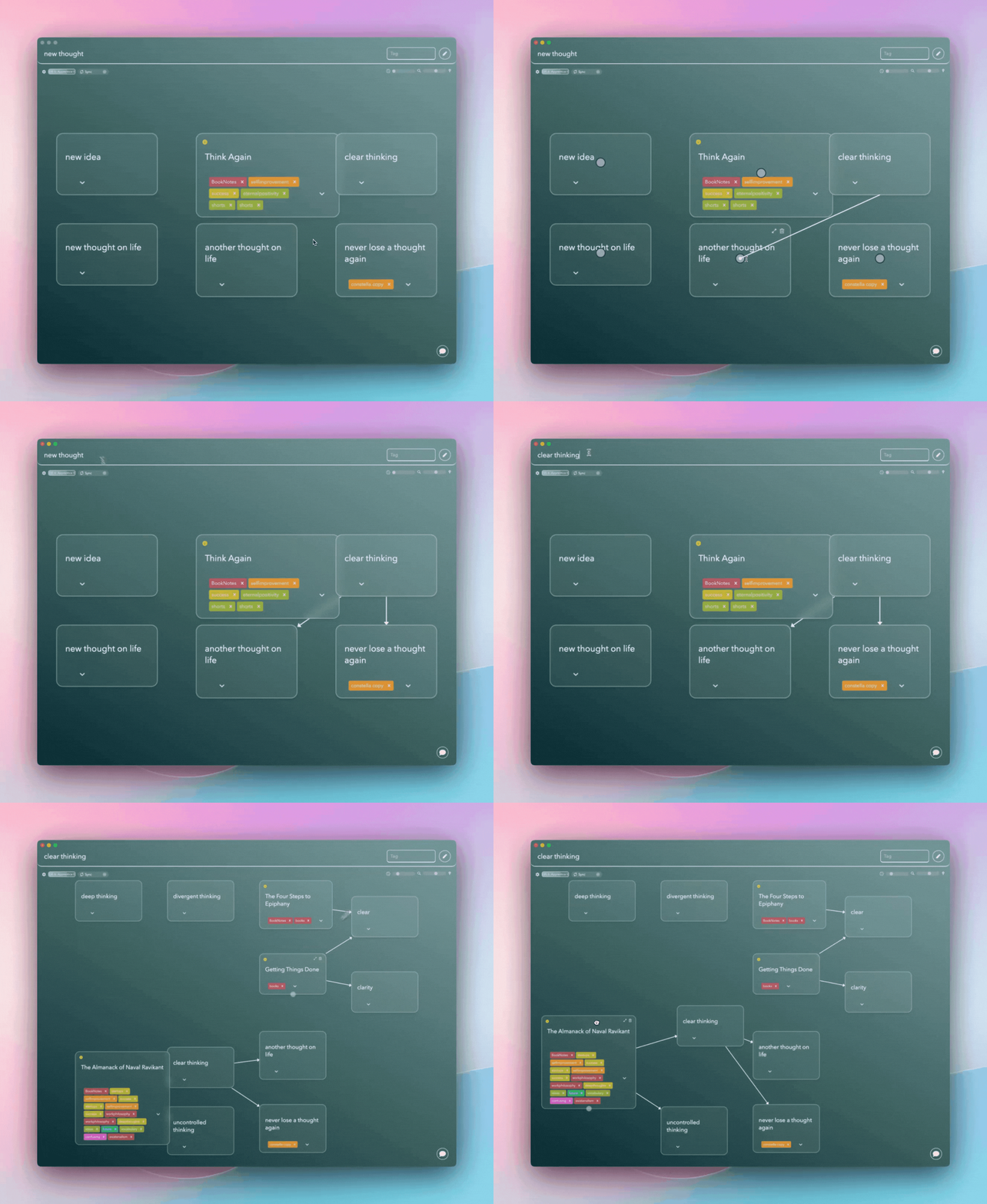
Once your brainstorming session concludes, the app’s visual interface helps you organize thoughts into a structured flow. You can also export these notes into various formats for further refinement or share them with team members for feedback. This adaptability allows your brainstorming to transition smoothly into actionable steps, making preparation efficient and collaborative.
By combining creativity with organizational tools like Constella.App, you can elevate your brainstorming sessions into a structured yet imaginative process. Whether refining scattered ideas or synthesizing key themes, this approach ensures your presentations are grounded in clarity and originality.
Identifying Themes: Key Messages
Recurring themes play a vital role in transforming scattered ideas into a coherent narrative. When organizing ideas for a presentation, identifying these common themes allows you to deliver a unified message that resonates with your audience.
Techniques for Grouping Related Thoughts:
- Affinity Mapping: This technique involves clustering ideas based on their natural relationships. Write each idea on a sticky note or index card, then physically group similar concepts together. This visual approach helps in recognizing patterns and key messages.
- Color-Coding Methods: Assign different colors to various themes or categories. As you sort through your ideas, use these colors to visually distinguish between different topics. This method not only organizes thoughts but also provides a quick reference during the presentation.
Implementing these strategies ensures that your content is not just a collection of ideas but a structured flow of information that effectively communicates your intended message. To further enhance your productivity while organizing these ideas, consider exploring how a well-structured productivity system can significantly double your output and streamline your work-life balance using effective tools like Notion, Obsidian, and AI.
Choosing the Right Structure: Presentation Formats
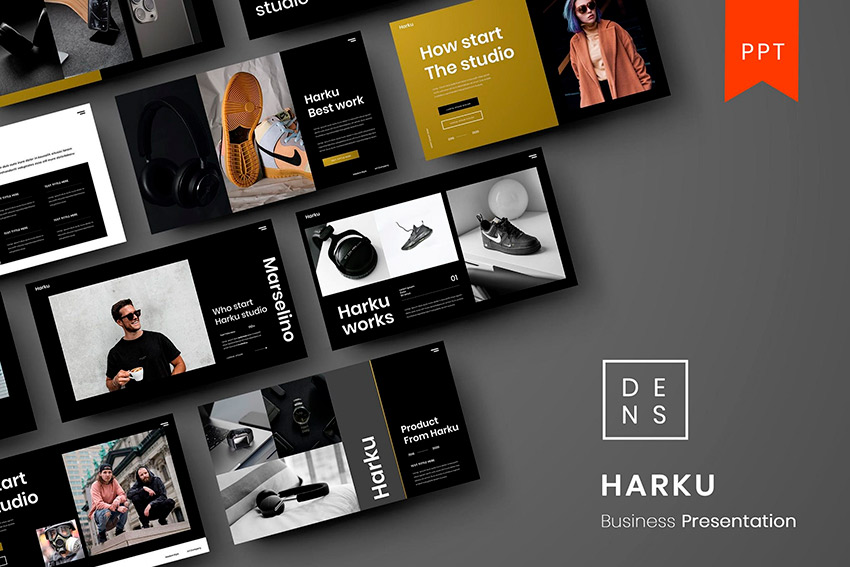
Selecting an appropriate presentation structure is essential for effectively conveying your message. Different formats can be utilized depending on your content and audience preference, ensuring clarity and engagement.
Common Organizational Structures:
- Chronological Format: Ideal for narrating events or processes in a time-based sequence. This format is suitable when presenting historical developments, project timelines, or any information that benefits from a linear progression. It helps the audience follow the story as it unfolds chronologically.
- Problem/Solution Format: Best used when addressing a specific issue and proposing solutions. Start by clearly defining the problem, then systematically present potential solutions. This approach works well in scenarios where you aim to persuade your audience by demonstrating how your solutions directly tackle the identified challenges.
- Compare and Contrast Format: Effective for evaluating multiple options or perspectives. Present similarities and differences between two or more subjects, enabling the audience to make informed decisions based on presented comparisons. This format is useful when discussing competing theories, products, or ideas.
In addition to selecting the right structure, it's also important to consider how you take notes during your presentation preparation. Traditional document-based note-taking methods, such as those used in Apple Notes, Notion, Google Docs, etc., might not be the most effective approach anymore. There are compelling reasons to move away from these relics of the past and adopt more efficient note-taking strategies. For further insights into this topic, you can explore why we should reconsider document-based note-taking.
Creating an Outline: Roadmap for Success
A well-structured presentation outline acts as a roadmap, guiding both the presenter and the audience through the journey of your presentation. This roadmap ensures clarity and coherence by highlighting the key points and connecting them seamlessly with supporting evidence.
Benefits of Creating an Outline
- Clarity and Direction: An outline provides a clear path, helping you stay focused on the core message without veering off-topic. It breaks down complex ideas into manageable sections, making it easier for both you and your audience to follow along.
- Logical Flow: When outlining, think about the logical progression of ideas. Start with an introduction that sets context, followed by body sections that delve into each key point, supported by relevant evidence. Conclude with a compelling summary that reinforces your message.
- Flexibility: A dynamic outline allows for adjustments as new insights emerge or audience preferences shift. Tools like Constella.App can facilitate this flexibility by providing intuitive ways to visually organize and rearrange content.
Engaging effectively starts with a solid structure; crafting an outline is a crucial step in achieving that goal.
Timing Strategies & Practice Sessions: Mastering Delivery Skills
Allocating Time Slots is crucial for maintaining a smooth flow throughout your presentation. By dividing your presentation into sections and assigning a specific time to each, you ensure that every part receives adequate attention while respecting overall constraints, such as event schedules or personal limits. This approach prevents any section from being rushed or overly extended.

Practice Sessions are essential for refining delivery style and building confidence. Rehearsing aloud multiple times allows you to:
- **Improve Fluency: **Familiarize yourself with the content, reducing reliance on notes.
- Build Confidence: Gain assurance in your ability to deliver the presentation effectively.
- Identify Weaknesses: Spot areas needing adjustment or improvement.
Incorporating these strategies enhances your readiness, ensuring that your presentation is not only timely but also engaging and well-delivered.
Seeking Feedback & Continuous Improvement Cycle
Gathering feedback is a crucial step in refining your presentation. Engaging with trusted individuals, such as colleagues or mentors, can provide objective insights into both the strengths and weaknesses of your material. This external perspective is invaluable for identifying areas needing improvement after practice sessions.
- Constructive Criticism: Encouragement to embrace constructive criticism helps refine your delivery style and content structure. Listening to feedback with an open mind allows you to adapt and make necessary adjustments.
- Refining Based on Input: After receiving feedback, focus on refining elements that may hinder clarity or engagement. This might involve reorganizing sections, enhancing visual aids, or adjusting the pacing of your delivery.
This continuous improvement cycle not only enhances the quality of your final delivery but also builds confidence by ensuring that every aspect of your presentation resonates deeply with your audience, setting the stage for impactful communication.
Conclusion
Embrace your unique style while applying these strategies to create impactful presentations that resonate with your audience. It's vital to organize ideas for a presentation effectively, ensuring every element enhances audience interaction. Tools like Constella.App can be instrumental in this process, streamlining your preparation and execution. By staying authentic and structured, you can deliver presentations that not only convey information but also engage and inspire. Keep refining your approach with practice and feedback to consistently elevate the quality of your presentations.
FAQs (Frequently Asked Questions)
Why is it important to organize ideas for a presentation?
Organizing ideas for a presentation is crucial as it contributes to effective communication. A well-structured presentation allows the audience to follow the message clearly, enhancing understanding and engagement.
What tools can assist in the organizing process of a presentation?
Constella.App is a valuable tool that can help you in the organizing process by allowing you to arrange your thoughts and ideas systematically, ensuring a coherent flow in your presentation.
How can I create a professional-looking presentation?
To make a professional presentation, ensure thorough preparation, maintain a clean workspace, gather all necessary materials beforehand, and utilize visual aids effectively to enhance comprehension without overcrowding slides.
What techniques can I use to brainstorm ideas for my presentation?
Brainstorming involves conducting a brain dump exercise where you capture all potential ideas without judgment or filtering. This free thought process is essential for generating valuable content that can be refined later.
What are the different organizational structures I can use for my presentation?
Common organizational structures include chronological format, problem/solution format, and compare and contrast. The choice of structure should depend on the content type and audience preference to ensure clarity and engagement.
How can I improve my delivery skills for presentations?
Improving delivery skills involves allocating appropriate time slots for each section of your presentation and practicing aloud multiple times before the actual delivery date. This helps refine your style, fluency, and builds confidence.
Want more insights like this?
Subscribe to get short productivity tips and useful summaries of new tools every week.
Want more insights like this?
Subscribe to get short productivity tips and useful summaries of new tools every week.


