
Personal Knowledge Management (PKM) tools are like the secret weapon for thriving in today’s chaotic, info-packed world. Whether you’re juggling work tasks, school projects, or just trying to keep your thoughts organized, these tools can help you stay on top of it all. They’re built to organize, store, and make sense of all that data so you can focus on what really matters—getting things done.
This is where Constella.App enters the scene—the PKM tool that’s changing the game. It doesn’t just help you take notes or make lists; it transforms the way you think and work. Here’s how:
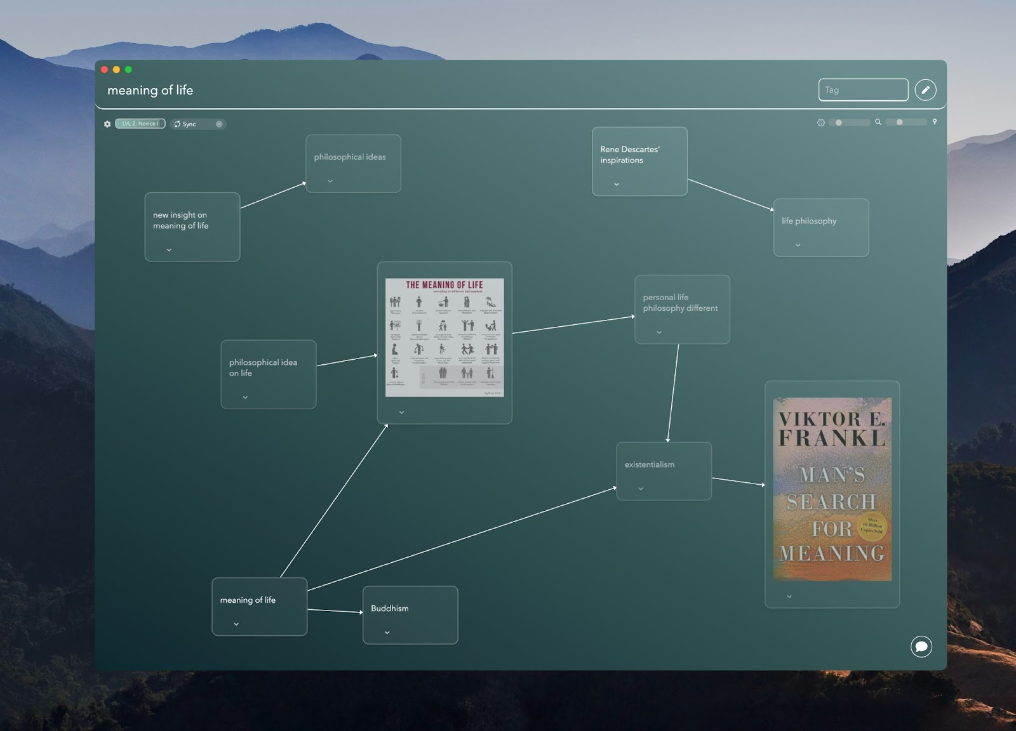
- Visual Infinite Graph Interface: Ever feel like your brain doesn’t think in straight lines? Constella gets it. Its infinite graph feature lets you map your ideas visually, making everything from brainstorming to planning way more intuitive and fun.
- AI-Powered Magic: Forget about losing notes in a cluttered system. Constella’s AI not only helps you find what you need fast but also suggests connections and ideas you might have overlooked. It’s like having a personal assistant for your brain.
- Seamless Integration: Whether you’re syncing with your calendar, email, or other apps, Constella makes sure everything works together in harmony. No more switching between tools and losing momentum.
In a nutshell, Constella.App isn’t just a tool—it’s your partner in productivity, helping you manage your knowledge like a pro. For more insights on writing and personal knowledge management strategies, you might find valuable resources on the Constella Blog.
Personal Knowledge Management (PKM)
Personal Knowledge Management (PKM) is all about turning information chaos into clarity. It helps you collect, organize, and transform data into actionable insights. In a world drowning in information, PKM tools are lifesavers. They simplify organization, ensuring your notes, ideas, and resources are always at your fingertips. They supercharge productivity by letting you focus on meaningful work instead of endless searching. And for teams, they foster seamless collaboration, ensuring ideas flow and duplication stops. With the right PKM system, staying on top of information becomes effortless, freeing you to do your best work.
Effective PKM Strategies with Constella.App
Implementing effective PKM strategies is essential for maximizing the utility of a tool like Constella.App:
- Centralized Information Hub: Use Constella.App as your primary platform for storing all types of data — from notes and documents to multimedia content — ensuring everything is accessible in one place.
- Regular Updates and Reviews: Set aside time to regularly update your knowledge base within the app. Reviewing existing notes helps reinforce memory retention and keeps information current.
- Utilizing Visual Tools: Take advantage of Constella.App’s visual infinite graph interface to map out ideas clearly. This aids in understanding complex concepts by visually linking related pieces of information.
- AI-Powered Assistance: Leverage AI features for smart retrieval options that suggest relevant content based on user behavior, enhancing both learning and productivity.
- Seamless Integration: Integrate Constella.App with other applications you use daily to create a cohesive workflow that minimizes disruption when switching between different platforms.
Additionally, incorporating methodologies such as the Zettelkasten can further enhance your PKM practices. This approach emphasizes the importance of creating a network of interconnected notes which can significantly improve information retention and retrieval.
By adopting these strategies, users can harness the full potential of Constella.App to transform their approach to personal knowledge management, ensuring they remain at the forefront of productivity in an ever-evolving digital landscape.
Why Constella.App is the Productivity Tool You’ve Been Waiting For
In a world overflowing with information and endless to-dos, productivity tools are no longer optional—they’re essential. But not all tools are created equal. Some feel like more work than they’re worth. That’s where Constella.App comes in: a revolutionary personal knowledge management system (PKMS) designed to fit seamlessly into your life. Whether you’re a busy professional, a creative thinker, or someone juggling multiple projects, Constella isn’t just a note app; it’s your secret weapon for getting things done.
Visual Infinite Graph: Ideas That Connect, Not Just Collect
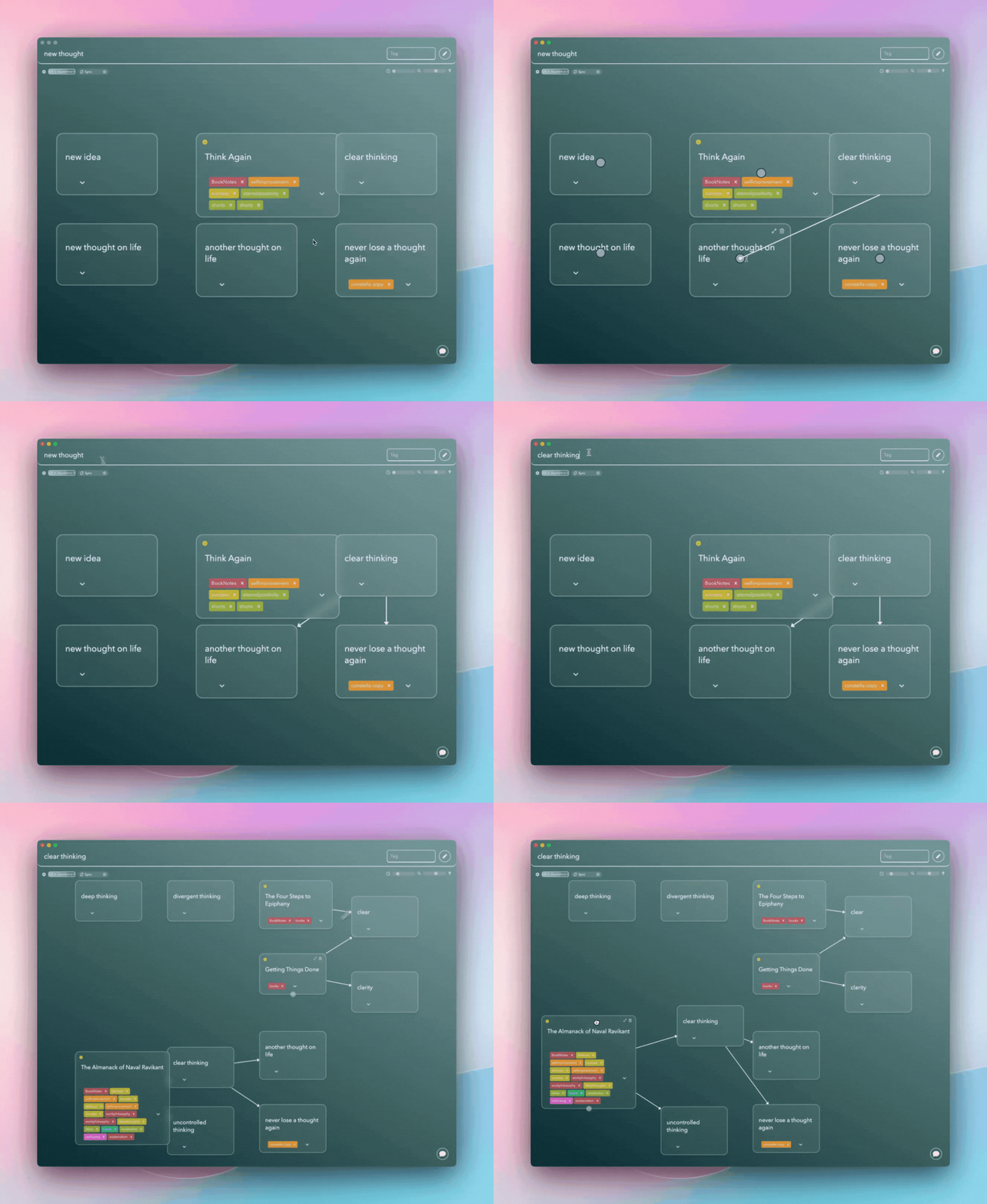
Say goodbye to boring bullet points and linear lists. Constella’s Visual Infinite Graph transforms the way you organize ideas by turning your thoughts into a dynamic, interconnected map. Imagine having an endless digital whiteboard where ideas flow freely, letting you see relationships and patterns you never noticed before. Perfect for brainstorming, strategizing, or just getting your life in order, this feature puts creativity and productivity front and center.
Whether you’re visualizing a complex project or simply mapping out your weekly goals, Constella makes it easy to connect the dots and keep the bigger picture in focus.
AI-Powered Features: Smarter Work, Less Effort
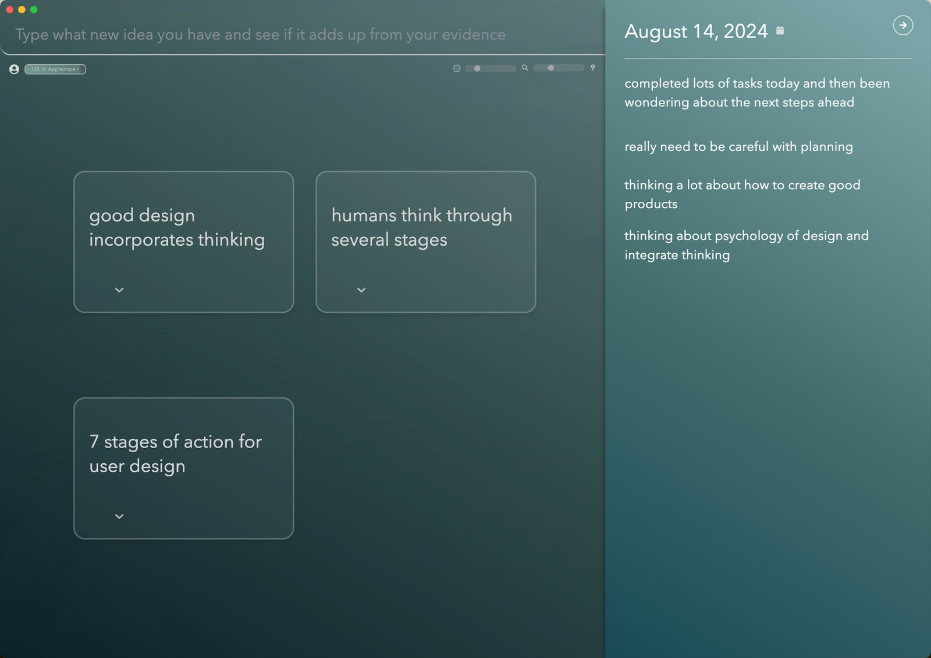
Tired of searching for that one note you swear you saved? Constella’s AI-powered note-taking tools have your back. The app uses advanced algorithms to predict what you need next—offering automatic note suggestions and ensuring lightning-fast information retrieval.
But it doesn’t stop there. The more you use Constella, the smarter it gets. Over time, it learns your habits, preferences, and even the way you think. Imagine a tool that not only organizes your notes but anticipates your needs—saving you time, reducing stress, and letting you focus on what truly matters.
Enhanced Note-Taking: Where Learning Meets Creativity
Constella takes note-taking to the next level with interactive visuals that make your ideas not only easy to access but fun to engage with. Unlike traditional tools like Obsidian or Notion, Constella helps you actively interact with your notes. Highlight key points, connect related ideas, or create visual summaries—all designed to enhance memory retention and creativity.
This isn’t just for individual use. Collaborative efforts—whether for group projects, team brainstorming, or sharing ideas—are elevated with Constella’s engaging, user-friendly approach to information.
.gif?token=eyJhbGciOiJIUzI1NiIsInR5cCI6IkpXVCJ9.eyJ1cmwiOiJ1c2VyLWdlbmVyYXRlZC1pbWFnZXMvMTRlMzA3MWItNDRmNS00YTI4LTllZTgtZmMxY2FhMTkyYjM0L1VudGl0bGVkIGRlc2lnbiAoMSkuZ2lmIiwiaWF0IjoxNzMyMTA4OTk2LCJleHAiOjIwNDc0Njg5OTZ9.46VP27NOqh3cBBWa563SnSMgIi39QC_8N3pT5nmHgqY)
Focus on Productivity: Do More, Stress Less
At its core, Constella.App is built to help you maximize productivity. By combining automation, intuitive design, and smart integrations, it reduces the mental load of managing your information. With Constella, you’ll spend less time organizing and more time achieving.
It’s more than just a productivity app—it’s a partner in your pursuit of clarity and efficiency.
Integration Capabilities: Play Well with Others
In today’s interconnected world, your tools need to work together. Constella.App does just that with its seamless integration capabilities, syncing with your favorite apps, calendars, and platforms. Whether you’re tracking deadlines, importing files, or syncing notes across devices, Constella ensures that your productivity ecosystem stays in harmony.
No more jumping between apps and duplicating effort—Constella keeps everything connected so you can keep moving forward.
Constella.App vs Other PKM Tools
In the realm of Personal Knowledge Management (PKM) tools, some platforms truly shine. Obsidian stands out with its markdown-based note-taking and backlinking, creating a network of interconnected ideas. It’s perfect for non-linear thinkers who value a clear visual map of relationships between concepts. Notion, on the other hand, offers unmatched versatility—a customizable workspace for databases, task lists, and calendars. Its all-in-one design makes it ideal for personal use and team collaboration alike.
Then there’s Roam Research, a graph-based tool emphasizing bidirectional linking, much like Obsidian. It’s a favorite among those who love mapping knowledge in a way that mirrors human cognitive patterns. However, traditional tools like Google Docs or Apple Notes are starting to feel outdated, and we should move away from document-based note-taking. They lack the dynamism that modern PKM tools bring to the table—tools designed not just to store information but to transform how we interact with it. As our article on document-free note-taking explains, the future of PKM lies in platforms that empower users to explore, connect, and think more creatively.
What Makes Constella Different from Other PKM Tools?
Constella.App stands out from other PKM tools with several unique features:
- Visual Infinite Graph Interface: Unlike static note-taking environments, Constella’s interface allows users to map ideas dynamically, providing an expansive canvas that encourages creativity and exploration without boundaries.
- AI-Powered Features: Using advanced machine learning algorithms, Constella offers automatic note suggestions and smart retrieval options, enhancing the user experience by making it easier to access relevant information quickly.
- User-Centric Design Approach: While competitors like Notion focus on broad functionality, Constella prioritizes enhancing user interaction through intuitive design elements that are both visually appealing and practical.
- Interactive Visuals for Enhanced Learning: Constella supports deeper engagement through interactive visuals incorporated into note-taking processes, aiding retention and accommodating various learning styles.
Additionally, with Constella's unique ability to help users gain control over their lives by effectively tracking what's happening around them, as explained in our blog post about how to gain control over your life by tracking what's going on with Constella, it offers an unmatched advantage over other PKM tools.
Constella combines the strengths of its competitors while introducing innovative features that redefine how users interact with their data. This combination of familiar yet groundbreaking elements makes Constella an appealing option in the ever-changing landscape of PKM tools. For more information about our features including normal text search, export/import notes, Stella Chat and more, visit our FAQs page.
Real-World Applications and User Experiences with Constella.App
Journaling with Constella.App has transformed how individuals capture their thoughts and experiences. The platform's seamless integration of a visual infinite graph interface offers users a unique way to organize their journaling entries. This visual approach helps users see connections between entries, facilitating deeper insights and reflection.
Practical Use Cases:
- Digital Journals: Users leverage the visual graph to chronicle daily events, capturing emotions and thoughts in an interconnected manner. This method allows for reflection over time, providing a comprehensive view of personal growth.
- Project Management: Teams implement Constella.App for tracking project milestones, using its AI-powered features to automatically link relevant notes. This capability ensures that all team members stay informed and aligned, making collaborative work more efficient.
- Educational Contexts: Students utilize the tool for organizing research materials and lecture notes. The intuitive linking of ideas aids in understanding complex subjects, enhancing learning outcomes.
Users frequently highlight the ease of use and the innovative nature of Constella.App's interface. One user noted,
"Constella.App has redefined my journaling experience. Its ability to visually map my thoughts has made reflection more intuitive and impactful."
These testimonials underscore Constella.App’s capacity to adapt to diverse personal knowledge management needs, appealing to both individual users and collaborative teams. Moreover, its design is not just limited to journaling; it also embraces document-based note-taking, which further enhances its usability across various domains.
The Future of Personal Knowledge Management Tools: Why Constella Stands Out as a Leading Option!
The future potential of PKM tools lies in their ability to evolve with the ever-changing landscape of information management. Constella.App embodies this evolution, offering an innovative approach that integrates advanced features like AI-powered assistance and visual infinite graph interfaces. These capabilities not only enhance user experience but also redefine how knowledge is captured, stored, and accessed.
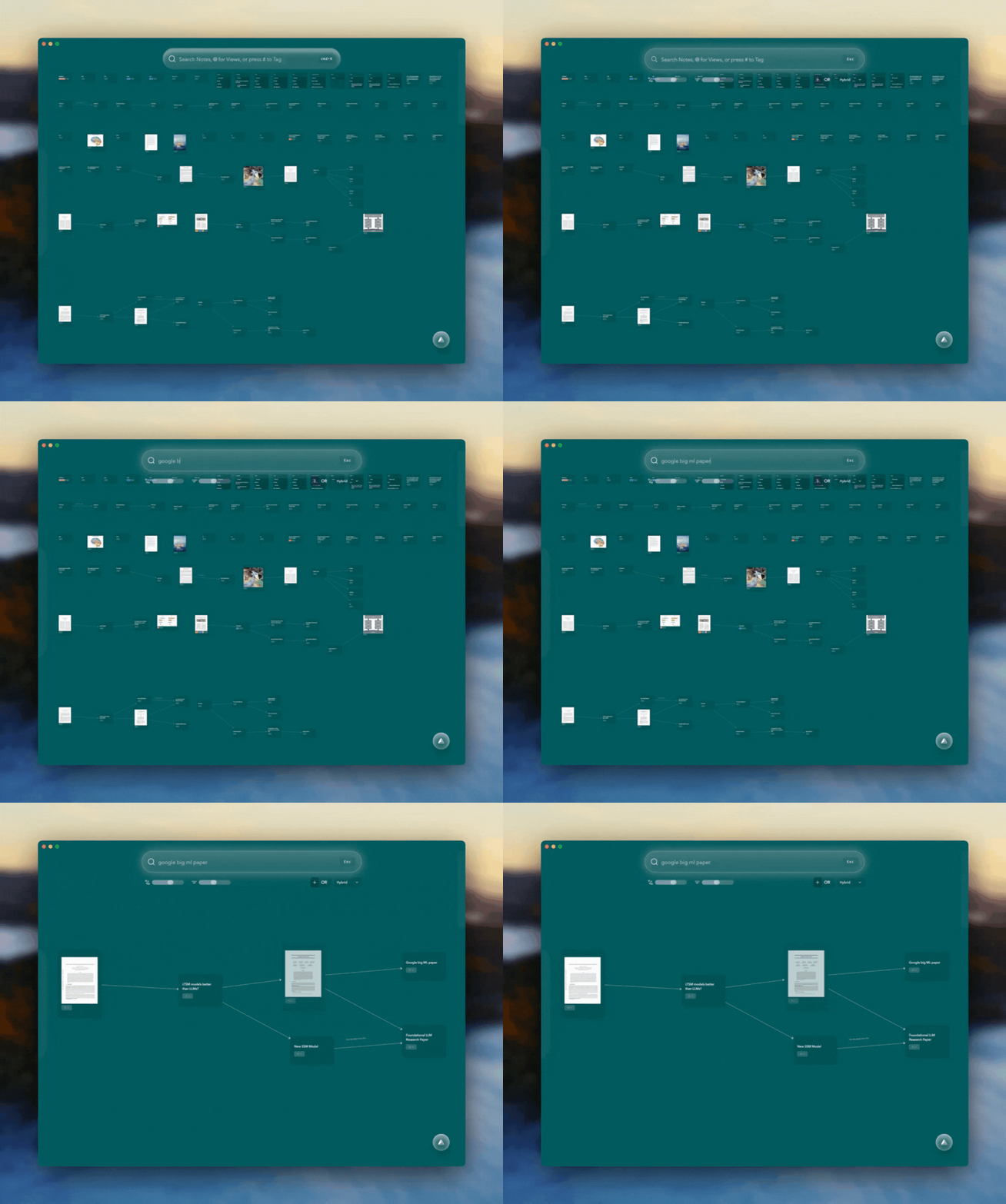
What makes Constella different from other PKM tools? Its commitment to user-centric design and seamless integration within broader productivity ecosystems marks it as a frontrunner. Unlike traditional tools that often prioritize function over form, Constella marries aesthetics with functionality, making it an intuitive choice for both individuals and teams looking to optimize their workflow.
For those seeking a next-generation solution that promises efficiency and creativity in managing knowledge, Constella.App is worth exploring. By embracing its unique features, users can transform their approach to personal knowledge management, turning mundane tasks into engaging experiences.
Inviting readers to experience Constella firsthand could be the first step towards unlocking the full potential of PKM tools in the digital age. Whether you're a seasoned professional or a curious beginner, the journey with Constella is bound to reshape your understanding of productive knowledge management.
FAQs (Frequently Asked Questions)
What is Personal Knowledge Management (PKM) and why is it important?
Personal Knowledge Management (PKM) refers to the processes individuals use to gather, organize, store, and share knowledge. In today's information-driven world, effective PKM is crucial for enhancing productivity and ensuring that valuable information is easily accessible. By leveraging PKM tools, individuals and teams can stay organized, improve learning retention, and boost overall efficiency.
How does Constella.App differ from other PKM tools like Obsidian and Notion?
Constella.App stands out from other PKM tools due to its innovative features such as the Visual Infinite Graph Interface, AI-powered note-taking capabilities, and Smart Spaces for project management. These unique elements enhance user experience by allowing for better organization of ideas and seamless knowledge retrieval compared to traditional note-taking methods.
What are Smart Spaces in Constella.App?
Smart Spaces are dedicated areas within Constella.App designed to facilitate efficient management of multiple projects or topics. They help users organize their thoughts and resources in a way that promotes better knowledge retrieval, making it easier to access relevant information when needed.
Can you explain how AI is utilized in Constella.App?
Constella.App leverages AI technology to provide automatic note suggestions and smart retrieval options powered by machine learning algorithms. This enhances the overall user experience by streamlining the note-taking process and helping users quickly find pertinent information based on their needs.
What practical applications does Constella.App offer for journaling or information management?
Users have found great value in utilizing Constella.App for journaling and information management through its interactive visuals and organized structure. These features support learning and retention while allowing users to reflect on their thoughts effectively. The app's design promotes an engaging experience that encourages consistent usage for personal growth.
Why do you believe Constella represents the future of personal knowledge management software?
Constella represents the future direction of personal knowledge management software due to its user-centric design, innovative features like the Visual Infinite Graph Interface, and seamless integration capabilities with other applications. These attributes not only enhance productivity but also adapt to the evolving needs of users in an increasingly complex information landscape.
Want more insights like this?
Subscribe to get short productivity tips and useful summaries of new tools every week.
Want more insights like this?
Subscribe to get short productivity tips and useful summaries of new tools every week.


