
This article explores the capabilities and challenges of Heptabase, a note-taking app specifically designed for personal knowledge management (PKM) and productivity. As digital landscapes expand, users are on the lookout for tools that seamlessly integrate with their workflows. Heptabase aims to fulfill this need with its unique features designed to enhance information management and creative processes.
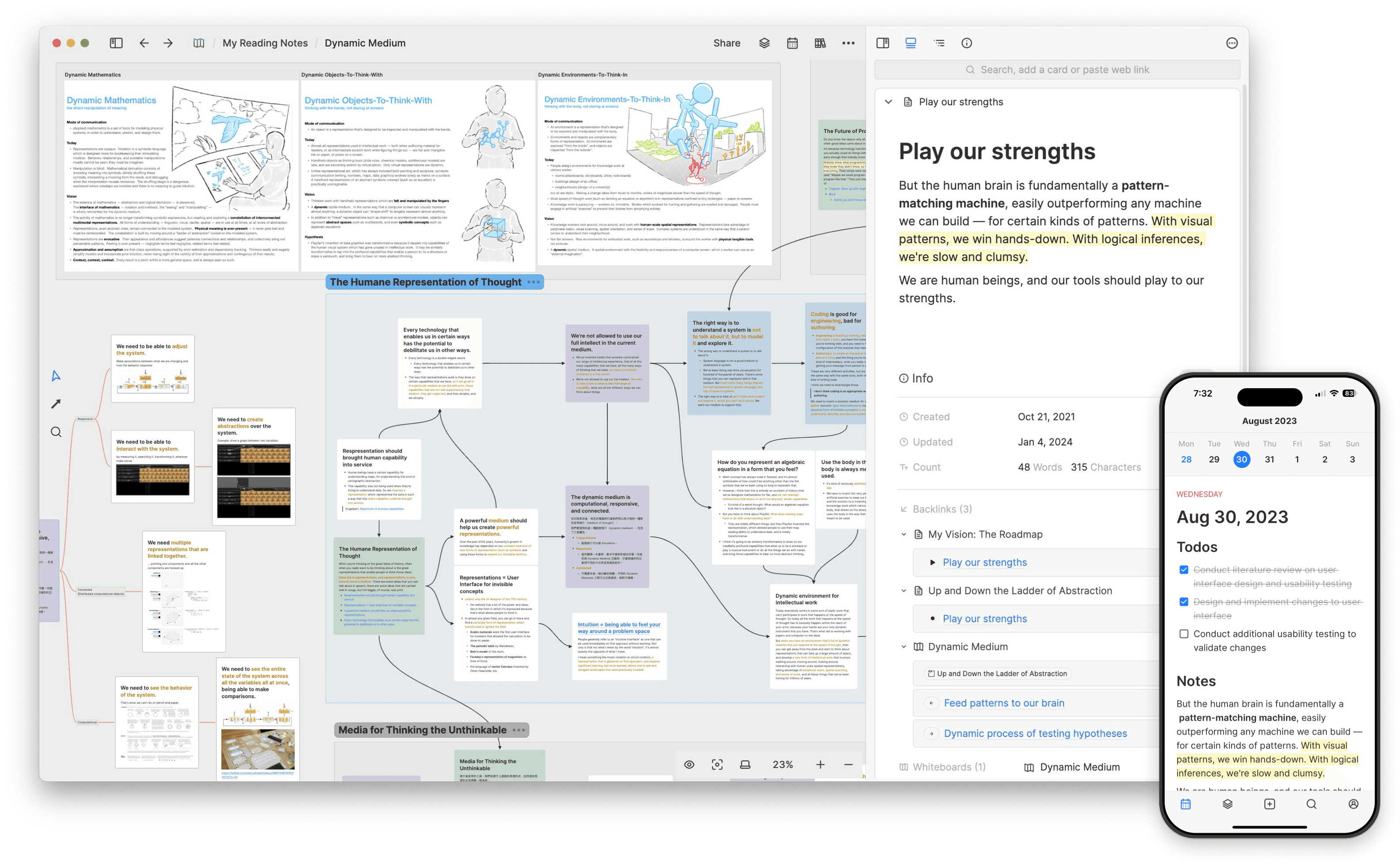
Key takeaway: While Heptabase offers innovative PKM features, it has limitations to consider. For building a robust productivity system, alternatives exist. For instance, how I built my dream productivity system and doubled my output using Notion, Obsidian, and AI might provide valuable insights.
For those seeking to enhance personal knowledge management, exploring the best PKM setup with AI can significantly improve productivity by efficiently organizing and retrieving information. Alternatively, Constella, an AI-powered note-taking assistant, offers innovative features to boost both personal control and productivity. Moreover, for mastering personal knowledge management in 2024, this ultimate guide provides valuable tips on enhancing productivity, learning, and discovering effective tools.
1. Losing All My Notes
Misplacing notes can be a frustrating experience for anyone dependent on digital note-taking tools. During my time using Heptabase, I faced a major issue when a technical glitch led to the inability to locate any of my notes.
Losing all my notes prompted a reevaluation of how I approach digital note-taking and knowledge management. It encouraged me to adopt more secure practices, such as exporting important data periodically and exploring alternative tools that offer better data recovery options.
This lesson not only highlighted the fragility of digital note storage but also pushed me towards more resilient methods for managing personal knowledge efficiently. It's worth considering some of the best AI note-taking apps available today, which often provide superior data management and recovery features compared to traditional document-based editing systems like Heptabase.
2. Lack of Support
Customer support issues in Heptabase significantly impact the user experience, often due to slow response times and unhelpful replies. Unlike Heptabase, Notion and Obsidian offer extensive documentation and active community forums that aid troubleshooting and enhance user experience. The absence of such robust support networks in Heptabase highlights the importance of community-driven platforms for efficient problem-solving.
3. Scattered Views
Heptabase's interface poses organizational challenges, leaving users with scattered views. Related notes often aren't visually grouped and are spread across sections or tabs, causing confusion and hindering information retrieval and workflow coherence. This disrupts productivity and emphasizes the need for more intuitive organizational structures within the app.
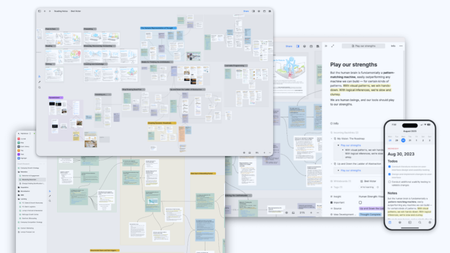 To mitigate this issue, consider implementing strategies such as:
- Consistent Naming Conventions: Develop a uniform system for naming notes, allowing you to quickly identify and locate specific content.
- Hierarchical Structures: Create a hierarchy within individual views to categorize and group related notes logically.
- Tagging System: Utilize tags to link related notes across different views, enabling easier cross-referencing.
These tactics help counteract the scattered nature of Heptabase's interface, offering users a more organized approach to personal knowledge management. However, an even more effective solution could be leveraging advanced tools like Constella, which surfaces relevant notes as you type on a visual canvas. This feature allows users to have everything at their fingertips, significantly improving the efficiency of information retrieval and organization.
4. Can't Bring Notes Across Views
Limitations in cross-view note integration within Heptabase hinder seamless interaction between ideas. The inability to easily move or link notes across views can disrupt workflows, requiring manual copying and pasting, which is time-consuming and prone to errors. This fragmentation can stifle creativity and productivity, especially when quick access to linked information is crucial. Alternatives like Notion and Obsidian offer better integration with features like backlinks for cohesive knowledge management. While Heptabase excels in visual organization, its limitations emphasize the need to evaluate tools based on workflow compatibility.
5. Steep Learning Curve
The learning curve associated with using Heptabase can be daunting for new users. Navigating the platform's numerous features often presents initial challenges, leaving some feeling overwhelmed. The wide range of capabilities, while powerful, requires a significant time investment to master.
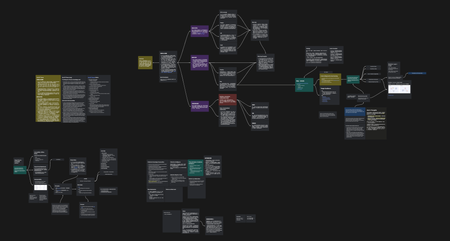
Several users have noted that despite its potential, understanding Heptabase requires patience and persistence. Unlike more straightforward tools, Heptabase’s complexity may deter those used to more intuitive interfaces. For example, Logseq and RemNote—two other popular note-taking apps—have been praised for their relatively smoother onboarding experiences. Users frequently mention that these alternatives offer more guided tutorials or community support that helps in easing the transition.
Feedback from experienced PKM enthusiasts suggests starting with simpler tasks within Heptabase to gradually uncover more advanced features, helping to build confidence without feeling lost. While the learning curve might seem steep initially, many find it rewarding once they unlock the full potential of Heptabase’s robust toolkit, with user forums and guides offering valuable shortcuts and insights.
6. Limited Import Capabilities
The import features in Heptabase for transferring existing notes present notable challenges that can impact your workflow efficiency. Users frequently encounter difficulties when attempting to import previously created notes or highlights from other applications. A significant issue arises during the import of PDFs, where they are sometimes not recognized properly. This can lead to missing information or formatting errors, which disrupts the seamless transition of data.
Challenges with Importing:
- PDF Recognition Issues: Users have reported inconsistencies in how PDFs are handled, with some documents failing to import entirely.
- Compatibility Concerns: Not all file types from popular note-taking apps align with Heptabase's systems, requiring additional conversion steps.
- Loss of Formatting: Transferred notes may lose their original structure, making reorganization necessary.
In light of these challenges, exploring alternative PKM tools that offer smoother integration might be necessary for users heavily dependent on importing and exporting content across different platforms. For instance, Constella offers robust features such as normal text search and seamless export/import options which could significantly enhance your note management experience.
7. Interface Overload
Navigating Heptabase's interface can be overwhelming, especially for new users, due to its intricate design that presents a barrage of information and features simultaneously. This complexity often hinders productivity when users need to quickly locate specific tools or notes. Visual clutter is a common complaint, as the interface showcases numerous functionalities at once, leading to difficulty in managing the myriad icons, options, and tabs on the screen. For users accustomed to more minimalist designs, this can pose a significant barrier to efficient use.
Several strategies can help mitigate this interface overload:
- Simplify Your Workspace: Focus on essential tools and hide unnecessary features to reduce visual noise.
- Use Color-Coding: Implement color schemes for different types of notes or projects to enhance visual organization.
- Customize Layouts: Where possible, adjust view settings to prioritize frequently used elements.
Despite these strategies, potential users should weigh whether their workflow benefits from Heptabase's robust feature set against the challenge of navigating its complex interface. It’s essential to consider if this level of detail aligns with your personal knowledge management style before fully committing to it as your primary tool.
8. Complex Setup
Initial Setup Challenges plague many users when they first dive into Heptabase. The platform’s robust features and depth come with a cost: complexity. A user review encapsulates this sentiment, noting, "Setting up your workspace in Heptabase can be slow at first; it requires a good understanding of how the system works to make the most of its features." For those accustomed to quick, plug-and-play solutions, this can be a significant hurdle.
Getting to know Heptabase is important to use it well. Unlike other tools that are easy to set up, Heptabase requires time and effort to set up your workspace just right. Many users feel frustrated at first because the setup can be confusing and take a lot of time. Some people like the flexibility after they get used to it, but others wish for simpler tools that let them be productive right away.
9. Poor Performance on Small Devices
Highly Visual Layout: Heptabase's design is strikingly visual, enhancing the user experience on larger screens. However, this same layout can become overwhelming when accessed via smaller devices like smartphones or tablets. The detailed graphics and expansive views are not easily adaptable to compact screens, making navigation cumbersome and potentially frustrating for users who rely on mobility.
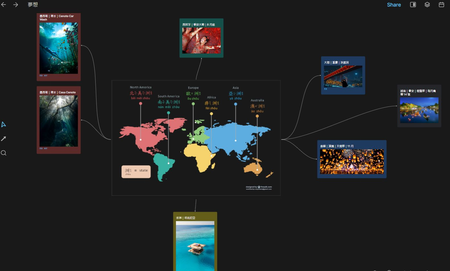
Challenges of Small Screens:
- Limited Space: The intricate interface often requires more screen space than is available on small devices, leading to cramped displays that hinder usability.
- Reduced Readability: Text and images may appear cluttered and difficult to digest in confined spaces, detracting from the app’s intended functionality.
By optimizing device choice, users can maintain a seamless interaction with Heptabase's robust features while avoiding the pitfalls associated with small-screen usage. For those looking to make the most out of their digital note-taking experience beyond the limitations of small screens, exploring methodologies like the Zettelkasten could provide valuable insights.
10. To-Do Management
Heptabase's tab organization has faced criticism from several users. Many find it challenging to customize and synchronize tabs across devices, which can lead to inefficiencies in managing tasks and notes. One user stated, "The tab system is confusing and doesn’t sync well, making it hard to find my notes." This experience highlights a significant obstacle for users who rely on seamless transitions between devices.
Difficulty in managing tabs affects the overall user workflow. For those who juggle multiple projects or tasks, an intuitive tab system is crucial. The current setup in Heptabase often results in wasted time as users attempt to locate and organize their information effectively.
Conclusion: Is Heptabase Worth It?
Final thoughts on using Heptabase as a PKM tool reveal both its strengths and weaknesses. The app is praised for its innovative design elements that aim to enhance user engagement, which can significantly boost productivity and creativity. Features tailored for personal knowledge management allow users to manage complex projects and long-term research effectively.
Yet, prospective users should weigh these benefits against the drawbacks uncovered in this review. Issues like scattered views, limited import capabilities, and poor performance on small devices may deter some from fully committing. The steep learning curve and complex initial setup might also hinder those seeking a straightforward, plug-and-play solution.
Consider whether these challenges align with your personal workflow preferences.
For readers still interested in exploring what Heptabase has to offer despite these flaws, it could be a worthy addition to their productivity toolkit. Testing out the platform personally can provide deeper insights into how it fits within your specific knowledge management style. As highlighted in this review, understanding both the potential and limitations ensures a more informed decision on whether it's the right PKM app for your needs.
FAQs (Frequently Asked Questions)
What are the key lessons learned from using Heptabase?
The review discusses 10 important lessons learned from using Heptabase, highlighting both its unique features and limitations that users should consider before adopting it as their primary personal knowledge management tool.
What should I do to prevent losing my notes in Heptabase?
It's crucial to have reliable data backup systems in place when using any digital note-taking tool. This lesson was emphasized after a personal experience of losing all notes due to a technical glitch in Heptabase.
How does Heptabase's customer support compare to other PKM apps?
Users have reported challenges with Heptabase's customer support, such as slow response times and unhelpful replies. In comparison, other popular PKM apps like Notion and Obsidian offer extensive documentation and active community forums for user assistance.
What are the organizational challenges within Heptabase's interface?
Heptabase's interface can be confusing due to scattered views where related notes are not visually grouped together. This can hinder effective information retrieval, but strategies like consistent naming conventions can help organize notes more effectively.
What limitations exist regarding note integration across views in Heptabase?
One limitation is the inability to easily move or link notes between different views, which disrupts the flow of working on interconnected ideas. Users may want to explore alternative PKM tools that allow better integration between multiple viewing modes.
Is there a steep learning curve associated with using Heptabase?
Yes, many users have experienced a steep learning curve when trying to navigate and utilize all features effectively. Feedback indicates that compared to other note-taking tools like Logseq and RemNote, Heptabase may require more time to learn.
Want more insights like this?
Subscribe to get short productivity tips and useful summaries of new tools every week.
Want more insights like this?
Subscribe to get short productivity tips and useful summaries of new tools every week.


