

But now, there's a new solution: AI-powered note tools designed to act as your AI second brain. These tools don't just store notes—they intelligently organize, connect, and retrieve knowledge for you.
This article explores how a modern AI note tool like Constella App is transforming the way you capture everything from daily reminders to deep reflections.
Expect practical insights on streamlining your workflow, replacing multiple apps with one smart platform, and unlocking new ways to build and recall your personal knowledge base.
The Evolution of Note-Taking Apps
The world of digital note-taking has changed quickly in the last few years. The best note app for you depends on your workflow, device preferences, and appetite for advanced features. In 2024-2025, several platforms stand out—each with its own strengths.
- **Microsoft OneNote: **Offers a familiar notebook-like interface, integrates seamlessly with Microsoft Office, and supports handwriting, audio notes, and sophisticated organizational structures. Unlimited free storage (with a Microsoft account) appeals to students and business users alike.
- **Apple Notes: **Deep integration into the Apple ecosystem—instant sync across iOS, iPadOS, and macOS devices. Features like quick sketches, document scanning via camera, rich text formatting, and collaborative sharing attract those who live within Apple’s walled garden.
- **Google Keep: **Prioritizes simplicity with sticky-note style cards for rapid idea capture. Voice memos transcribe automatically; reminders are location-aware; collaboration is real-time. Mobile-first design fits casual users or anyone already embedded in Google Workspace.
- **Notion: **Goes beyond basic notes—offering databases, task lists, project boards, calendars, and customizable templates. Notion’s modular building blocks make it a favorite for teams managing projects or individuals seeking an all-in-one workspace.
- **Obsidian: **Focuses on linking thoughts through Markdown-based files living locally on your device. Bidirectional links and graph views foster connections between ideas—a boon for personal knowledge management (PKM) enthusiasts and researchers.
- **Joplin: **Open-source and privacy-focused. Supports Markdown editing, end-to-end encryption, web clipper extensions, tagging systems, offline access, and cross-device sync through cloud services of your choice.
User preferences lean toward apps that blend ease of use with flexibility—Apple Notes thrives among iPhone users seeking speed; Notion dominates team environments demanding customization; Obsidian attracts knowledge workers who value control over data structure. The rise of AI-powered options signals a shift toward automation in organizing thoughts without manual tagging or folder management.
Versatility and Features of Modern Note-Taking Apps
Modern note-taking apps have evolved to serve a multitude of purposes, making them indispensable tools for a variety of tasks. Whether you are managing daily activities, planning projects, or collaborating with others, these apps offer features that cater to different needs.

Uses of Note-Taking Apps
- Daily Tasks: Note-taking apps can help you keep track of your day-to-day responsibilities. You can create to-do lists, set reminders, and organize your tasks efficiently.
- Project Plans: For project management, these apps allow you to brainstorm ideas, outline strategies, and monitor progress. You can break down complex projects into manageable steps and timelines.
- Collaboration: Collaboration tools within note-taking apps enable seamless teamwork. Share notes with colleagues, assign tasks, and get real-time updates on shared documents.
Key Features to Consider
Choosing the right note-taking app involves evaluating several key features that enhance usability and integration:
- Text Input Options: Look for apps that offer various text input methods such as typing, voice-to-text conversion, and handwriting recognition. This versatility ensures you can capture information in the most convenient way possible.
- Multimedia Support: Effective note-taking often requires more than just text. Opt for apps that support multimedia elements like images, videos, audio recordings, and web clippings. This capability enriches your notes and provides a comprehensive view of the subject matter.
- Integration Capabilities: Integration with other software tools is crucial for streamlined workflows. Ensure the app you choose can connect with calendars, task managers, cloud storage services, and collaboration platforms such as Slack or Microsoft Teams.
Benefits of Task Management
Note-taking apps equipped with task management features offer significant advantages:
"Task management tools within note-taking apps help users prioritize and track their responsibilities effortlessly."
These integrated task management functions eliminate the need for separate applications by combining note-taking and task tracking into one unified platform.
Collaboration Tools
Robust collaboration tools are essential for modern workplaces:
- Real-Time Editing: Allows multiple users to edit documents simultaneously.
- Comments and Feedback: Facilitates communication through comments directly on notes.
- Access Control: Ensures sensitive information is shared securely by controlling who can view or edit documents.
By incorporating these features into your workflow, note-taking apps become powerful allies in both personal productivity and collaborative efforts.
Advantages of Using AI-Based Note Tools
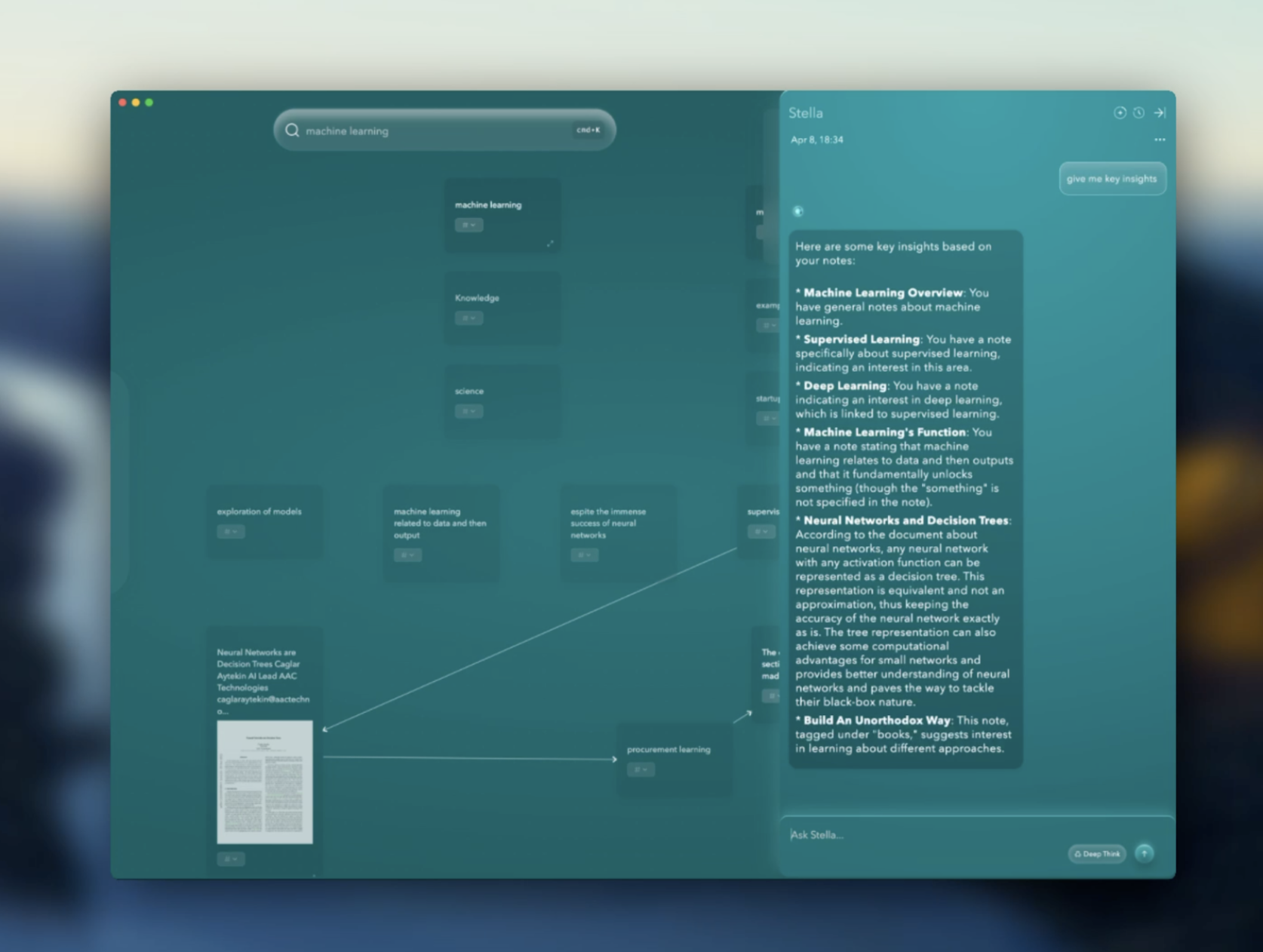
AI-based note-taking tools are redefining how we capture, organize, and act on information. More than just digital notebooks, these intelligent systems adapt to your workflow, enhance clarity, and help you make better use of your notes. Here are three key advantages, each backed by practical functionality:
1. Smarter Note Management and Search
AI note tools use natural language processing and pattern recognition to organize your notes in a meaningful way. They auto-tag entries, group similar content, and make search effortless.
- Find anything, instantly: Search by keyword, topic, date, or context—AI understands what you're looking for, not just what you typed.
- Stay effortlessly organized: No need to manually sort or label notes. AI categorizes them by subject, importance, or meeting context automatically.
The benefit: You save time and stay focused, even when managing hundreds of notes across multiple projects.
2. Context-Aware Assistance and Content Suggestions
AI note apps aren’t just passive repositories—they’re active assistants. As you write or record, the AI can analyze the content and help enhance it with relevant context and insights.
- Smart suggestions on the fly: Get links to related notes, definitions, or external resources as you take notes, making research and comprehension easier.
- Clarifies and connects ideas: The tool may suggest follow-up questions, themes, or next steps to help expand your thinking and writing.
The benefit: Your notes become richer, clearer, and more insightful—helping you think more critically and creatively.
3. Automated Action Points and Task Integration
Modern AI tools don’t just help you capture information—they help you act on it. They can extract tasks, deadlines, and decisions from your notes and integrate them with your workflow.
- Turn notes into tasks: AI highlights key takeaways, action items, and follow-ups automatically, ready to sync with your calendar or task manager.
- Boost meeting productivity: After a meeting, you get a clear summary with assigned actions—no manual processing required.
The benefit: You move from taking notes to taking action, reducing missed responsibilities and improving follow-through.
Constella.App: AI Powered Note-Taking Tool
Constella.App stands out as an AI second brain app, providing unparalleled support in managing knowledge efficiently. Its ability to replace multiple tools with one centralized system simplifies your workflow, making it an indispensable note app in today's fast-paced digital environment.
Using AI to enhance note-taking not only saves time but also enriches the quality of information retrieval and organization, making applications like Constella essential for anyone looking to streamline their personal or professional life.
Key Features of Constella App
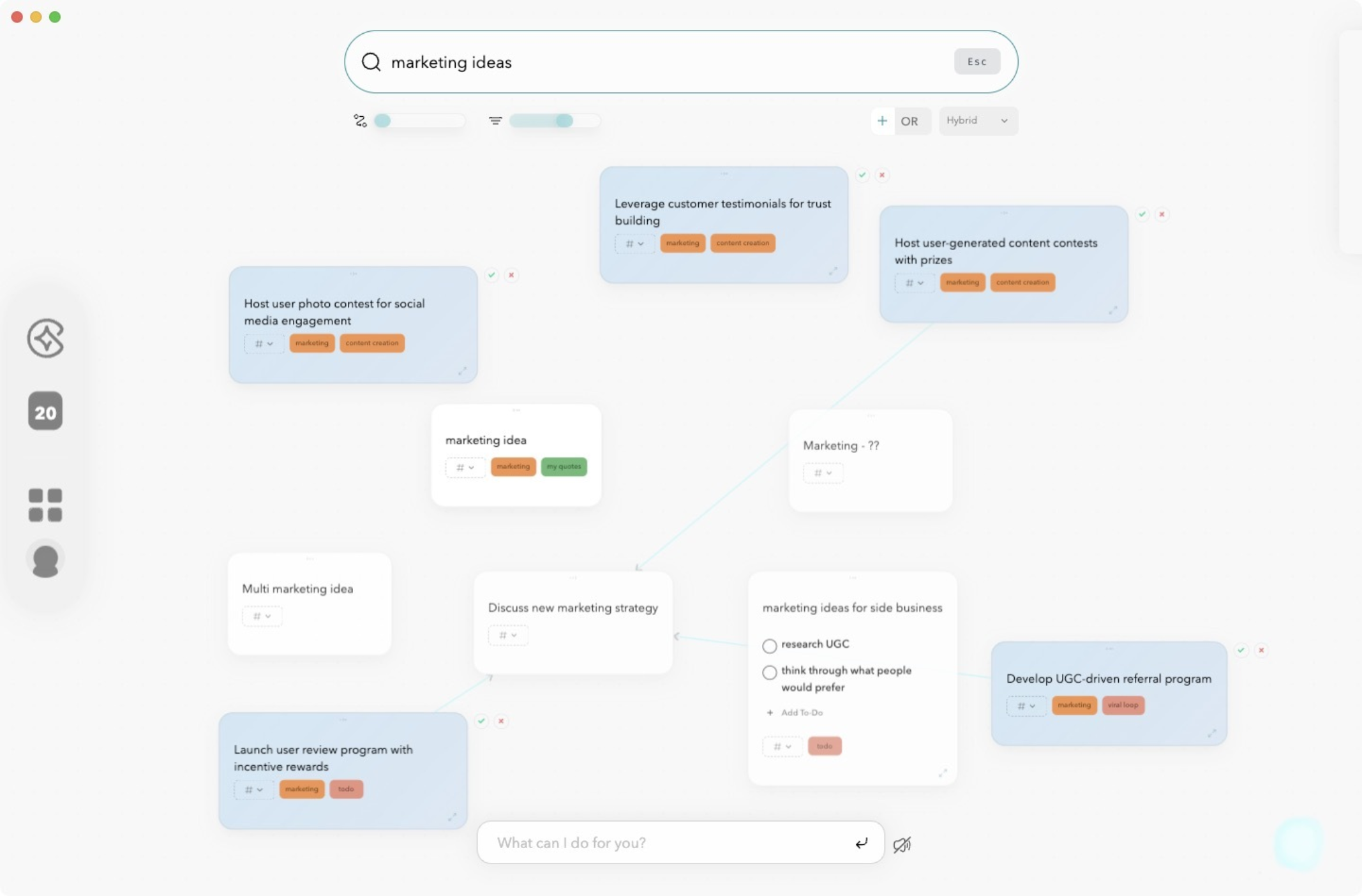
- Smart Retrieval – Constella uses context-aware AI to bring the right notes to you as you type, cutting through the noise of endless files and folders. Instead of manually hunting for information, relevant insights surface in real time—helping you stay focused, move faster, and reduce mental clutter.
- Visual Graph – Ideas rarely form in a straight line. Constella’s graph-first infinite canvas visually maps how your thoughts relate, grow, and evolve. This nonlinear view mirrors how your brain works—making it easier to explore ideas, see hidden patterns, and connect concepts that traditional note apps often isolate.
- Effortless Connections – Building on your ideas should feel natural, not mechanical. Constella lets you create links between notes with simple drag-and-drop actions, or intelligently suggests relationships based on context. The result is a dynamic web of knowledge that grows with your thinking.
- Stella Chat – More than a chatbot, Stella is an AI collaborator that works with your notes. Ask questions, get summaries, generate content, or brainstorm—all within the context of your personal knowledge graph. Stella doesn't just respond—it understands your information and uses it to support deeper thinking.
- Cross-Device Sync – Constella keeps your workspace unified across desktop, tablet, and phone. Whether you're planning on your laptop or capturing a thought on the go, everything updates in real time. It's designed for fluid workflows and effortless collaboration, solo or in teams.
By integrating these features—Smart Retrieval, Visual Graph, Connectivity, and Stella Chat—Constella App provides a comprehensive solution for capturing and organizing diverse information efficiently. Each feature plays a crucial role in transforming how we take notes and manage knowledge in today's fast-paced world.
Real-Life Use Cases for Constella App: From Research to Decision-Making
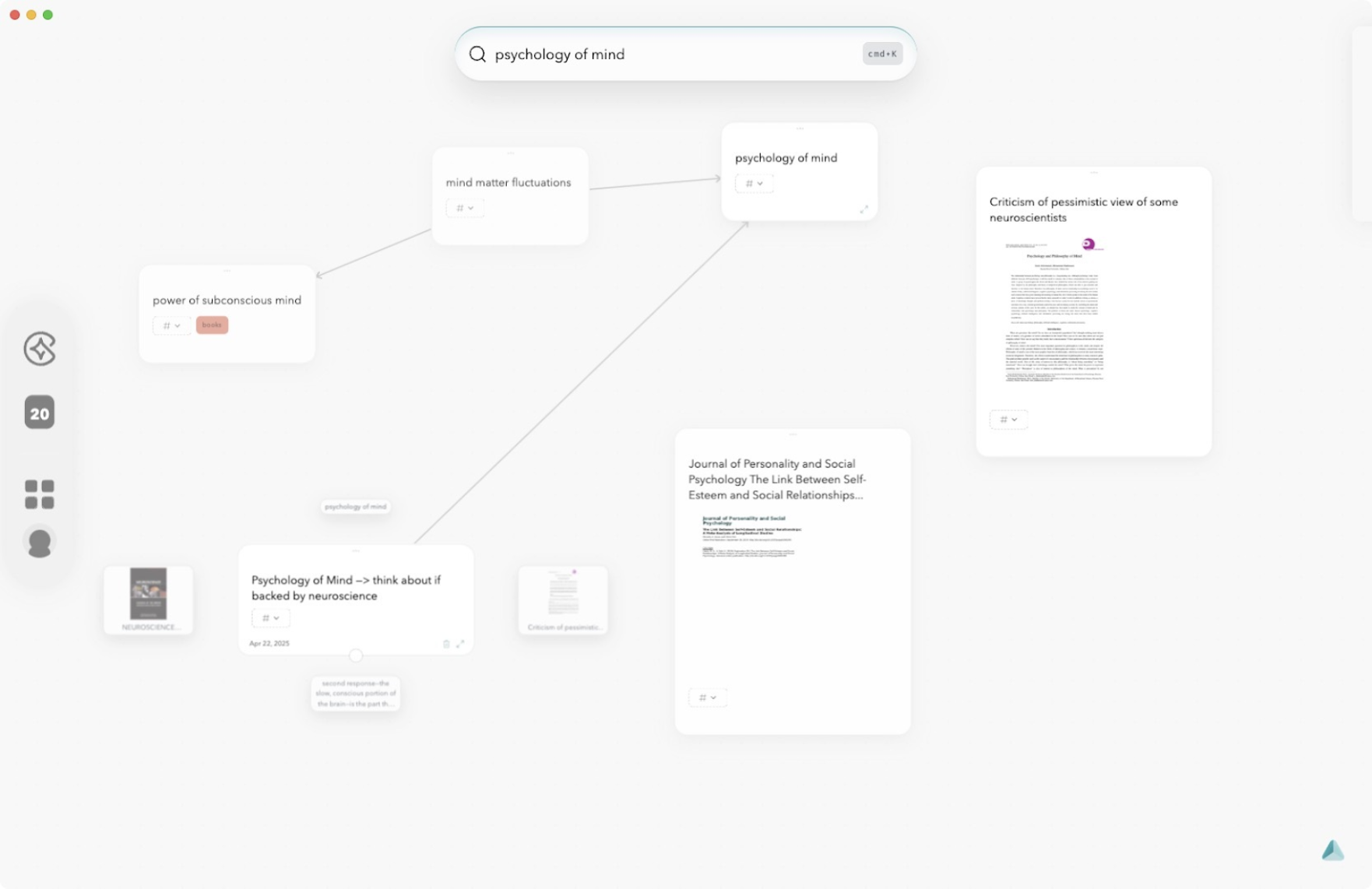
Researchers, project managers, and decision-makers face a constant flood of information. Constella App steps in as a single hub for capturing, connecting, and acting on that information—without the clutter of switching between multiple tools.
1. Research Notes Import
Seamless import: Bring in research notes from PDFs, web clippings, or other note apps using Constella’s import feature. No need to retype or manually organize; the app automatically links related ideas and suggests connections.
OCR image recognition: Snap a photo of handwritten meeting notes or a whiteboard brainstorm. Constella transcribes and files the content, making it searchable and ready to connect with other digital notes.
Context-driven retrieval: As you type or search, relevant research resurfaces instantly—no more digging through folders.
2. Project Planning & Decision-Making Support
Visual mind mapping: Drag-and-drop connections let you build out project plans visually. Each task, idea, or resource sits as a node in your growing knowledge graph.
Instant recall for meetings: During fast-paced team discussions, Stella retrieves supporting notes or previous decisions on-the-fly, keeping you aligned without scrambling through old documents.
Insight aggregation: When making decisions, the AI highlights related data points and trends across your entire knowledge base. This reduces blind spots and brings hidden patterns forward.
Constella adapts to workflows ranging from personal learning journals to enterprise-level research management. The infinite canvas approach empowers users to think without limits—linking facts, observations, questions, and actionable next steps into one connected system.
Conclusion
Modern note-taking apps like Constella play a crucial role in capturing diverse information efficiently. By integrating AI technology and offering features such as Smart Retrieval, Visual Graph, and Stella Chat, Constella transforms digital notebooks into comprehensive information repositories. This note app allows users to manage daily tasks, project plans, and deep thoughts all in one place.
Constella's ability to streamline the note-taking process while enhancing connectivity across devices makes it an indispensable tool for professionals, researchers, and anyone looking to optimize their workflow. Embrace the power of Constella to bring fluidity and intelligence to your note-taking experience.
FAQs (Frequently Asked Questions)
What are the benefits of using AI-based note-taking apps like Constella?
AI-based note-taking apps like Constella enhance the note-taking experience by offering intelligent features such as smart retrieval, automatic organization, and an AI assistant. These capabilities help users efficiently manage their notes, replace multiple apps like task managers and journals, and improve productivity.
How do modern note-taking apps differ in features and pricing?
Modern note-taking apps such as Microsoft OneNote, Apple Notes, Google Keep, Notion, Obsidian, and Joplin offer unique features including multimedia support, collaboration tools, and task management. Their pricing models vary from free to subscription-based plans, catering to different user preferences and needs in 2024-2025.
What key features should I consider when choosing a note-taking app?
When selecting a note-taking app, consider features like text input options, multimedia support, task management capabilities, collaboration tools, integration with other apps, and AI functionalities. These aspects ensure the app meets your daily tasks, project planning, and organizational requirements effectively.
How does Constella App's Smart Retrieval feature improve note organization?
Constella App's Smart Retrieval function allows users to quickly find relevant information within their notes through intelligent search algorithms. This feature streamlines access to important data and enhances productivity by reducing time spent searching for specific content.
Can Constella App support collaborative work and communication?
Yes, Constella App supports collaboration through its connectivity options that enable seamless synchronization across devices. Additionally, its integrated messaging feature called Stella Chat facilitates effective communication within teams or between individuals using the app.
In what real-life scenarios can Constella App be effectively used?
Constella App can be utilized for various purposes such as importing research notes from different sources, aiding decision-making processes, managing project plans, and serving as a comprehensive digital notebook. Its versatile features make it suitable for both personal and professional use cases.
Want more insights like this?
Subscribe to get short productivity tips and useful summaries of new tools every week.
Want more insights like this?
Subscribe to get short productivity tips and useful summaries of new tools every week.


