

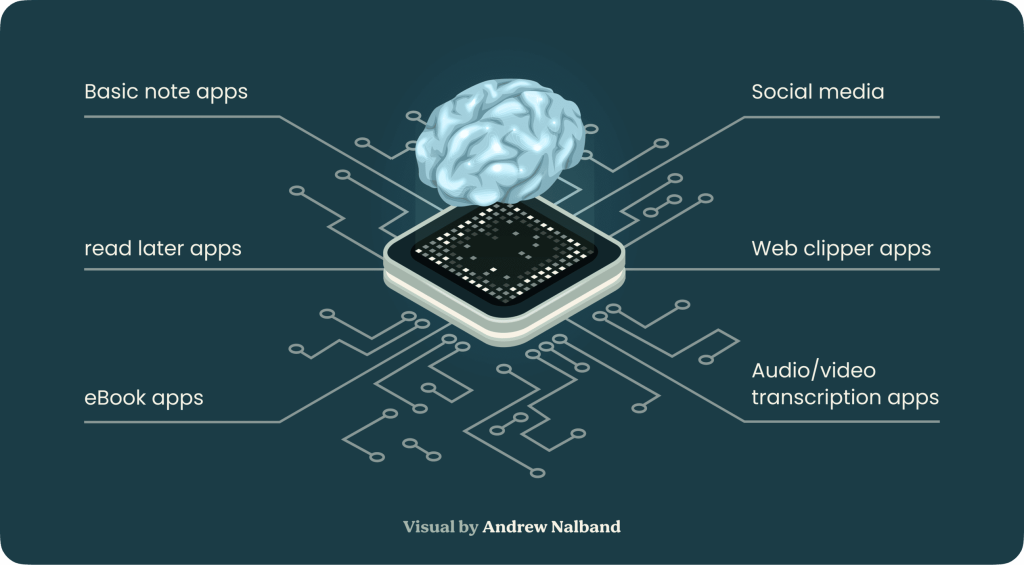
Managing the flood of information in daily life requires more than just a notebook or scattered digital files. This is where the Second Brain concept steps in—a dedicated, external, and organized digital repository where you capture, store, and retrieve ideas, notes, and knowledge. A Second Brain acts as your personal knowledge management system, freeing up mental space while ensuring nothing valuable slips through the cracks.
Interest in second brain apps continues to surge, especially with the rise of AI-powered solutions that automate organization and retrieval tasks. These tools are designed for anyone seeking to control information overload, streamline workflows, and boost productivity without getting bogged down by complex systems.
The best app for second brain building today doesn't just store notes—it connects ideas, makes retrieval effortless, and adapts to your working style.
Constella App stands out as a leader in this fast-evolving landscape. Known for its visual graph interface and user-friendly design, Constella leverages AI to automatically organize notes, draw connections between thoughts, and provide instant access to relevant information. Whether you're a student, researcher, or lifelong learner searching for the best second brain app, Constella’s innovative approach turns chaotic data into actionable knowledge—without overwhelming you at any step.
Understanding the Second Brain Methodology
The concept of a Second Brain methodology revolves around the idea of creating an external, organized digital repository for your thoughts and information. This system is designed to manage and optimize your personal knowledge management (PKM).
1. Organize by Action, Not by Archive
Traditional systems often rely on rigid folder hierarchies or taxonomies—approaches that quickly become bloated and burdensome. The Second Brain takes a different path: it organizes information dynamically, around active projects and current commitments.
Instead of filing away notes under abstract categories, you structure your knowledge ecosystem around what you’re actually working on. This ensures relevance, reduces clutter, and enhances cognitive alignment between your priorities and your information landscape.
When a project concludes, its associated notes are archived—not deleted—ensuring your Second Brain remains lean yet historically rich.
2. Progressive Summarization: Thinking in Layers
Progressive Summarization is the central technique that makes your notes more valuable over time. It’s a deliberate method for refining raw information into distilled insight, layer by layer:
- Layer 1: Capture the full source—meeting notes, excerpts, reflections.
- Layer 2: Highlight key sentences or phrases that stand out.
- Layer 3: Bold the most essential ideas—those with long-term relevance.
- Layer 4: Write a concise summary in your own words.
- Layer 5 (optional): Create a high-level insight or synthesis connecting multiple notes.
This layered format turns each note into a living document. You aren’t just storing data—you’re shaping meaning. The result is a set of “idea assets” that become more potent, not more forgotten, with time.
Why It Works—and Why It’s Smart
The genius of the Second Brain methodology is not in its complexity, but in its alignment with how our minds actually work. We don’t think in tags, we think in context. We don’t remember everything—we remember what’s important right now.
By shifting from storage to stewardship of ideas, the Second Brain becomes an amplifier of focus, creativity, and decision-making:
- Cognitive Clarity: By externalizing information, your mind is freed to think, not retain.
- Contextual Retrieval: You access notes exactly when and where they’re needed—within the flow of your real work.
- Insight Compounding: By regularly refining ideas, your knowledge becomes more valuable with time—like intellectual compound interest.
Start Simple, Evolve Organically
You don’t need Notion, Obsidian, or a degree in information science to begin. A humble notes app or a system of plain text files is enough. What matters is intentional capture, contextual organization, and progressive refinement.
A Second Brain is not something you build in a weekend—it’s something you grow. Like a garden, it flourishes with light maintenance, curiosity, and care.
Common Challenges Faced When Building a Second Brain
 Building a second brain can sometimes feel overwhelming. Here are some common pitfalls that can lead to this sense of overwhelm:
- Over-reliance on Document-Based Editing: Traditional note-taking methods rely heavily on document-based editing, which can limit your ability to connect ideas seamlessly. This approach often feels restrictive, akin to working within the confines of an A4-sized paper.
- Complex Templates: Using overly complex templates can discourage consistent use. These templates may initially seem helpful but often become cumbersome, leading to frustration and abandonment of the system.
- Information Overload: Trying to capture too much information without a clear focus can lead to clutter and inefficiency. Without proper organization, your second brain can quickly turn into an unmanageable mess.
To overcome these challenges, consider the following practical tips:
- Embrace Simplicity: Focus on simplicity when setting up your second brain. Avoid complex templates and instead, use straightforward methods that encourage regular use.
- Active Project Focus: Organize information based on active projects rather than rigid hierarchies. This approach ensures that the most relevant information is always at your fingertips.
- Capture Key Ideas: Concentrate on capturing key ideas related to active projects. This technique helps distill notes into actionable insights, making retrieval easier and more efficient.
By addressing these common challenges, you can build a second brain that enhances productivity without causing overwhelm.
How AI-Powered Tools Like Constella Revolutionize Second Brain Building
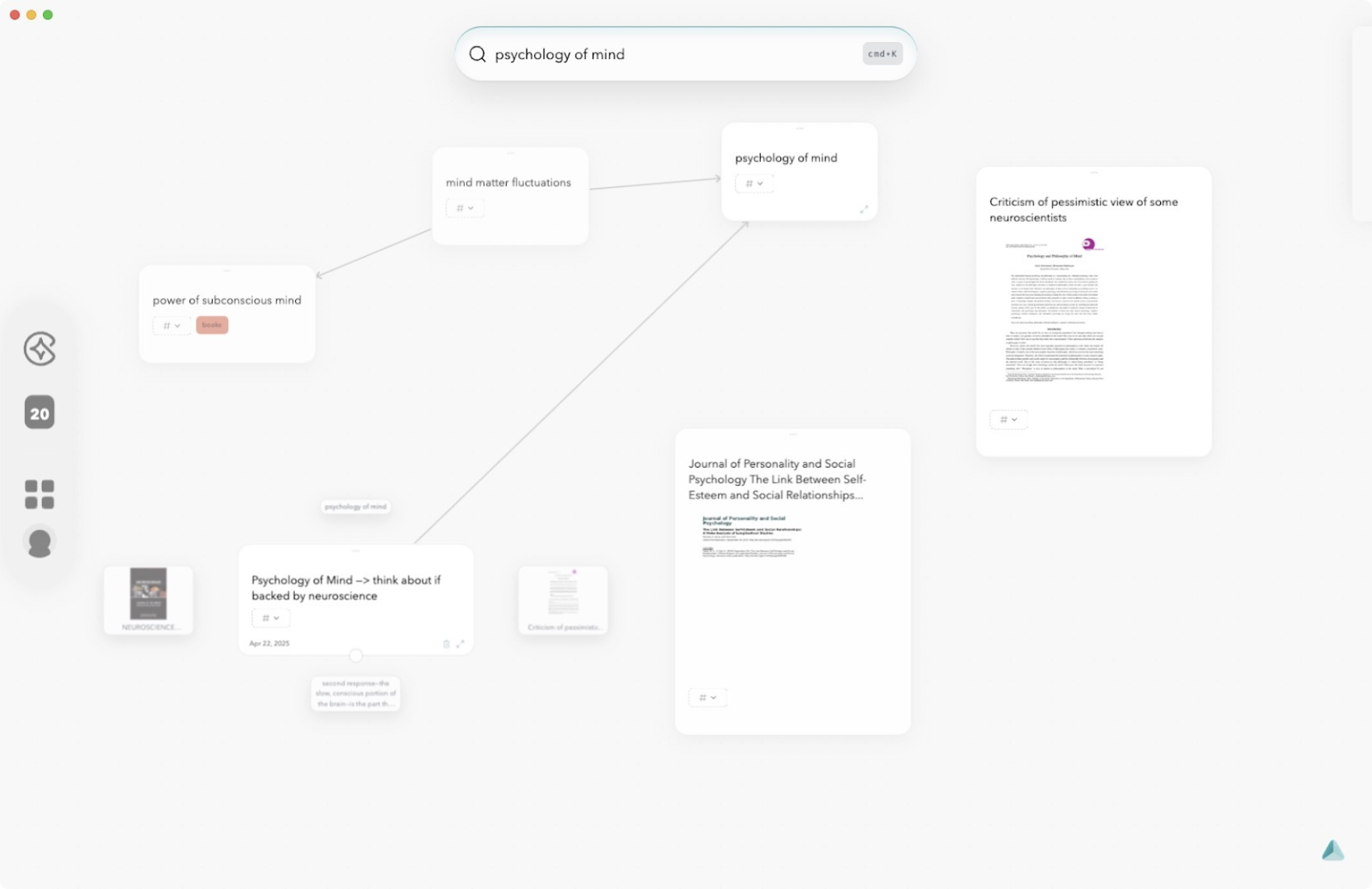
Traditional note-taking systems often rely on document-based editing, leading to limitations in how information is organized and retrieved. These systems can feel restrictive, mimicking the confines of A4-sized paper, which hinders the dynamic nature of idea generation. Additionally, traditional approaches lack intuitive connections between thoughts, making it challenging to see the big picture or draw meaningful insights.
AI-enhanced solutions like Constella App offer several advantages that address these limitations:
- Automatic Organization: Constella automatically organizes your notes based on context and relevance. This reduces the manual effort required to tag and categorize information, saving you time and keeping your Second Brain effortlessly structured.
- Intuitive Graph Interfaces: The app features visual graph-based interfaces that mimic the way our brains naturally connect ideas. These interfaces allow for effortless connection drawing via dragging, enabling you to visualize relationships between notes seamlessly.
- Magic Bar: Constella's Magic Bar allows for quick and efficient searching of notes. By typing a few keywords, you can instantly recall relevant information without sifting through endless documents.
- Stella AI Assistant: Stella uses connected notes for logical reasoning and task completion. This AI-powered assistant enhances productivity by providing contextually relevant suggestions and helping with knowledge management integration into daily workflows.
The benefits of using AI second brain tools like Constella are clear. They provide a more dynamic, interconnected approach to note-taking that aligns with how our minds work. By leveraging these advanced features, you can create a robust Second Brain without feeling overwhelmed by the process.
Practical Use Cases for Leveraging a Second Brain with Constella App
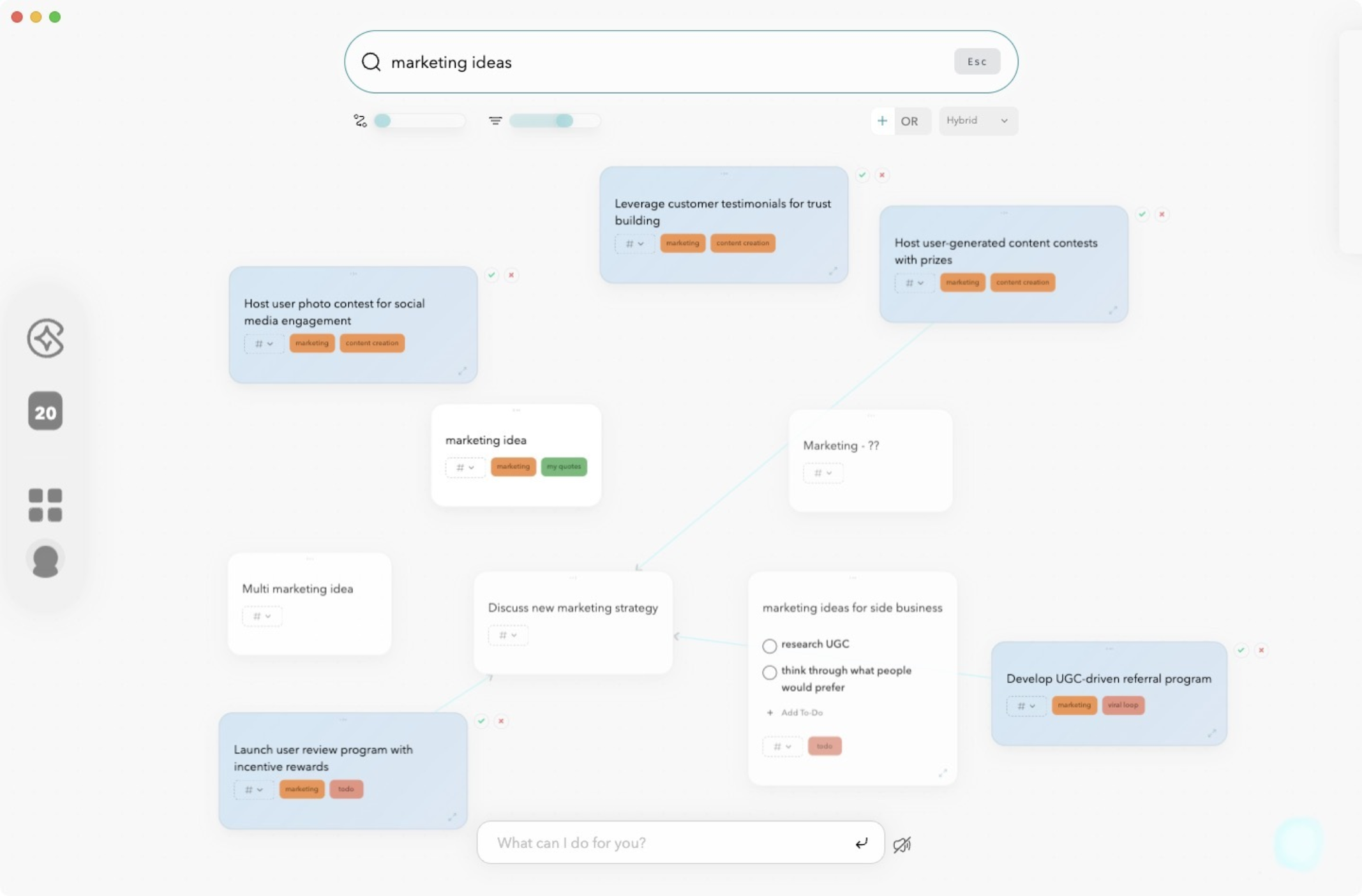
AI second brain applications like Constella App shift knowledge work from scattered fragments to interconnected clarity. Real-world scenarios highlight how Constella’s unique features accelerate productivity and insight.
Research Workflows
Researchers often juggle large volumes of data, fleeting ideas, and evolving questions. Constella App offers:
- Instant Knowledge Recall: As you type, relevant notes surface automatically—no hunting through folders required.
- Graph-Based Connections: Drag-and-drop linking enables rapid synthesis of concepts across sources. Build visual maps of literature reviews, hypotheses, or experimental findings.
- Voice & OCR Input: Capture spoken thoughts or snap a photo of handwritten notes; AI transcribes and integrates them seamlessly.
A research workflow transforms when every insight, reference, and annotation is contextually linked and instantly retrievable.
Project Planning
Managing projects means tracking requirements, deadlines, decisions, and meeting notes. Constella minimizes friction with:
- Drag-to-Connect Notes: Structure project phases visually—tasks, resources, risks—all mapped out in one glance.
- Tagging for Focus: Filter notes by tag (e.g., “Q2 Goals,” “Blocked Items”) to keep priorities clear.
- Smart Suggestions: Similar notes appear as you plan, surfacing dependencies or related discussions you might otherwise miss.
Project managers see the big picture without losing sight of critical details.
Decision-Making Processes
Complex decisions demand a clear view of options, evidence, and outcomes. Constella powers better choices via:
- Stella Chat Assistant: Ask questions or brainstorm directly within your note network; Stella references your stored knowledge to provide contextually aware responses.
- Networked Reasoning: Draw connections between criteria, pros/cons lists, stakeholder feedback—visualize ripple effects before committing.
- Snapshot Mind Maps: Instantly generate mind maps summarizing arguments or scenarios for quick review in meetings.
Constella.App use cases multiply as workflows evolve. Whether you’re a student mapping concepts or an executive synthesizing reports, the platform adapts to your style while keeping overwhelm at bay.
Conclusion
Building a second brain doesn’t need to be complex. With the right tool, scattered thoughts become an organized, living knowledge system. Constella.App excels here—offering seamless capture, intelligent organization, and instant recall without relying on rigid templates or folders.
Its standout features—Smart Retrieval, graph-based connections, and the Stella AI assistant—integrate effortlessly into daily workflows. Drag-and-drop links create insight from chaos, and the infinite canvas ensures your thinking never runs out of space. Constella isn’t just about storing ideas—it’s about making them work.
FAQs (Frequently Asked Questions)
What is a Second Brain and how does it help with information management?
A Second Brain is an external, organized digital repository designed to store and manage your ideas and information efficiently. It helps individuals cope with information overload by providing a structured system that enhances productivity and ensures easy retrieval of knowledge.
How does the Second Brain methodology improve personal knowledge management (PKM)?
The Second Brain methodology focuses on organizing information around active projects rather than rigid hierarchies. Techniques like Progressive Summarization distill notes into actionable insights, making it easier to retrieve relevant information when needed and improving overall PKM effectiveness.
What challenges might I face when building my own Second Brain and how can I overcome them?
Common challenges include feeling overwhelmed due to complex templates or over-reliance on document-based editing. To overcome these, it's recommended to embrace simplicity, focus on capturing key ideas related to active projects, and avoid overly complicated systems that discourage consistent use.
How do AI-powered apps like Constella enhance the Second Brain experience?
AI-powered tools like Constella revolutionize Second Brain building by offering automatic organization features, intuitive graph interfaces for drawing connections effortlessly, and smart retrieval capabilities. These advancements address limitations of traditional note-taking systems and significantly streamline knowledge management.
In what practical ways can Constella App be used as a Second Brain?
Constella App can enhance workflows in various scenarios such as research projects, project planning, and decision-making processes. Its AI-driven features enable users to organize information dynamically, visualize connections through graphs, and access insights quickly to boost productivity.
Does Constella App support offline functionality and meet performance expectations for a Second Brain solution?
Yes, Constella App is designed to deliver high performance with seamless integration into daily workflows. While primarily AI-driven, it offers features that support offline access to ensure uninterrupted knowledge management even without internet connectivity.
Want more insights like this?
Subscribe to get short productivity tips and useful summaries of new tools every week.
Want more insights like this?
Subscribe to get short productivity tips and useful summaries of new tools every week.


