

Digital diaries have come a long way since the early days of basic note-taking apps. In the 1990s, electronic diaries were simple, text-based programs with limited features. As smartphones became mainstream, e-diary solutions evolved rapidly, offering cloud sync, multimedia support, and cross-device access. The demand for digital diary apps surged as users sought more flexible and dynamic ways to document their thoughts beyond pen and paper.
Switching to a digital diary offers clear advantages:
- Accessibility: Access your entries across devices—phone, tablet, or desktop—whenever inspiration strikes.
- Convenience: No need to carry a physical journal or worry about running out of pages. Digital diaries can hold years’ worth of memories in your pocket.
- Searchability: Instantly find past entries by keyword or tag instead of flipping through endless pages.
- Security: Many digital diary apps include password protection and encryption for peace of mind.
- Multimedia Integration: Seamlessly attach photos, voice notes, or even web links to enhance your records.
If you've struggled to keep a traditional journal going, you're not alone. Most people abandon their e-diary after a few weeks because the system doesn’t fit into their daily flow. Adopting best practices tailored for digital journaling increases the odds that you’ll actually keep using your digital diary app—and benefit from consistent self-reflection and memory keeping.
Understanding Digital Diary Apps
Digital diary apps are specialized software designed to facilitate the practice of journaling in a digital format. These apps offer key features that enhance the journaling experience:
- Accessibility: Access your diary from multiple devices, ensuring your entries are always within reach.
- Synchronization: Sync your entries across devices, maintaining consistency and ease of access.
- Security: Implement password protection and encryption to safeguard personal thoughts.
- Multimedia Support: Incorporate text, images, audio, and video into your entries.
- Search Functionality: Quickly locate specific entries using advanced search options.
When exploring the best diary apps available on different platforms, several unique functionalities stand out:
Popular Diary Apps for Mac

Mac users have access to several well-designed diary apps that blend aesthetics with powerful functionality. Whether you're looking to journal with photos, track moods, or sync across devices, the Mac platform offers excellent options.
Day One
Day One offers a clean, intuitive interface paired with a comprehensive suite of features.
- Includes photo integration, location tagging, and customizable templates
- Supports syncing across Apple devices including Mac, iPhone, and iPad
Journey
Journey is a flexible journaling app suitable for both casual and reflective writers.
- Provides cloud backup, mood tracking, and integration with Google Fit
- Accessible via Mac and mobile platforms for seamless cross-device journaling
Popular Diary Apps for Windows
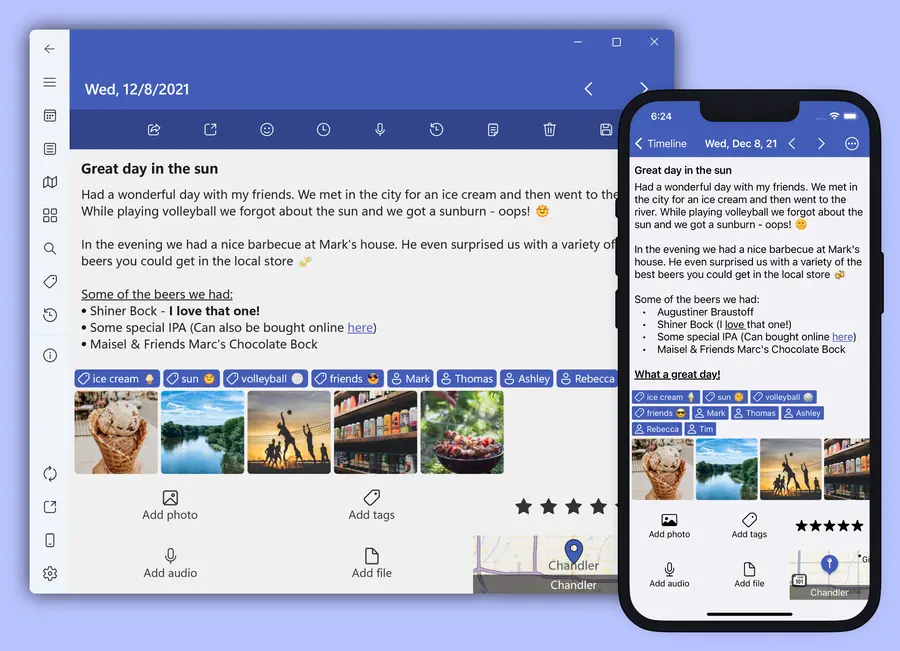
Windows users benefit from diary apps that emphasize productivity and multimedia integration. These tools allow for easy syncing and rich journaling experiences across devices.
Diarium
Diarium is designed to support multimedia journaling and efficient data organization.
- Features support for voice recordings, photos, and file attachments
- Syncs with cloud services like OneDrive, Google Drive, and Dropbox
Evernote
Although not a dedicated diary app, Evernote is a powerful tool for journal-style note-taking.
- Offers versatile note-taking with robust search functionality
- Includes organizational tools such as notebooks, tags, and cross-platform sync
Mobile Diary Apps
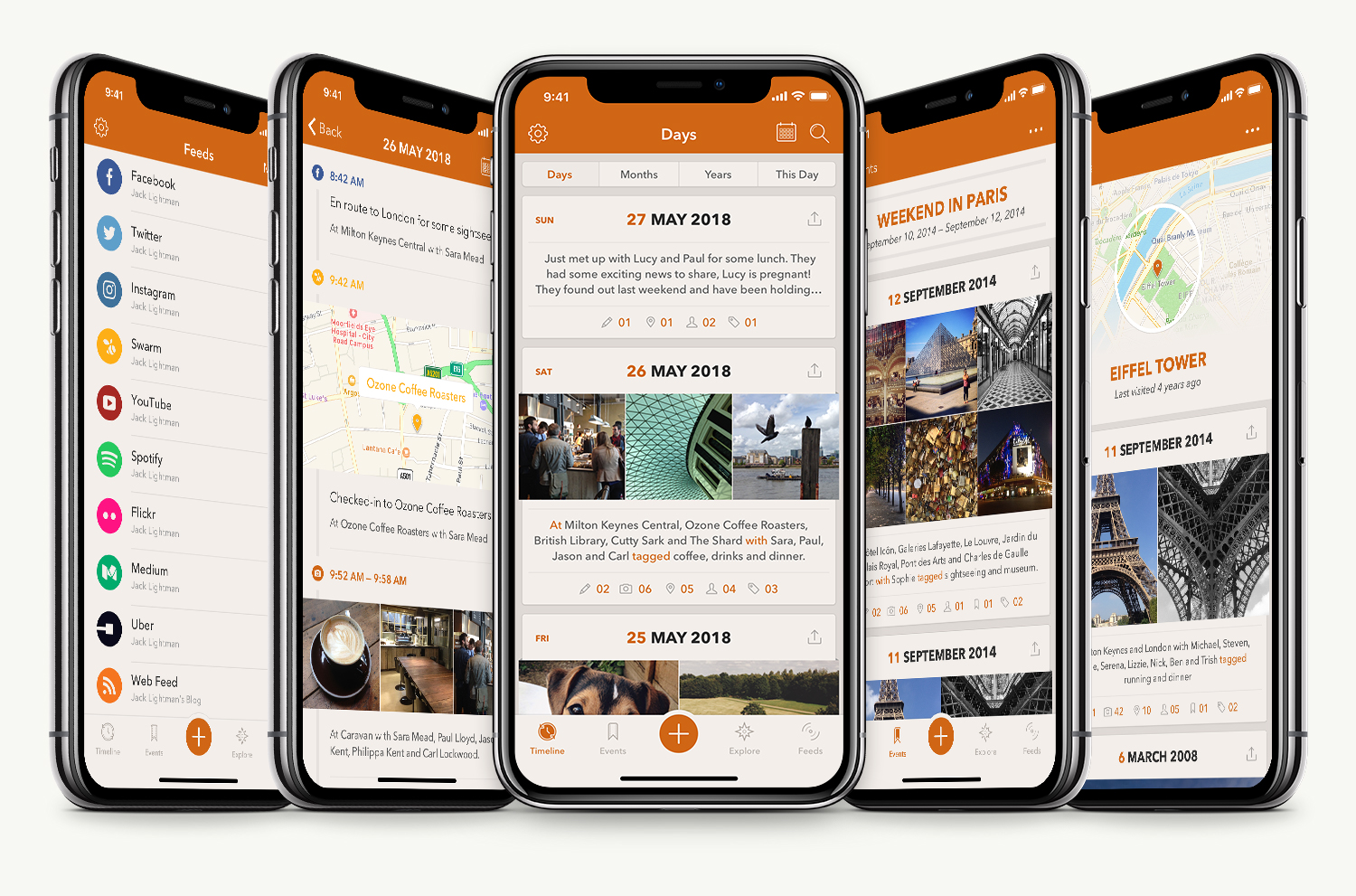
On-the-go journaling is easier than ever with mobile-first diary apps. These options provide portability, quick entry tools, and strong privacy features.
Momento
Momento is crafted for iOS users who want their diary to reflect their digital lives.
- Integrates with social media platforms to incorporate posts into diary entries
- Emphasizes ease of use with an intuitive interface for quick journaling
Penzu
Penzu focuses on security and privacy for mobile journaling.
- Offers strong encryption, including military-grade AES-256 security
- Available on both Android and iOS for secure, cross-platform journaling
Exploring these diary tools can help you discover the one that best suits your writing habits and lifestyle. Each offers a unique blend of features to support a smooth and engaging digital journaling experience.
Use Flexible Entry Formats to Keep It Engaging
Digital journals give you freedom far beyond pen and paper. By mixing entry types, you keep the process fresh and avoid the burnout that often comes from sticking to one style.
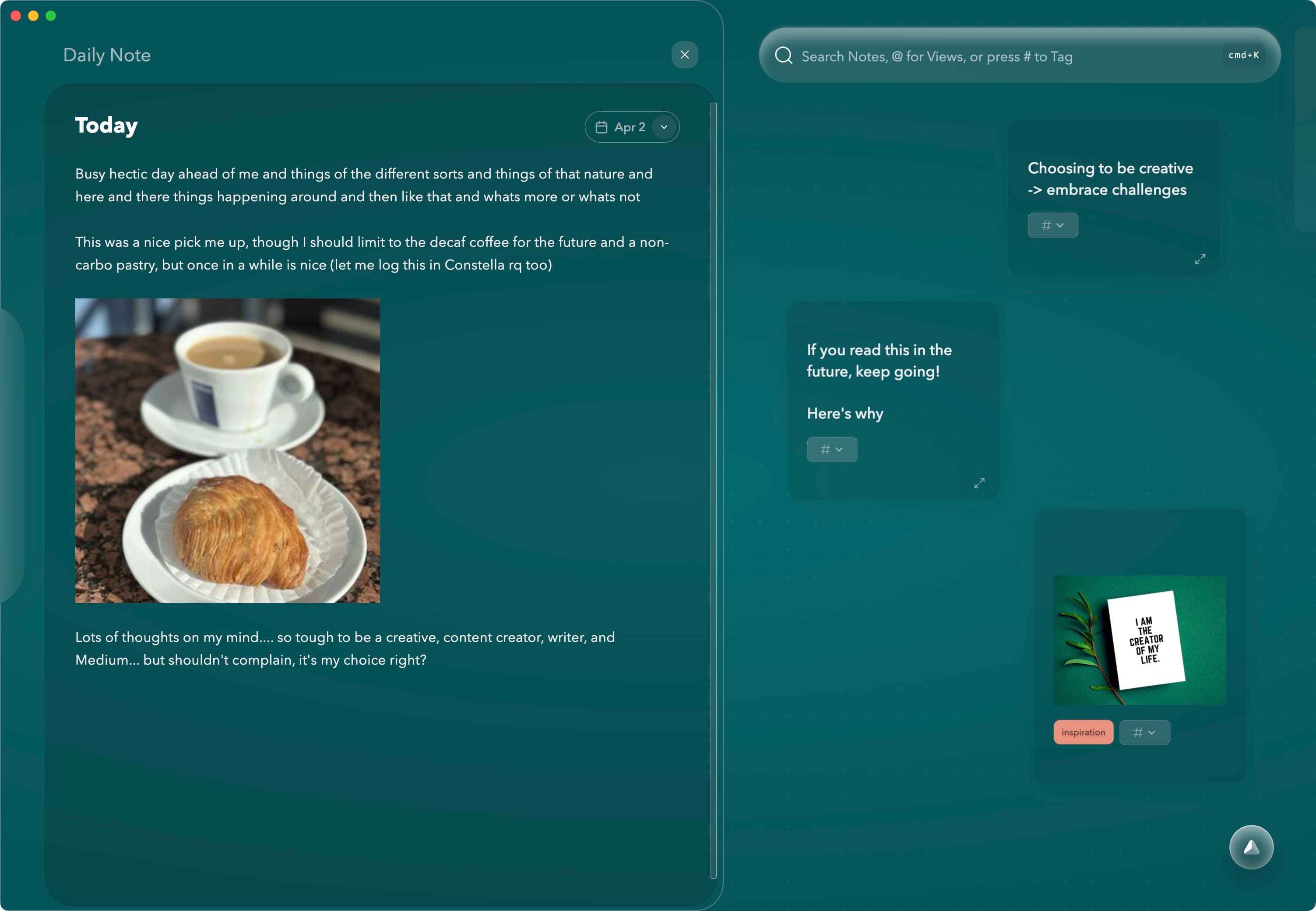
- Text entries: Write traditional entries—daily reflections, gratitude lists, goal tracking, or freewriting. Perfect for building clarity and mindfulness.
- Voice recordings: Talk through your thoughts when typing isn’t practical. Many apps auto-transcribe these, making them searchable later.
- Photos and drawings: Snap pictures of moments, places, or objects that matter—or upload doodles and scanned artwork.
- Hybrid entries: Combine text, audio, and visuals to document your day in a way that’s fully your own.
There’s no “right” way to journal. Let your mood, time, and situation guide the format. The variety keeps journaling from becoming a chore.
Journal Anywhere with Mobile-Friendly Features
One of the biggest advantages of digital journaling is mobility. Thanks to smartphones and cloud syncing, your journal is always within reach—ideal for capturing thoughts when they’re freshest.
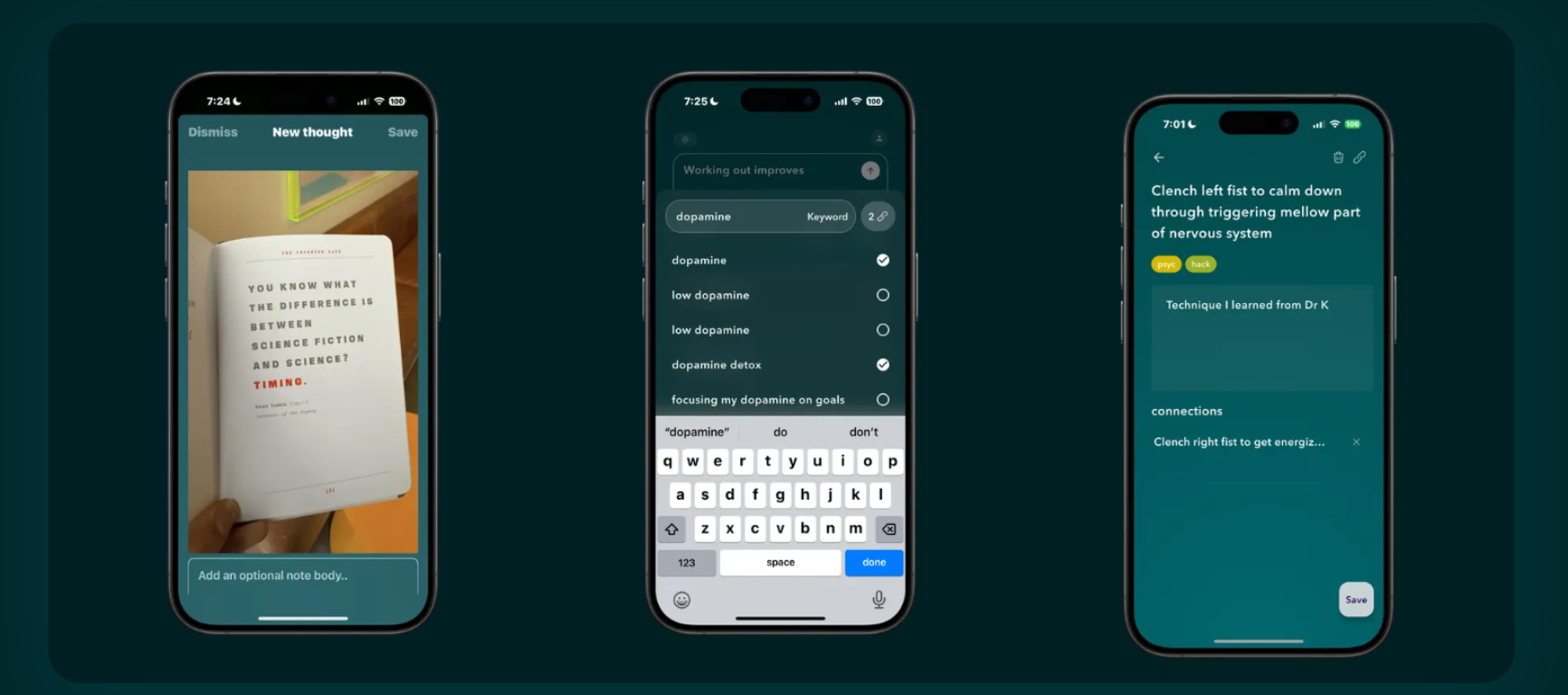
- Quick capture: Jot down ideas, emotions, or experiences the moment they arise—whether you're on a walk or in a waiting room.
- Widgets and voice shortcuts: Some apps offer home screen widgets or voice assistant integration, allowing you to start an entry in seconds.
- Speech-to-text: Dictate your thoughts and let your device transcribe them—great for multitasking or journaling on the go.
- Cross-device syncing: Write on your phone, expand on your tablet, and reflect later on your laptop. Many apps ensure your entries are seamlessly synced across all devices.
Mobile tools make journaling more spontaneous, authentic, and consistent—especially for people with busy or unpredictable schedules.
Personalize Your Digital Space for Motivation
Customizing your journal’s appearance and layout adds emotional resonance and makes journaling feel more inviting. The more your journal reflects your personality, the more likely you are to return to it regularly.
Design Your Journal Aesthetic
- Choose from a variety of themes and color palettes—from minimalist layouts to calming pastels or bold colors that energize your writing.
- Adjust font size and spacing for readability and comfort.
- Use header formatting, emojis, or mood icons to bring your entries to life visually.
Add Visual and Interactive Content
- Embed photos, illustrations, and scanned notes to reflect your day in more than just words.
- Use multimedia tools like video and audio for richer storytelling.
- Save and annotate web clippings or quotes directly within your entries to reference later.
Explore Mood and Tagging Features
- Many apps let you tag emotions, activities, or themes, helping you spot patterns over time.
- Some even offer dynamic layouts that visually represent mood trends or productivity levels.
When your digital diary feels like your personal sanctuary, journaling transforms from obligation to creative self-expression.
Protect Your Privacy and Peace of Mind
Since your digital journal may contain deeply personal thoughts, it's crucial to keep it secure. Fortunately, most modern journaling apps prioritize user privacy through a range of protection features.

Core Security Features to Use
- Password or biometric lock: Set a strong password, or use fingerprint/face ID to secure access.
- End-to-end encryption: This ensures your data is unreadable to anyone but you—even the app’s developers.
- Two-factor authentication (2FA): Adds an extra layer of protection by requiring a second device to verify your identity.
Choose the Right App for Privacy
- Look for apps that clearly explain their privacy policies and encryption methods.
- Avoid platforms that store your data in unencrypted formats or require unnecessary account access.
Feeling safe in your journaling space is essential. When you trust that your entries are protected, you’re more likely to write honestly and deeply.
Build a Habit That Lasts Beyond the Honeymoon Phase
Getting started is exciting—but building a journaling habit that sticks requires a bit of structure. Here’s how to make your practice sustainable:
- Start small: Set a low-pressure goal like one sentence a day. You can always write more, but showing up matters most.
- Tie it to a routine: Attach journaling to a consistent part of your day—morning coffee, lunch break, or bedtime wind-down.
- Use prompts for inspiration: Daily prompts offered by apps like Day One or Journey can help when you’re unsure what to write.
- Set reminders: Gentle notifications can keep journaling on your radar without feeling pushy.
- Review past entries: Once a month, revisit old entries to see growth, spot patterns, or simply relive meaningful moments.
Journaling is less about perfection and more about presence. Building a habit doesn’t require dramatic entries—just small, consistent acts of reflection.
Constella App: Your Ultimate Companion for Enhanced Digital Journaling

Introducing Constella App, an AI-powered note-taking tool designed specifically for digital journaling enthusiasts seeking a seamless experience with their e-diaries. This innovative app simplifies the journaling process, making it accessible and engaging.
Key Features
- Smart Retrieval: Intelligent search functionality that allows you to instantly recall relevant notes as you type, ensuring your thoughts are easily accessible.
- Visual Graph: Dynamic visualization of journal entries that automatically organizes and connects notes, providing insights and enhancing the understanding of your thoughts.
- Connectivity: Easy integration with other apps, enabling a smooth flow of information between different platforms.
- Stella Chat: An AI chatbot assistant offering prompts and inspiration, helping you overcome writer's block and encouraging consistent journaling habits.
Constella App transforms digital journaling into an intuitive and enriching experience, leveraging cutting-edge technology to keep your e-diary organized, secure, and personalized.
Conclusion: Make Your Digital Diary Work for You
Digital journaling has evolved from simple electronic notebooks into sophisticated platforms for reflection, creativity, and self-awareness. Whether you're documenting personal milestones, managing mental health, or simply making sense of daily life, the right digital diary can become a powerful ally.
By embracing multimedia entries, journaling on the go, customizing your writing space, and safeguarding your privacy, you turn a blank page into a meaningful part of your daily rhythm. And with tools like Constella App, the process becomes not only easier but more insightful—bridging the gap between your thoughts and actions through intelligent organization and creative inspiration.
Remember, consistency matters more than perfection. Your digital diary doesn’t have to be beautifully written or deeply profound every day. What matters is that it captures you—your ideas, your growth, your journey.
So choose a platform that fits your lifestyle, commit to starting small, and let your digital journal become a living archive of who you are and who you're becoming.
Your story is worth recording. Start writing it—your way.
FAQs (Frequently Asked Questions)
What are the main advantages of using a digital diary over traditional journaling methods?
Digital diaries offer greater accessibility and convenience compared to traditional journaling. They allow you to capture your thoughts anytime, anywhere using mobile devices, and often include features like multimedia integration and easy organization.
Which digital diary apps are best for Mac and Windows users?
Popular digital diary apps for Mac and Windows include options that offer unique functionalities tailored to each platform. These apps provide features such as customizable themes, encryption for privacy, and seamless syncing across devices to enhance your journaling experience.
How can beginners start a successful digital journaling habit?
Beginners should embrace format-agnostic entry styles by using text, audio, or video formats to keep journaling flexible and engaging. Utilizing mobile devices ensures you can journal on-the-go, helping maintain consistency and making it easier to capture daily thoughts.
What personalization options are available in digital diaries?
Digital diaries allow you to customize themes and layouts to reflect your personal style. You can also incorporate multimedia elements like photos, drawings, or clippings into your entries, making your journal more vibrant and memorable.
How do digital diary apps ensure privacy and security of personal entries?
Reputable digital diary apps prioritize safeguarding your entries through password protection and encryption features. These measures prevent unauthorized access and protect your data from potential breaches, ensuring confidentiality of your thoughts.
What makes the Constella App a standout choice for digital journaling enthusiasts?
Constella App is an AI-powered note-taking tool designed specifically for digital journaling. It offers Smart Retrieval for intelligent search, Visual Graph for dynamic visualization of entries, Connectivity with other apps, and Stella Chat—an AI chatbot assistant providing prompts and inspiration to enhance your journaling experience.
Want more insights like this?
Subscribe to get short productivity tips and useful summaries of new tools every week.
Want more insights like this?
Subscribe to get short productivity tips and useful summaries of new tools every week.


